Page 37
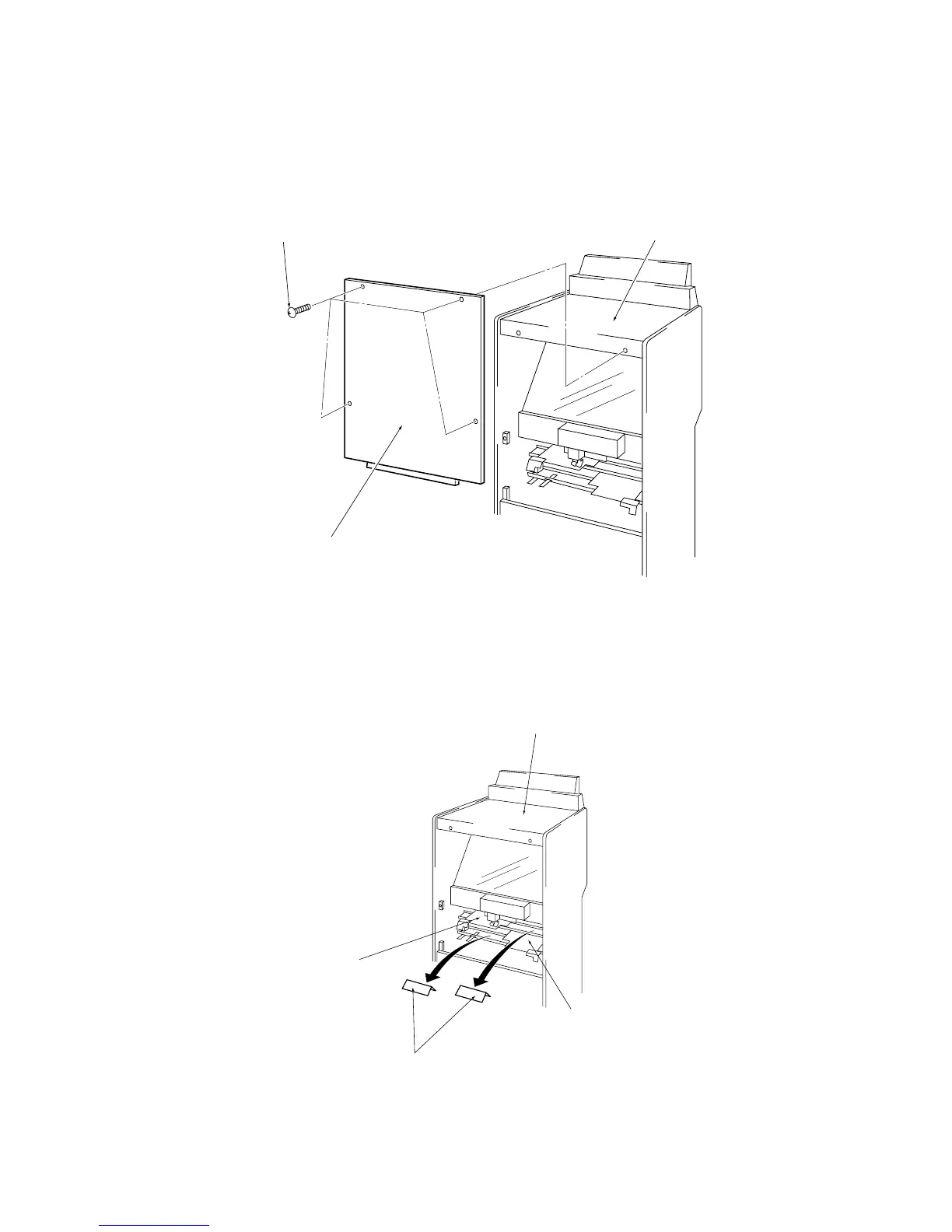
5-2 Removing the Flat Target Packing.
1. Remove the four off Button head screws (M5x35) and remove the rear upper
door on the Target Cabinet.
(Note: Take care that the door does not fall when removing the four screws ).
2. Remove the cardboard packing from both the Upper and Lower Flat Target
Assemblies
Note: Retain the packing pieces for refitting at any time the game is moved or
transported .
3. Refit the rear upper door.
Target Cabinet
Target Assy (L)
Packing
Target Assy (U)
Button head screw
(M5x35)
Target cabinet
Rear maintenance door (U)


 To Next Page
 Loading...