Page 56
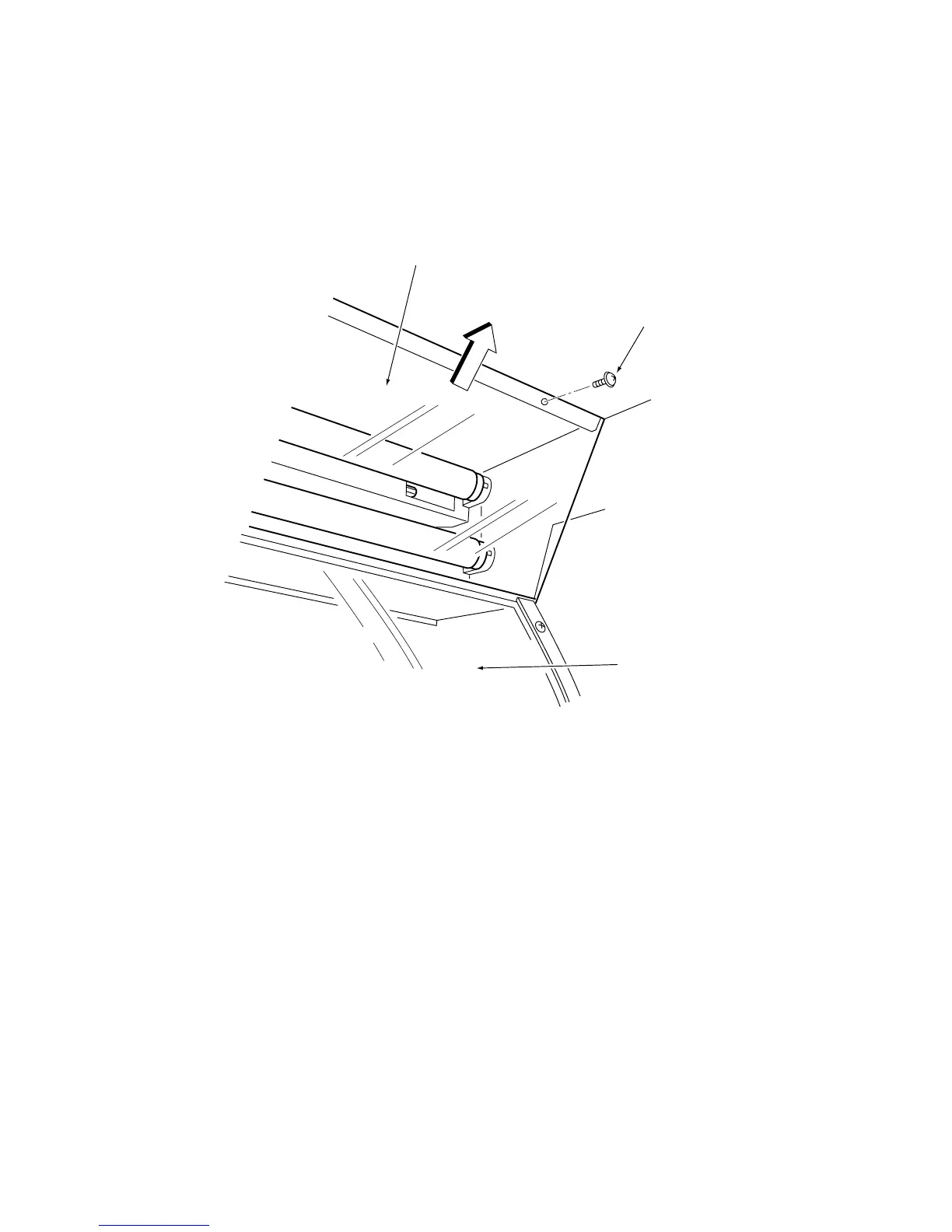
7-5 Replacing the Light Guard
1. Remove the Upper Rear Door from the Target Cabinet.
2. Remove 3off Pozi head screws (M4x16) and remove the light Guard in the
direction of the arrow in the diagram below
Note: The Rear Glass is located below the Light Guard. Take care not to drop
anything on it. (Screwdriver etc.).
4. Replace the Light Guard in reverse order.
Light Guard
Pozi head Screw
(M4x16)
Rear Glass


 To Next Page
 Loading...