8 of 17
Copyright 2014 ▪ Nanalysis Corporation
1. If the spectrometer is colder/warmer than room
temperature by more than 3 degrees, let spectrometer
acclimate for 1 hour before applying power.
2. Plug in power supply to turn on electronics. Optionally
plug in keyboard and mouse.
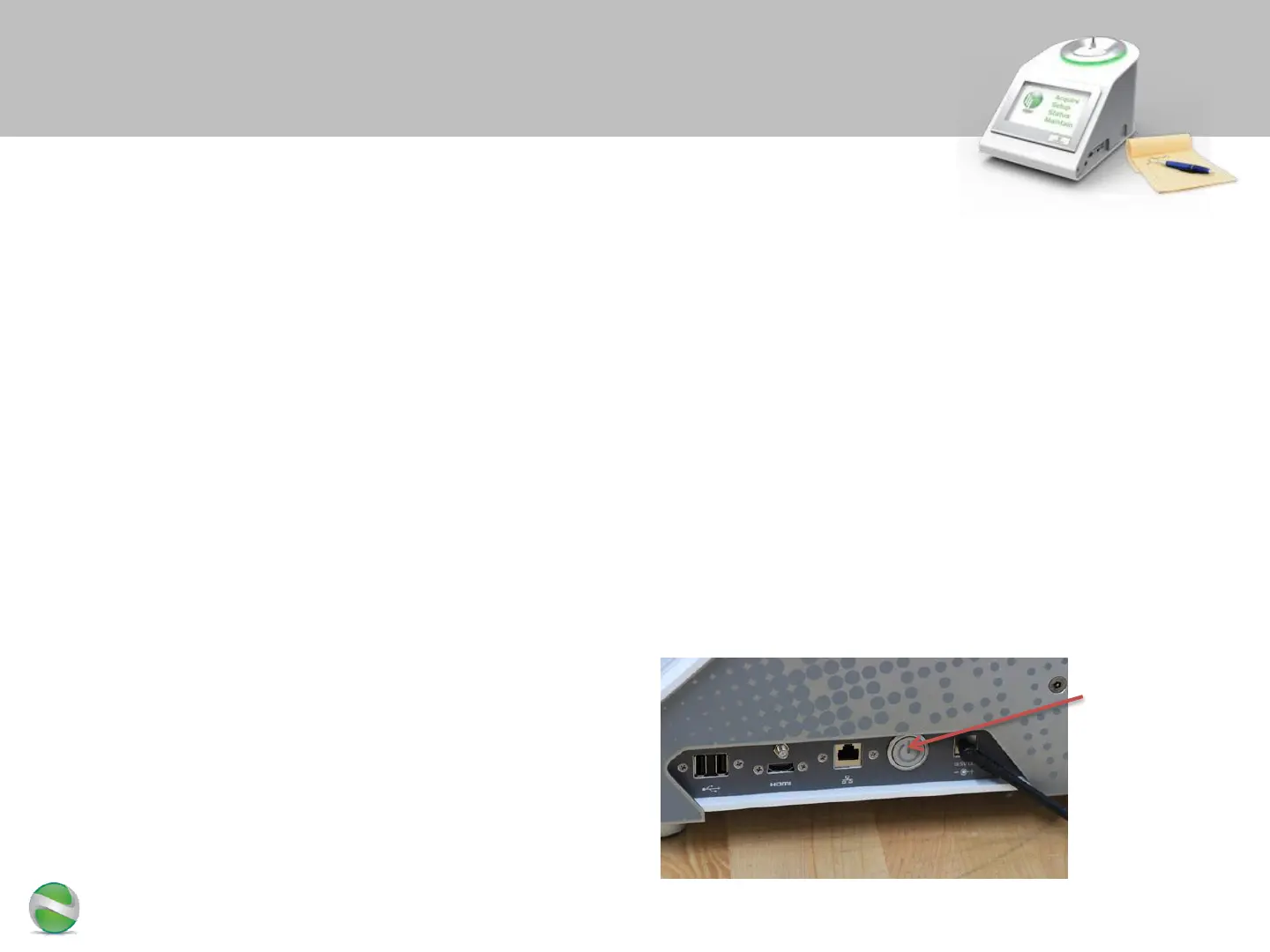
3. Press the silver power button to turn on the touch panel
display
– System will automatically boot into the GUI and start the
installation wizard
Powering up the NMReady
Silver button
for turning on
the touch
panel display
4. It is a good idea to turn on
the sample warmer (see last pages
of this document) at the same time
as the NMReady


 To Next Page