2
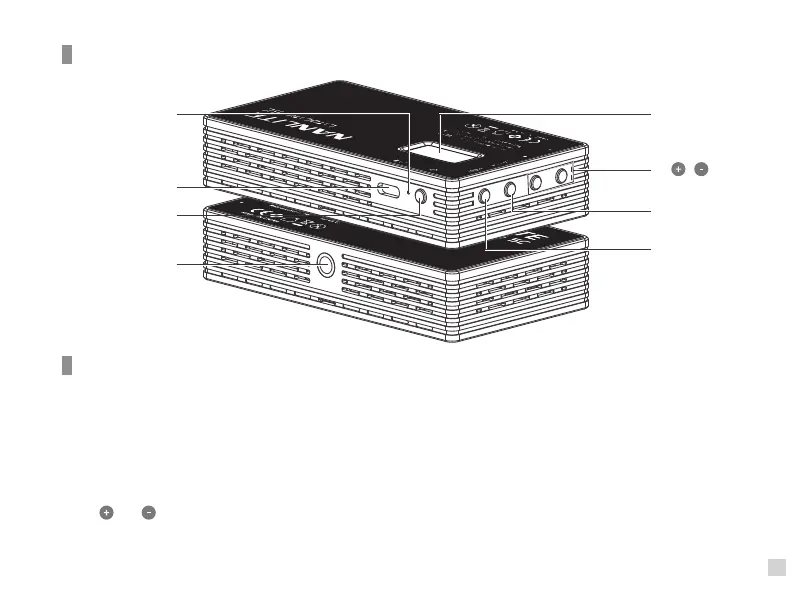
5. Display
6.“ ”“ ”
7. Switch
8. Mode
2. USB
Type C port
1. Reset
3. Power
4. 1/4-20
mount
Product Details
1. Reset: To reset the fixture in the event it ever freezes up or stalls.
2. USB Type C port: DC input & firmware updates.
3. Power: Long press the power button for powering on/off the fixture. Short press the power button, the DIM function
of the fixture will reset to 0%, short press the power button again to restore the previous setting of DIM.
4. 1/4-20 mount: Standard mounting fixture.
5. Display: Menu and option display.
6. " " & " " : Increase or decrease settings, supports long/short press.
7. Switch: Switch selected options.
8. Mode: Switch between modes CCT, HSI, Effects and Menu.
Detail Description


 To Next Page