EasyManua.ls Logo

NANLITE LitoLite 5C - User Manual

NANLITE LitoLite 5C
22 pages
Print Icon
To Next Page IconTo Next Page
Loading...
Guangdong NanGuang Photo&Video Systems Co., Ltd
USER MANUAL
LitoLite 5C

Questions and Answers

Summary

Product Information and Specifications

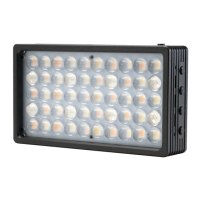
Product Diagram

Visual representation of the LitoLite 5C, highlighting its physical components and layout.

Technical Data

Key specifications including power, battery, color temperature, CRI, and TLCI for the LitoLite 5C.

Product Details

Detailed identification and description of the fixture's components and control buttons.

Usage and Operation

Powering the Unit

Instructions on how to connect and power the LitoLite 5C using USB adapters or power banks.

Installation and Mounting

Guides on attaching diffusers, horizontal/handheld options, and magnetic/1/4-20 mounting.

Bluetooth Remote Control

Information on the built-in Bluetooth feature for remote operation of the fixture.

Operating Modes and Controls

Explanation of mode selection (CCT, HSI, Effects, Menu) and operation of CCT settings.

Effect Mode Operations

Details on how to activate and control various built-in lighting effects like Hue Loop and CCT Loop.

Menu and Settings

Menu Navigation

Instructions for accessing and navigating the fixture's menu system.

Language and Version Settings

How to set the display language and check the firmware version of the LitoLite 5C.

Safety, Support, and Troubleshooting

Safety Precautions and Notices

Important safety warnings and operational notices for safe and proper use of the fixture.

Box Contents and Troubleshooting

Details of items included in the package and solutions for common operational problems.

Overview

The Nanlite LitoLite 5C is a compact RGBWW LED pocket light designed for various photographic and video applications. It offers a wide range of lighting modes and effects, powered by a built-in lithium battery or external USB power.

Function Description

The LitoLite 5C serves as a versatile lighting tool with multiple operational modes:

  • CCT Mode: Allows adjustment of color temperature from 2700K to 7500K, along with Green/Magenta (G/M) adjustment. Dimming is available from 0% to 100%.
  • HSI Mode: Provides control over Hue (0-360 degrees), Saturation (0-100), and Intensity (0-100%).
  • Effects Mode: Includes a variety of pre-programmed special effects to simulate real-world lighting scenarios. These effects are:
    • Hue Loop: Cycles through hues with adjustable speed (02S-30S).
    • CCT Loop: Cycles through color temperatures with adjustable speed (02S-30S).
    • INT Loop: Cycles through intensity levels with adjustable speed (02S-30S) and color (CCT or HUE).
    • CCT Flash: Produces flashes at a specified color temperature with adjustable interval (0.1S-10.0S).
    • Hue Flash: Produces flashes at a specified hue and saturation with adjustable interval (0.1S-10.0S).
    • CCT Pulse: Generates pulses at a specified color temperature with adjustable pulses per minute (001-240).
    • Hue Pulse: Generates pulses at a specified hue and saturation with adjustable pulses per minute (001-240).
    • Storm: Simulates lightning with adjustable interval (01S-60S).
    • Police Car: Mimics police car lights with adjustable color (Blue/Red-Blue/Blue-White/Red-Blue-White) and speed (001-100).
    • TV: Simulates television screen flicker with adjustable CCT, G/M, and speed (001-100).
    • Paparazzi: Simulates camera flashes with adjustable CCT, G/M, and speed (001-100).
    • Candle/Fire: Simulates candle or fire flicker with adjustable CCT, G/M, and speed (001-100).
    • Disco: Creates a disco light effect with adjustable color (03, 06, 09, 12, 15, 18, 21, 24) and speed (001-100).
    • Bad Bulb: Simulates a flickering bad light bulb with adjustable CCT, G/M, and speed (001-100).
    • Firework: Simulates firework flashes with adjustable color (03, 06, 09, 12, 15, 18, 21, 24), speed (001-100), and decay (001-100).
    • Explosion: Simulates an explosion flash with adjustable CCT, G/M, speed (001-100), and decay (001-100).
    • Welding: Simulates welding flashes with adjustable CCT, G/M, speed (001-100), and a pause function (OFF/ON).
  • Menu Mode: Allows users to set the language (Chinese or English) and check the firmware version.

Important Technical Specifications

  • LED Total Power: 5W x 2 + 4W x 3
  • Rated Power: 7W
  • Input Voltage/Current: DC5V/2A
  • Lithium Battery: 3.7V/2400mAh, 8.88Wh
  • Color Temperature: 2700K-7500K with G/M Adjustment
  • CRI: Average 95
  • TLCI: Average 97
  • Mounting: 1/4-20 mount, built-in magnets on both ends for attachment to irony surfaces.
  • Connectivity: USB Type-C port for DC input and firmware updates, built-in Bluetooth for remote control.

Usage Features

  • Powering On/Off: Long press the power button.
  • Dimming Reset/Restore: Short press the power button to reset DIM to 0%, another short press restores the previous DIM setting.
  • Navigation:
    • Mode Button: Switches between CCT, HSI, Effects, and Menu modes.
    • Switch Button: Selects options within each mode (e.g., DIM, CCT, G/M in CCT mode).
    • "+" and "-" Buttons: Increase or decrease settings, supporting both long and short presses.
  • Powering Options: Can be powered by a USB adapter (5V/2A or above recommended, not included) or a power bank. The built-in battery automatically powers the unit once charged and unplugged.
  • Installation:
    • Attach the included diffuser.
    • Mount horizontally or use handheld.
    • Utilize the 1/4-20 mount for tripods, light stands, clamps, or ball heads (accessories not included).
    • Magnetic attachment to irony surfaces for flexible placement.
  • Bluetooth Remote Control: The LitoLite 5C has integrated Bluetooth for remote operation.
  • Firmware Updates: Supported via the USB Type-C port.
  • Waterproof Bag: An optional accessory for protection; the fixture must be set up before being placed in the bag or controlled remotely.

Maintenance Features

  • Reset Function: A dedicated reset button is available to address instances where the fixture freezes or stalls.
  • Cleaning: Turn off the light before cleaning. Wipe off debris or dirt using a dry cloth with clean water or a neutral cleanser.
  • Storage: Store the light safely and out of reach of children.
  • Self-Repair: Do not attempt to repair the light yourself, as this will void the warranty. For repairs, return the product to the place of purchase.
  • Charging Behavior: When connected to a charger via USB cable and the brightness is above 0%, the light uses the charger as its power supply, and the battery is not actively being charged.
  • Environmental Considerations:
    • Avoid placing any object on the light emitter.
    • Keep the light away from direct contact with liquids (unless using the optional waterproof bag).
    • Do not place the light near flammable substances like alcohol or gasoline.
    • Operate the light safely, ensuring it is not at risk of getting wet or exposed to extreme temperatures.
    • If the light flickers, ensure it is not operating in extreme temperatures and is not in EFFECT mode.

NANLITE LitoLite 5C Specifications

General IconGeneral
BrandNANLITE
ModelLitoLite 5C
CategoryDJ Equipment
LanguageEnglish