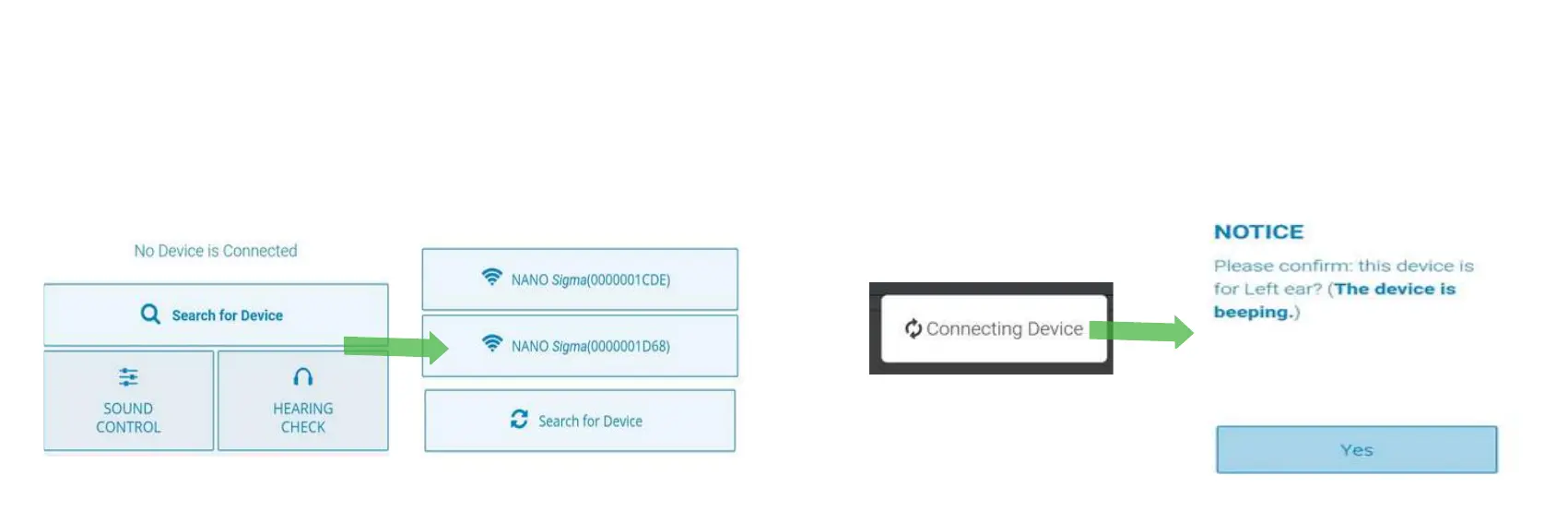
Open the app. Make sure your device is turned on. Press
“Search for device”. Two Sigmas (L-R) should Pop-up.
Press on each one of them.
3rd step: Searching the device
After we wait for the device to be connected, a beep
will make you know which is the left and which is the
right device.
4th step: Pairing
36


 To Next Page