32
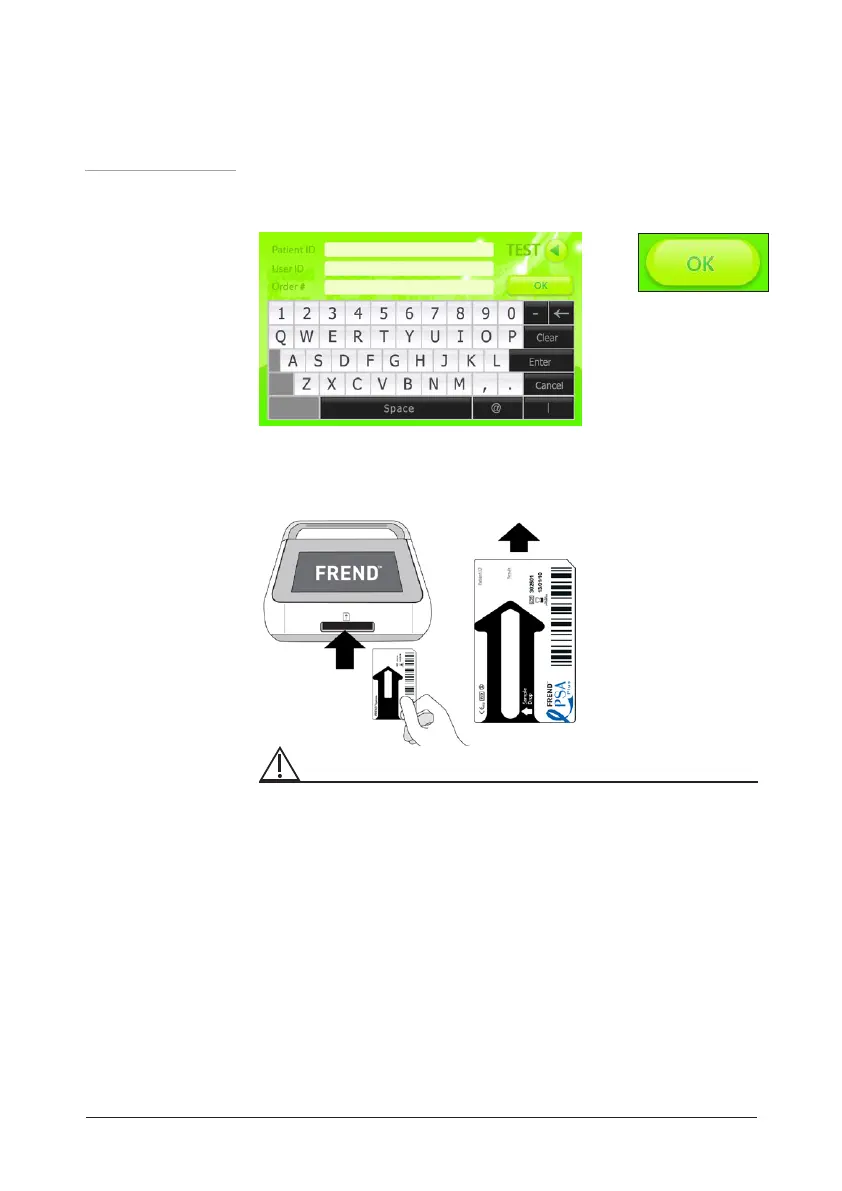
14. Type the 'Patient ID', 'User ID' and 'Order #' and press the Enter
button. To start a test, press the OK button.
15. Insert the cartridge into the cartridge slot.
FREND
TM
System
operating
procedure
Operation
Caution:
Please check the direction of the cartridge before insertion. And also check if
the insertion is complete.
☞ If you setted the Entry Requiremnts as optional on General setting
screen, press the OK button to skip this step.


 To Next Page