Need help?
Do you have a question about the Nanoleaf Elements and is the answer not in the manual?
Details the process of connecting linkers and the controller to the light panels.
Illustrates how to connect the power supply unit to the setup.
Illustrates the final step of mounting the assembled light panel layout onto the wall.
Essential safety advice regarding product usage, handling, and environmental conditions.
Precautions for electrical connections, water exposure, cleaning, and avoiding damage.
 General
| Connectivity | Wi-Fi |
|---|---|
| Power Consumption per Panel | 2W |
| Dimmable | Yes |
| Control Method | App, Voice, Touch |
| Modular Design | Yes |
| Control | App, Voice |
| Compatibility | Apple HomeKit, Amazon Alexa, Google Assistant |
| Color Temperature | 1500K - 4000K |
| Color Channel Configuration | White |
| Communication Protocol | WiFi |
| Mounting Type | Adhesive Mount |
| Voltage | 100-240V AC |
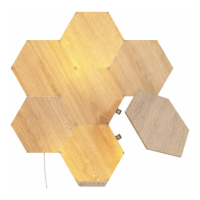
| Product Type | Modular Smart Light Panels |
| Material | Wood |

 To Next Page