Page 14 / 28
INFO: When no cooking or cooking program is in progress, the brightness of the screen will be reduced
automatically after 1 minute following the last button press.
INFO! Upon first installation or after a power loss lasting longer than 48 hours, the date and time of day
settings will not be correct. Please set/correct them using the SETTINGS menü.
appearing on the bottom right of the screen indicates that the,
shortcut function to enter the cooking menu directly. The function and Temperature settings indicated on
the screen will be the ones used in the last cooking performed before..
USER MANUAL :
Switching ON :
The screen will be black and empty when the device is OFF. By long ( 1 sec) pressing of the
button, the device is switched on, the screen lights up ( a temporary logo screen may appear
depending on the software version ) and the idle screen will be visible. The oven controls are enabled
now. To switch the device OFF , a long press of the same button is required. In that case, any running
cooking program will be cancelled.
Mains Power Losses:
Your oven control will not be affected from mains power interrupts shorter than 2 minutes. Longer
power
losses will cause the oven to get OFF, any adjusted cooking or alarm will be cancelled. Upon power
restore after
a long loss of power, the device will be in idle mode when it was ON , in OFF mode when it was
OFF before the mains power interrupt
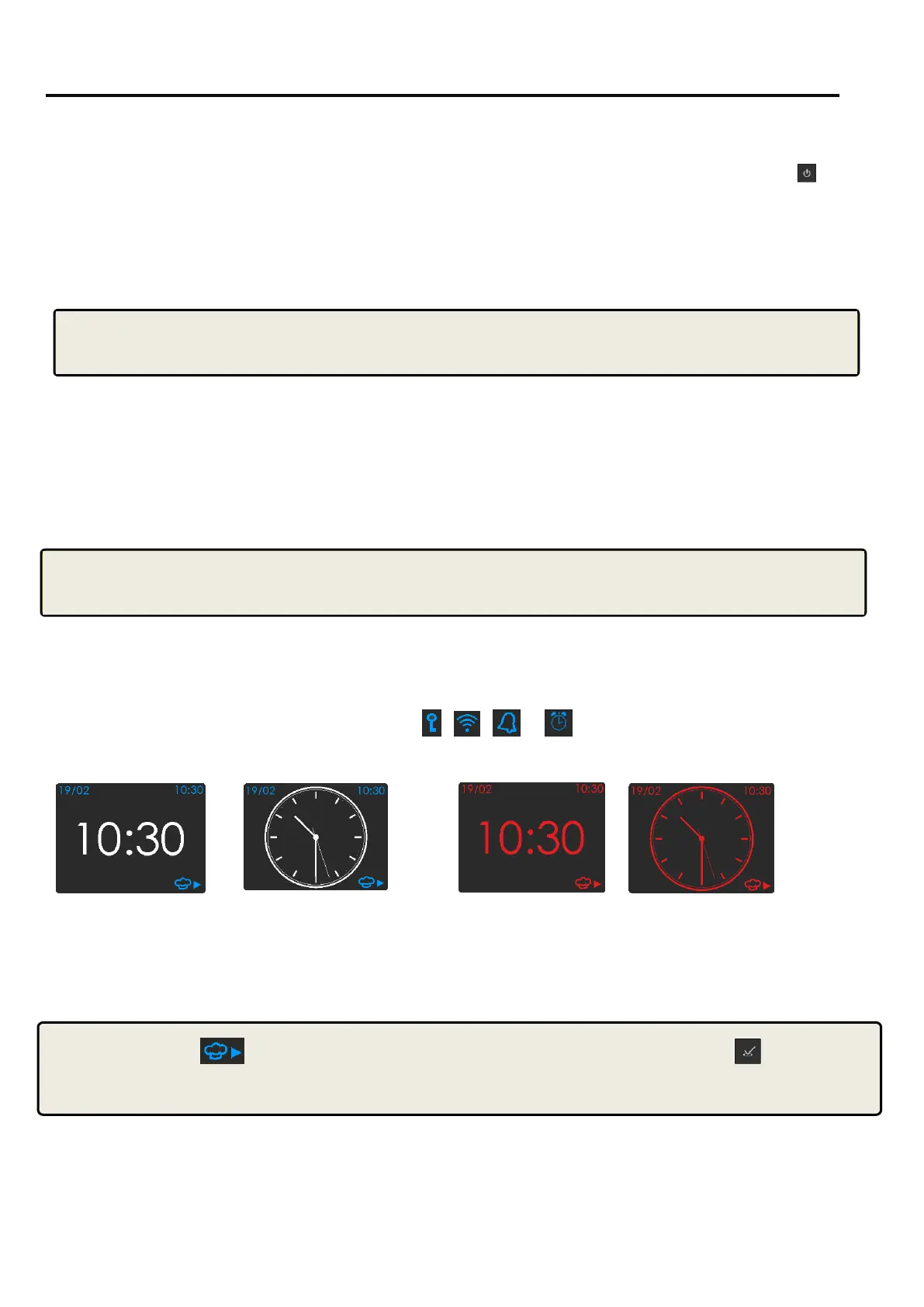
The idle Screen :
The idle screen is defined as the screen appearance as no cooking program is in progress and the time
of day and date are shown. Any of the symbols
,
,
or , not related to cooking may also take
place on the idle screen .
Digital Screeen Clock Analog Screeen Clock
When oven cavity Temperature > 60C
When the Temperature of the oven cavity is above 60C , the screen will appear as red on black.


 To Next Page