Page 22 / 28
SETTINGS:
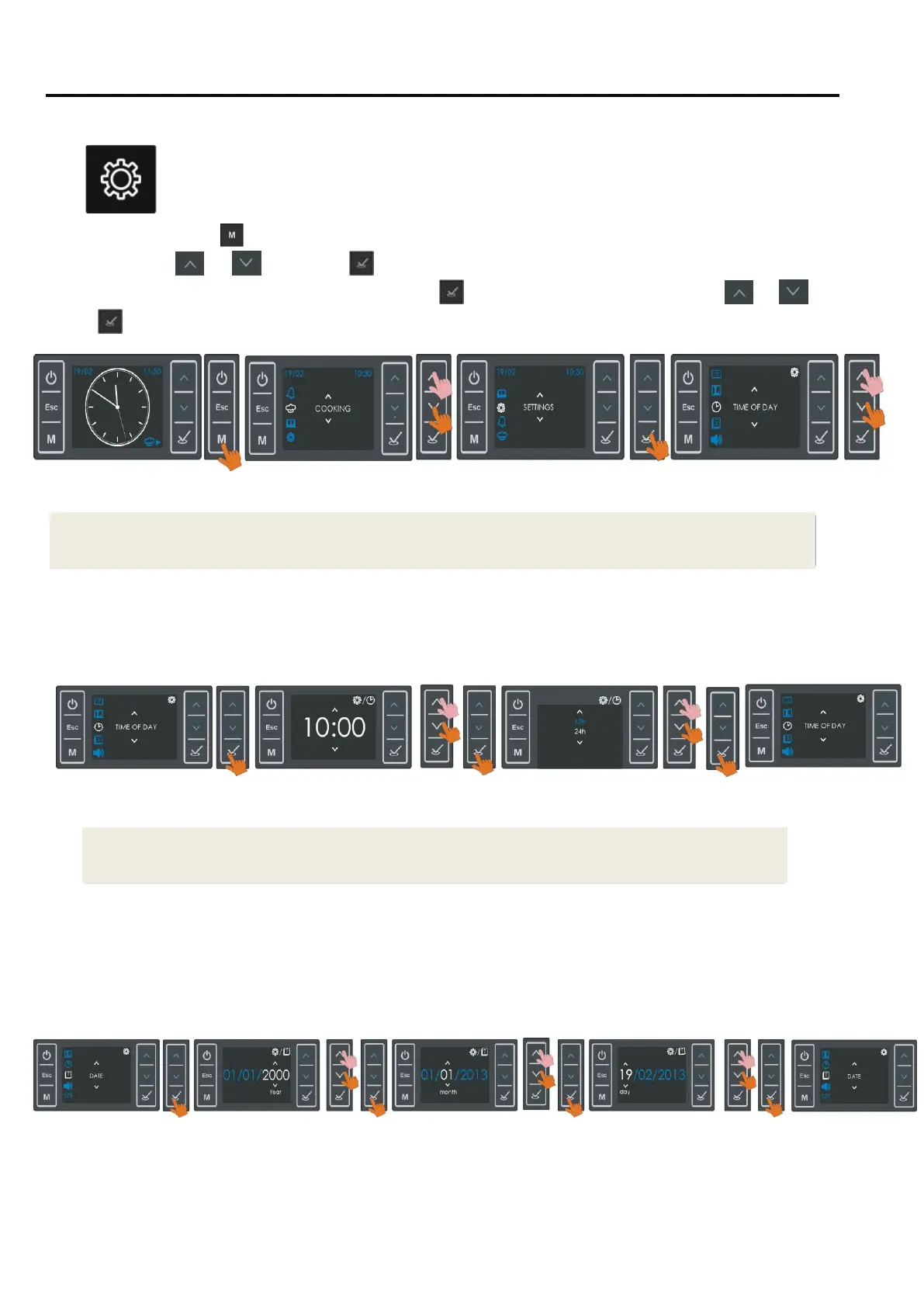
Using this menu, you may adjust the time of day, date, language , screen clock ( digital or
analog ) , sound preferences and the Temperature unit to be used.
Press as no running cooking program, and access the main menü, select SETTINGS
using buttons
or
and press
. The first menü on the screen will be the time of day. To make
adjustments on the current menu on the screen , press
, to access other menus , scroll with or
.
Press
, when the menu to be adjusted appears on the screen.
Time of Day:
Following the steps below, the time of day can be adjusted.
As seen above , you can select any of 24 or 12 hour formats.
Date:
Following the steps below, the date can be adjusted.
INFO: In case of a running cooking or cooking program , the Settings menu cannot be accesed.
INFO: In case of an alarm countdown , time of day menü cannot be accessed.


 To Next Page