2. Hardware Installation
2.1 Screen Recorder 4 Installation
Step 1 : Enter Narvitech.com
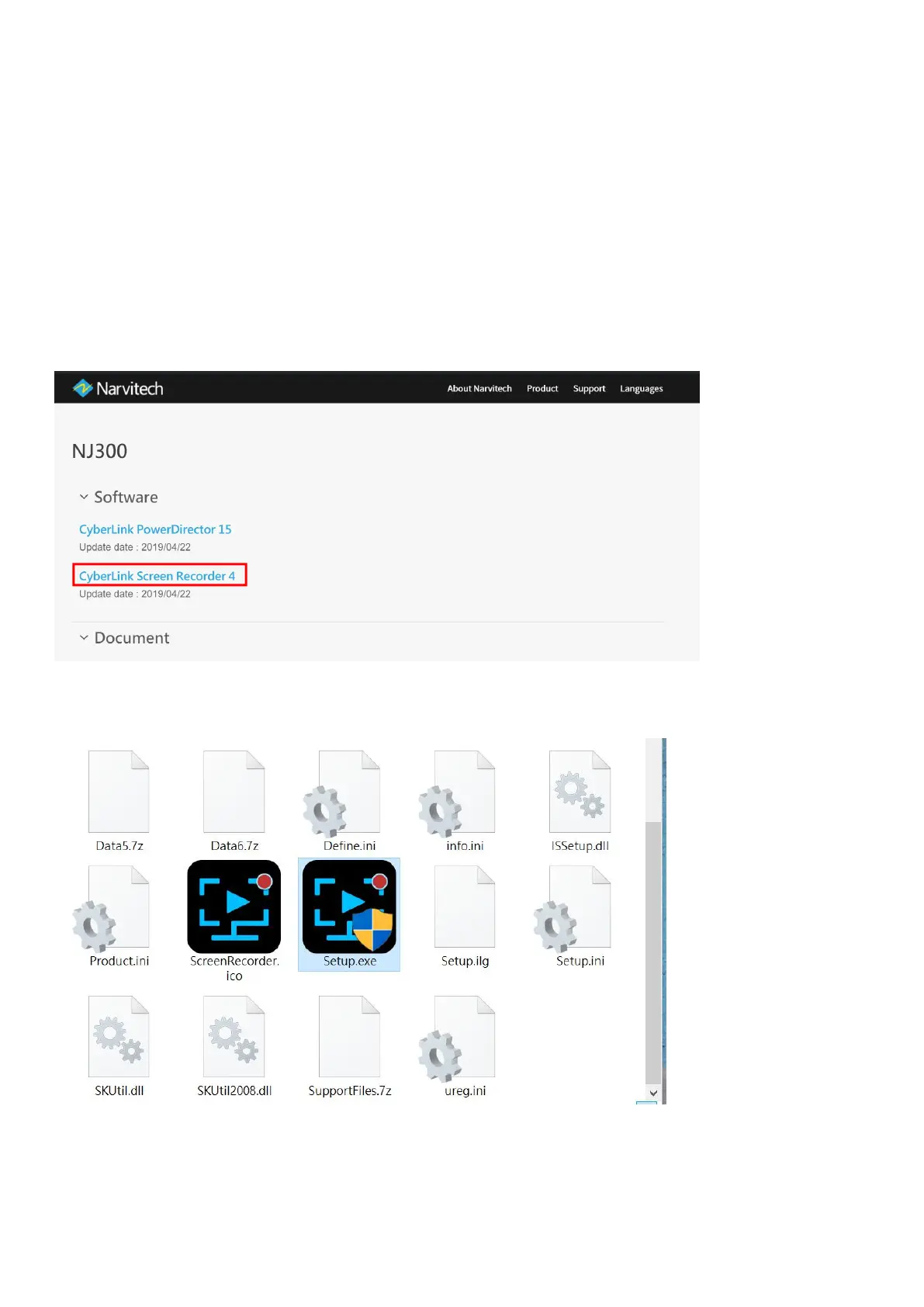
Go to the upper right corner click [Support]>[Download]. On the ”Download”page, go
to [NJ300]>[Software]>[CyberLink Screen Recorder 4], then click download.
Step 2 : After downloading, unzip the compressed file folder. Find and click on [Setup.exe].


 To Next Page