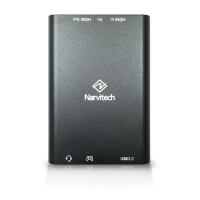
The provided document is a user manual for the Narvitech NS110 HD60 Pro, a device designed for live streaming and recording.
Function Description
The Narvitech NS110 HD60 Pro is a capture device that enables users to live stream and record video content from various sources. It is primarily designed to work with streaming software like CyberLink Screen Recorder 4 (included) and OBS Studio. The device captures video and audio input, allowing it to be broadcast live to platforms such as Twitch, YouTube, and Facebook, or recorded for later use.
Important Technical Specifications
Based on the manual, the following technical specifications are highlighted:
- Supported Operating Systems:
- For CyberLink Screen Recorder 4: Windows 10, 8.1, 7 SP1 (Windows 10 64-bit is recommended).
- For OBS Studio: Windows 10 and macOS.
- Video Resolution:
- Supports up to 1080p for live streaming and recording.
- Facebook Live streaming is limited to 720p.
- Video Framerate:
- Supports up to 60 fps (frames per second) for recording.
- Supports 30 fps for streaming on platforms like YouTube.
- Audio Input: The device captures audio from the input source, identified as "NarviCapture U2 HD60 Pro Audio" or "Digital Audio Interface" in software settings.
- Connectivity: The manual implies a USB connection for the capture device, as indicated by "NarviCapture U2 HD60 Pro" as an input device.
- Software Compatibility:
- CyberLink Screen Recorder 4 (OEM version, not officially updateable by CyberLink).
- OBS Studio (free and open-source).
- Network Requirements for Streaming:
- Recommended upload bandwidth of at least 15Mbps for 1080p live streaming.
- Bitrate for OBS streaming is recommended at 2000-2500 Kbps.
Usage Features
The NS110 HD60 Pro offers a range of features for both live streaming and recording:
- Easy Setup with CyberLink Screen Recorder 4:
- The manual provides a step-by-step guide for downloading and installing the software from the Narvitech website.
- Activation requires a serial number provided with the NS110 package.
- Simple device selection ("NarviCapture U2 HD60 Pro") and audio input configuration.
- Preview screen to monitor the input video.
- Volume control for both input and preview audio.
- Live Streaming Capabilities (via Screen Recorder 4):
- Supports streaming to Twitch, YouTube, and Facebook, as well as custom servers.
- Ability to stream to multiple platforms simultaneously.
- Adjustable video resolution and framerate for streaming.
- Requires account activation for YouTube streaming (including phone number verification and a 24-hour waiting period).
- Login functionality for integrated platforms.
- Recording Capabilities (via Screen Recorder 4):
- Allows users to record video content.
- Adjustable video resolution and framerate for recording.
- Pause and resume recording functionality.
- Automatically saves recorded videos to a designated folder.
- OBS Studio Integration:
- Detailed instructions for setting up the NS110 HD60 Pro as a video capture device in OBS Studio.
- Configuration of video resolution, framerate, and audio input (Digital Audio Interface).
- Adjustable output settings for streaming, including video bitrate and encoder.
- Configuration of recording path and format.
- Audio Control:
- Independent control over microphone and system audio in CyberLink Screen Recorder 4.
- Separate settings for desktop audio and microphone/auxiliary audio in OBS Studio.
- "Clean HDMI" Support: The manual mentions the need to find a solution for the user's device to remove camera UI elements from the preview screen, indicating support for "Clean HDMI" output from the source device.
- User-Friendly Interface: Both CyberLink Screen Recorder 4 and OBS Studio offer graphical interfaces for managing streaming and recording settings.
Maintenance Features
The manual primarily focuses on software setup and usage, with limited direct information on hardware maintenance. However, it does include important compliance and disposal information:
- FCC Compliance: The device complies with Part 15 of the FCC Rules, indicating it has been tested and found to meet limits for a Class B digital device. Users are advised on measures to correct potential interference (reorienting antenna, increasing separation, connecting to different outlets, consulting technicians).
- Waste Electrical and Electronic Equipment (WEEE) Disposal: The product is marked with the crossed-out wheeled bin symbol, indicating that it should not be disposed of with household waste. Users are instructed to hand it over to a designated collection point for recycling electrical and electronic equipment.
- Software Updates: While the included CyberLink Screen Recorder 4 cannot be updated with the official CyberLink version, the manual directs users to the Narvitech official website for the latest updates on the product and support information.
- Troubleshooting & Support: The manual provides contact information for Narvitech support (website, email) and directs users to their blog for additional information and resources, implying ongoing support for product-related issues.

 Need help?
 General

 To Next Page