8
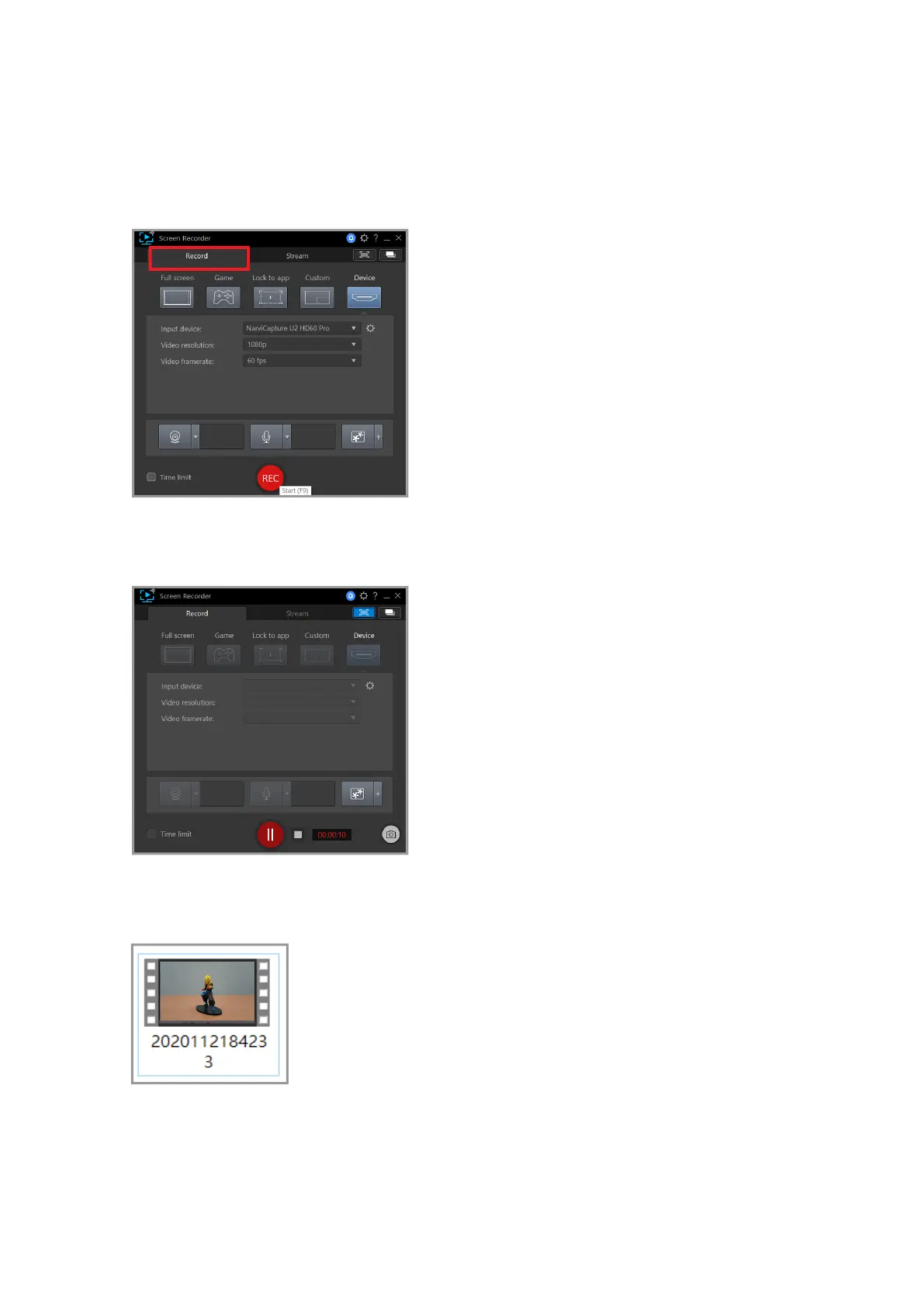
Start recording
First, click on the “Record” button in the upper left corner, then adjust the video
resolution and frame rate according to your personal preferences. After adjusting, press
"REC" to start recording.
To pause recording press the red button on the bottom center of the screen; to end
recording press the F9 button.
After the recording has ended, the application will automatically place the recorded video
in the video folder, where you can edit the le at your leisure.



 To Next Page