7
After pressing "Live" at the end, you can begin your wonderful streaming journey!
For more information on the additional features of Screen Recorder 4, you can read
the full version of Screen Recorder 4 User Manual Path hosted in our website: Go to
Narvitech Website > [Support] > [Download] > [NS110] > [Document] > [User Manual]
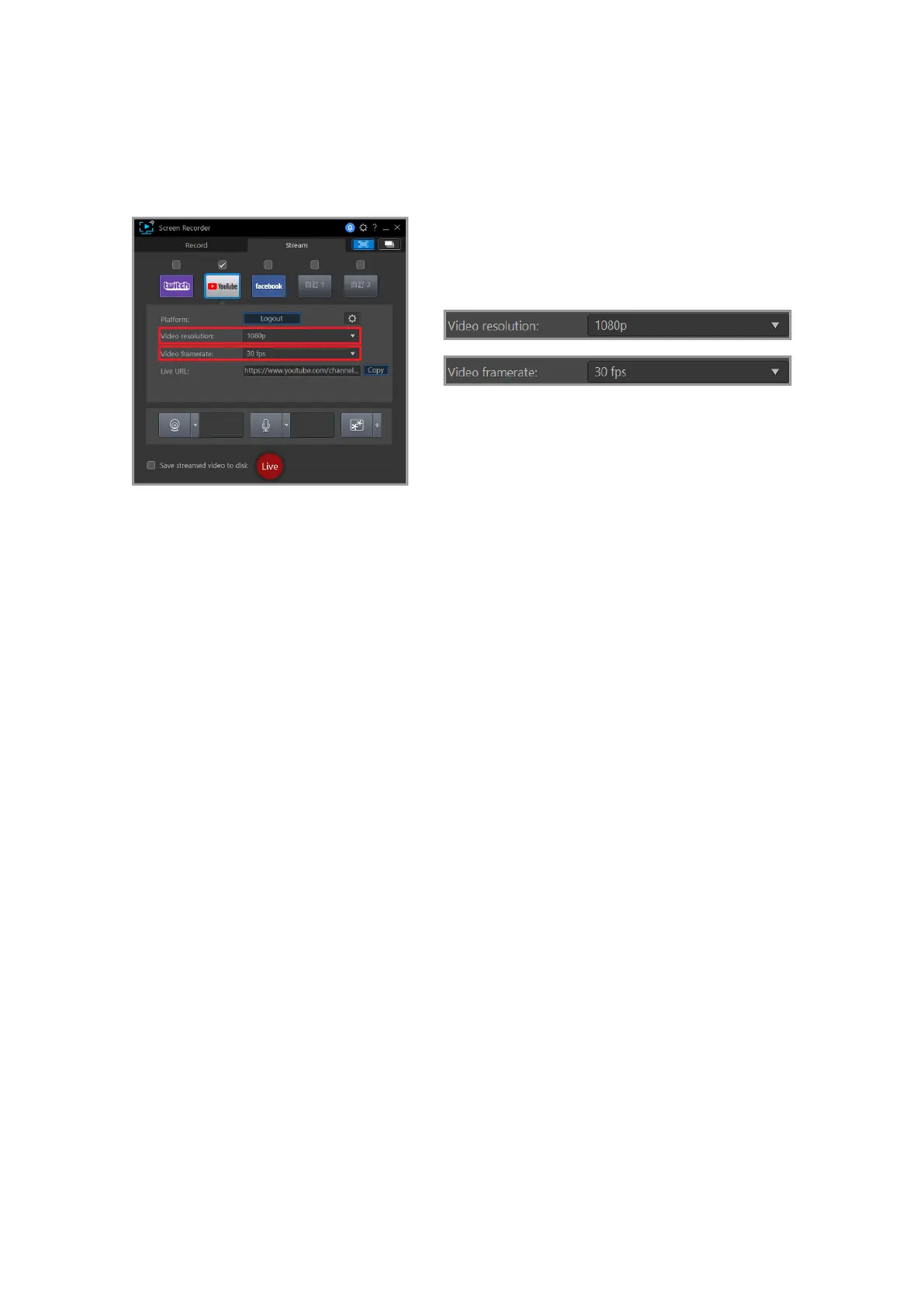
Before pressing "Live", you can adjust the resolution and frame rate of the live video
highlighted in the red frame. It is recommended that you have at least 15Mbps of upload
bandwidth for live streaming at 1080p (you can test your internet speed through Google
Fiber)



 To Next Page