15
Start recording
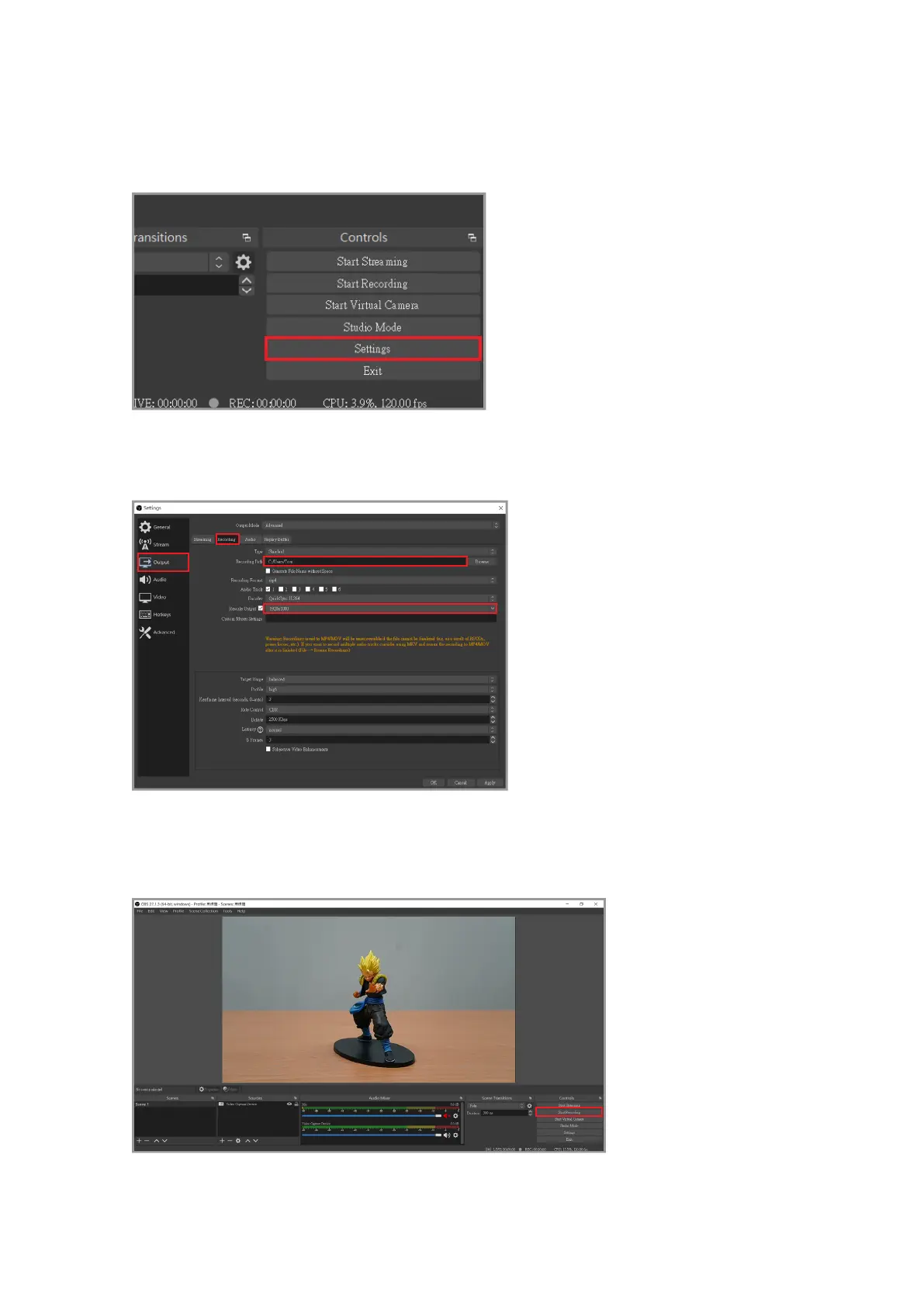
Click "Output" in the menu on the left, and then click browse to adjust the recording path
after recording.
After you have nished setting, close the window and save the changes made when
prompted.
Finally, click "Start Recording" in the bottom right corner to start recording!
First click "Settings" in the lower right corner of the main screen.



 To Next Page