4
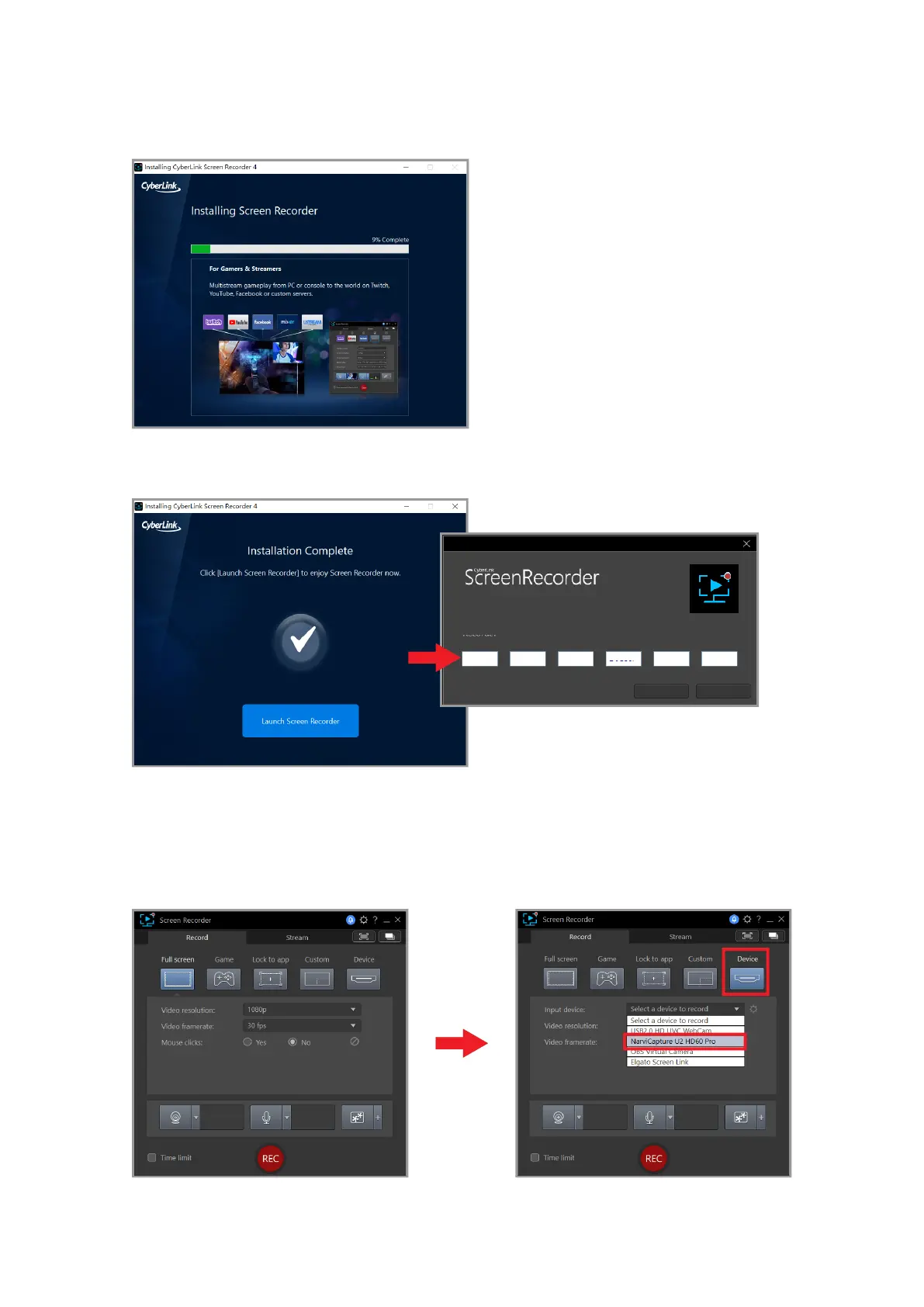
Enter the serial number
included in the NS110 package
Open the program, select the language and storage location, and then start the installation.
After the installation is completed, enter the serial number to activate the program.
Setting
After the installation is completed and the serial number is entered, open Screen Recorder
4 to view the interface as shown below, then click [Device] > [Input Device] > [NarviCapture
U2 HD60 Pro]



 To Next Page