5
1
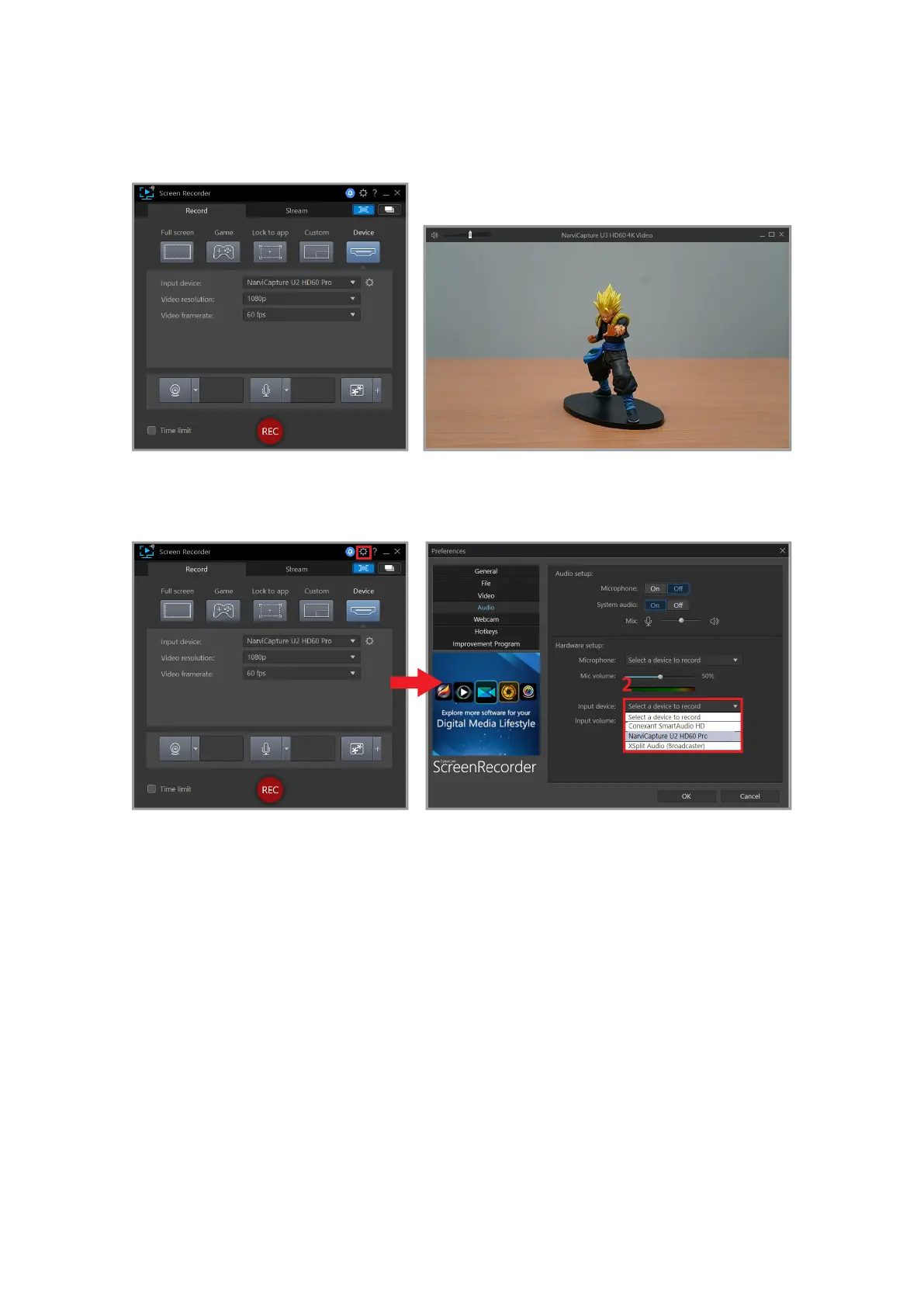
After selecting the input device, a preview screen will appear.
1. When recording or live streaming, please mute the preview volume in order to avoid errors.
2. To remove the camera UI elements on the preview screen, you will need to nd a solution for
your device. (Keyword: Clean HDMI)
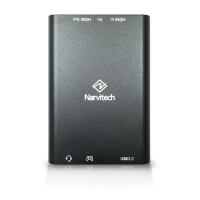
To set the audio volume, click on the top right corner 1. [Gear Icon] > [Audio] > 2. [Input
Device: Microphone (NarvitCapture U2 HD60 Pro)]
After the volume is set, you are ready to broadcast!
1. Before starting the actual recording or live streaming, please try the preview volume control
on the upper right of the preview screen in order to test the volume.



 To Next Page