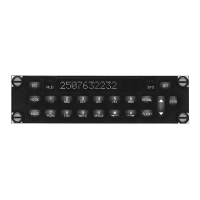
PTA12-100 POTS Telephone Adapter with Display Manual SM55 Rev.4.00
After the name has been entered, press the ENTR key to move to the next part of the
address, and the prompt Enter Number is displayed. Only numbers are available, and
are entered using the 0 – 9 keys, and edited using ← and → keys. Each key press
(except 0 – see below) will automatically advance the cursor by one position even if the
same number is entered several times. The 0 (zero) key is also used to enter spaces.
Pressing this key displays first 0, and then space, and then wraps round to 0 again.
When using the 0 key, any combination of adjacent zeroes and/or spaces will
necessitate using the arrow key to advance the cursor.
To store the name and number into memory after the number has been entered, the
ENTR key must be pressed. The completion message Stored! is then displayed to
indicate that the address has been stored, and the unit returns to Edit mode.
To cancel all editing done to the selected address, press the ESC key instead of ENTR,
and the unit will return to Default mode.
If the selected address has stored data, the address name is displayed. If the ENTR key
is pressed, the message Del ← or Edit → is displayed. If the current address is to be
deleted, press the ← key, and to edit press the → key. If edit is selected, the name is
displayed and editing is allowed. The ← key is then used to select the character(s) to be
edited. Press ENTR to accept and store any changes, or ESC to cancel the edit
activity. After the name and number have been stored, the message Stored! is
displayed to indicate the completion of editing, and the unit returns to Edit mode.
Note: If information is stored in the address line but no corresponding phone number is
entered (or vice versa), the Empty! message will still be displayed when scrolling
through the relevant lines even though there may be information in the other
part of the address.
If delete is selected instead of edit, ENTR To Delete is displayed to confirm the delete
operation. If ESC is pressed, the delete is canceled and the unit returns to Default
mode. If ENTR is pressed, the selected address data from both lines is deleted
(cleared) and the completion message Deleted! is displayed. The unit then returns to
Edit mode.
The ESC key may be used at any time to cancel the current operation. Pressing ESC
from Edit mode returns the unit to Default power-up mode.
Page 3-8 Sep 21, 2004
ENG-FORM: 806-0106.DOT
CONFIDENTIAL AND PROPRIETARY TO NORTHERN AIRBORNE TECHNOLOGY LTD.


 To Next Page