SAFETY INFORMATION
• Use as directed.
• Non-authorized repairs or taking the device to pieces make
the warranty void and may cause the product damage.
• Avoid to hit or friction with a hard object, otherwise it will
lead to grind surface or other hardware damage.
• Do not use the product in low and high temperatures, in strong
magnetic fields and in the damp or dusty atmosphere.
• Do not drop, knock, or shake the device. Rough handling can
break it.
• Slots and openings in the case are provided for ventilation
and should not be obscure. Blocking the vents can cause
overheating of the device.
GENERAL
• The safe product, conforming to the EU requirements.
• The product is made in accordance with RoHS
European standard.
• The WEEE symbol (the crossed-out wheeled bin) using
indicates that this product in not home waste. Appropriate
waste management aids in avoiding consequences which are
harmful for people and environment and result from
dangerous materials used in the device, as well as improper
storage and processing. Segregated household waste
collection aids recycle materials and components of which
the device was made. In order to get detailed information
about recycling this product please contact your retailer or
a local authority.
• Hereby, IMPAKT S.A. declares that that the radio equipment
type NMY-1688 is in compliance with Directives 2014/53/UE
• (RED) and 2011/65/UE (ROHS). The full text of the EU
declaration of conformity is available via the product tab at
www.impakt.com.pl.
FEATURES
• Precise optical sensor
• Triple modes communication
• Smart energy saving technology
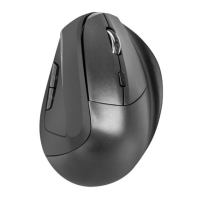
• Ergonomic shape
PAIRING A NEW DEVICE WITH MOUSE IN
BLUETOOTH MODE
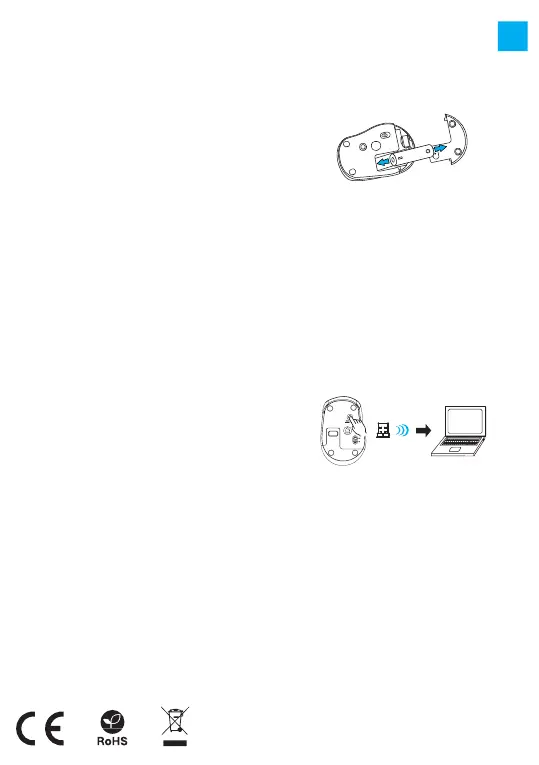
• Move the ON/OFF switch located at the bottom of the mouse
to ON position
• Turn ON Bluetooth in device which you want to pair with
the mouse
• Use the button for changing the channel located on the
bottom of the mouse, select the channel BT 3.0 (blue) or BT
5.0 (green) and then hold down the same button for about 5
seconds to enter into pairing mode. The LED diode will start
flashing rapidly
• Then go to the Bluetooth settings on your device and select
from the list of mouse Natec Osprey
• After successful pairing, the LED on the mouse will
stop flashing
• The mouse is ready for use
CONNECTING THE MOUSE WITH THE PREVIOUSLY
PAIRED DEVICE
• Turn ON Bluetooth on your device that you have previously
paired with the mouse
• Turn ON or wake up the from hibernation
• The mouse will automatically connect with the device
CONNECTION OF MOUSE VIA USB RECEIVER
• Turn ON your computer or other compatible device
• Make sure the ON/OFF switch located at the bottom of the
mouse is in the ON position
• Use the button for changing the channel located on the
bottom of the mouse and select the channel indicated
by red color
• Connect receiver to a free USB port on your computer
• The operating system will automatically install the
required drivers
• The mouse is ready for use
SPECIFICATION
• Sensor type
• Resolution
• Number of buttons
• Dimensions
• Power supply
Frequency band: 2403 Mhz - 2480 Mhz
Maximum radio-frequency power: -1,0 dBm
Optical
800 – 1200 - 1600 DPI
4
100 x 65 x 37 mm
1x AA
PACKAGE CONTENT
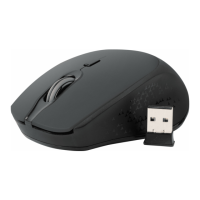
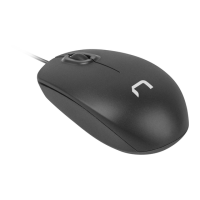
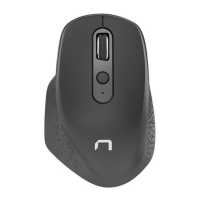
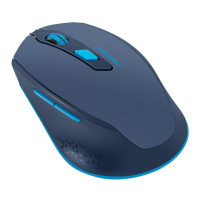
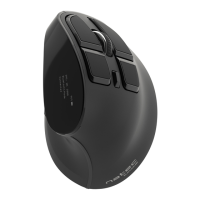
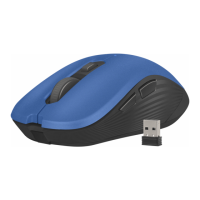
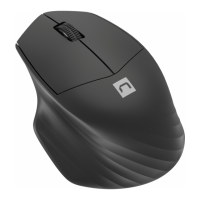
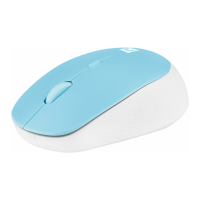
• Osprey optical mouse
• Quick installation guide
WARRANTY
• 2 years limited
manufacturer warranty
REQUIREMENTS
• PC or compatible device with a USB port
• Windows® XP/Vista/7/8/10, Linux, Android
EN
Note:
• The device is equipped with intelligent technology for energy
management. When the mouse enter into hibernation (sleep)
mode, press any button of the mouse for its revival.
• The mouse is equipped with an ON/OFF switch to save the
battery power when not in use for longer period.
INSTALATION
INSERTING / REMOVING BATTERY


 To Next Page
 Loading...