Getting Started: AUDIO 4 DJ – 17
4.1.2 Extended TRAKTOR Setup
Physical Setup
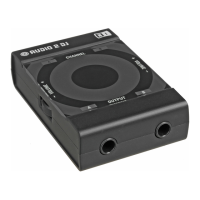
Connect the outputs of the AUDIO 4 DJ to the mixer inputs. Each stereo output chan-
nel of the AUDIO 4 DJ connects to one of the stereo channel inputs of the mixer. Use
RCA cables for the connections.
Connect your headphones to the mixer.
Connect the mixer’s outputs to the inputs of the amplier system driving your speakers
(or to your pair of active monitor speakers, respectively).
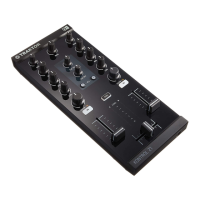
To add a mixer to your DJ setup, connect the devices as pictured in the above diagram.
Software Setup
Open TRAKTOR.
Open Preferences > Audio Setup > Audio Setup.
Drop down the Audio Device list to select the AUDIO 4 DJ.
Now open Preferences > Audio Setup > Output Routing.
Choose External Mixing Mode.
For Out Channel A, choose an output pair from the dropdown menu, e.g. Out 1 and
Out 2.
For Out Channel B, choose another output pair from the dropdown menu, e.g. Out 3
and Out 4.
1.
2.
3.
1.
2.
3.
4.
5.
6.
7.
%
With the AUDIO 4 DJ you can
use 2 Decks in TRAKTORs
External Mode.
%
With the AUDIO 4 DJ you can
use 2 Decks in TRAKTORs
External Mode.



 To Next Page