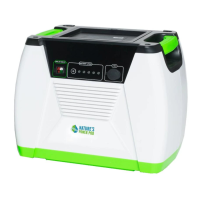
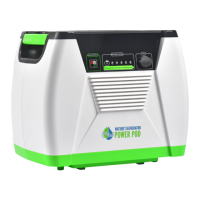
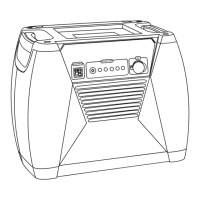
The Nature's Generator Elite is a state-of-the-art portable power generator designed for emergencies, off-grid living, or any situation requiring reliable power. It features multiple charging options, various output ports, and expandable capacity, making it a versatile solution for diverse power needs.
Important Safety Instructions
To ensure safe operation, users must adhere to several critical safety guidelines. Always read and keep these instructions, paying close attention to all warnings. The device should not be used near water, flammable gases, fumes, or other heat-producing apparatus. Proper ventilation is crucial, so avoid blocking any openings. Only manufacturer-approved attachments and accessories should be used. When moving the unit with a cart, exercise caution to prevent tip-over. Servicing should only be performed by qualified personnel, especially if the equipment has been damaged, exposed to liquids or moisture, or dropped. The device should not be exposed to dripping or splashing, and no liquid-filled objects should be placed on it.
Electric Shock Hazard: The Nature's Generator Elite generates potentially lethal AC power. Do not remove any cover or expose the device to rain or moisture. Avoid inserting foreign objects into AC outlets or ventilation holes. Keep away from children.
Explosion Hazard: Do not burn or incinerate the unit, as it may explode. Keep it away from flammable gases, fumes, or other heat-producing apparatus.
Lightning Hazard: For protection during lightning storms, unplug the device from power outlets and disconnect all cables to prevent property damage and personal injury from surges.
Energy and Burn Hazard: The unit contains a sealed lead-acid battery, which can pose a burn risk from high current due to short-circuiting.
Replacement Parts: When replacement parts are needed, ensure that service technicians use parts specified by the manufacturer to maintain original characteristics and prevent hazards like fire or electric shock.
Safety Check: After any service or repair, a safety check should be performed to confirm correct operating condition.
Servicing: Only qualified service personnel should perform servicing, except for tasks outlined in the operating instructions.
Damage Requiring Service: Stop using the device and refer to qualified service personnel if liquid has been spilled, objects have fallen into it, it has been exposed to rain or water, it has been dropped or damaged, or it exhibits a distinct change in performance.
Cold Weather: Cold temperatures can affect performance. If operating in consistently freezing conditions, store the unit in an insulated location and keep it connected to a solar panel for trickle charging.
Recycling and Disposal: The Nature's Generator Elite contains environmentally regulated and recyclable materials. Contact local authorities for information on proper disposal or recycling.
Function Description
The Nature's Generator Elite serves as a portable power station, capable of providing 120V AC power, 12V DC power, and 5V USB power. It can be recharged via solar panels, wind turbines, or a standard AC wall outlet. A key feature is its Uninterrupted Power Supply (UPS) mode, which allows it to simultaneously recharge and power connected AC devices, seamlessly switching to battery power in case of an outage. The unit's capacity can be expanded by connecting it to Nature's Generator Power Pod Elite units.
Important Technical Specifications
Battery:
- Type: AGM Sealed Lead Acid
- Capacity: 100Ah (1200Wh)
- Self-discharge: Recommended to recharge every 4 months
Inverter:
- Output Power: 3600 watt max / 2880 continuous
- Output Voltage: 120V
- Output Frequency: 60Hz
Ports:
- USB Port: 5V, up to 3A (15W) (Top USB port with Bluetooth icon is designated for the Smart Key)
- 12V DC Port: up to 20A (240W max)
- Expansion Port: 350A fuse
- AC Outlet Ports: Three 120V pure sine wave AC outlets (front)
- 30amp AC Outlet Port: One 120V 30amp pure sine wave AC outlet (back)
Charges:
- AC Charger: 190W (Indicator: red for charging, green for charged)
- Solar Charger: 300watt (Input port handles up to 300 watts)
- Wind Charger: 300watt (Input port handles up to 300 watts)
General:
- Dimensions (without cart): 18 x 12 x 15 in (47 x 30 x 38 cm)
- Dimensions (with cart): 23 × 17 × 22 in (57 × 42 × 55 cm)
- Operating Temperature: 32-104 °F (0-40 °C)
- Storage Temperature: 23–111 °F (-5–45 °C)
- Weight: 120 lbs (54.4 kg)
Usage Features
Unpacking:
The package includes:
- Nature's Generator Elite unit
- AC Power Cord
- Cart Box (for assembly)
- User Guide
Front Panel Components:
- AC Input: For connecting to a wall outlet with the included power cord or an extension cord.
- Solar Input: Anderson port for connecting solar panels (up to 300 watts).
- Wind Input: Anderson port for connecting a wind turbine (up to 300 watts).
- LCD Display: Shows system information.
- LCD Display Button: Lights up the LCD display for 30 seconds.
- Main Power Switch: Turns the main power to the generator on/off.
- USB Ports: Two ports for recharging USB-powered devices. The top port with a Bluetooth icon is for the Smart Key.
- 12V Port: DC output port for up to 240 watts.
- AC Outlet Ports: Three 120V pure sine wave AC outlets.
- AC Outlets Switch: Turns on/off the front AC outlets and the rear 30amp AC outlet.
Back Panel Components:
- Expansion Cord: Daisy chaining fuses and connector for use with Nature's Generator Power Pod Elite.
- 30amp AC Outlet Port: One 120V 30amp pure sine wave AC outlet.
Recharging:
- From Solar Panels: Place panels in direct sunlight, connect to the Solar Input port. LCD display will light up, solar panel icon will illuminate, and battery bar will register charging. Recharging time is approximately 15-20 hours with one 100-watt panel, depending on sunlight strength. Multiple solar panels (up to three 100-watt panels) can be daisy-chained in parallel to increase speed.
- From Wind Turbine: Place the turbine where it gets maximum wind, connect to the Wind Input port. LCD display will light up, wind turbine icon will illuminate, and battery bar will register charging. Recharging speed depends on wind strength and turbine rating.
- From AC Power: Connect the power cord to the AC Input Port and plug into a wall outlet. LCD display will light up, AC input icon will illuminate, and battery bar will register charging. The AC Input light changes from red (charging) to green (charged) when full.
Using the Generator:
- Press the Main Power Switch to turn on the unit. USB ports activate automatically.
- Press the AC Outlet Switch to activate AC outlets and the 30amp outlet. Turn off the AC outlet switch when not in use to conserve power.
- An illuminated icon on the LCD display indicates when a port is active.
- Plug in devices for power.
Uninterrupted Power Supply (UPS) Mode:
The generator can recharge itself and power AC devices simultaneously. In UPS mode, AC devices draw power directly from the wall outlet. If power fails, the generator automatically switches to battery power, providing continuous operation for connected devices. The LCD display will show "UPS" when in this mode.
LCD Display Information:
- Battery Bar: 5 increments indicating charge level. Solid when fully recharged.
- Wind Turbine Icon: Indicates charging from a wind turbine.
- AC Outlet Icon: Indicates when the AC outlet switch is on.
- USB Icon: Indicates when the unit is on and a USB port is in use.
- 12V DC Icon: Indicates when the unit is on and the 12V DC port is in use.
- Output Bar: 5 increments indicating power usage (light, medium light, medium, medium heavy, heavy).
- Battery Low Icon: Indicates low battery voltage.
- Temperature Warning Icon: Indicates high internal temperature.
- AC! Icon: Indicates AC inverter protection and shutdown.
- FUSE Icon: Indicates a blown fuse.
- Battery Fail Icon: Indicates battery replacement is needed.
- Wattage Display: Shows current power usage. Displays "UPS" in Uninterrupted Power Supply Mode.
- Expansion (Chain Link) Icon: Indicates connection to a Nature's Generator Power Pod Elite.
- Solar Panel Icon: Indicates charging from solar panels.
- AC Input Icon: Indicates charging from a wall outlet.
Expanding Capacity:
The run time can be extended by connecting to Nature's Generator Power Pod Elite units.
- Open the top cover of the Power Pod Elite, locate the expansion cable, and route it through the opening on the back.
- Locate the Expansion Port on the back of the Nature's Generator Elite and open its rubber cover.
- Connect the expansion cable to the expansion port.
- The Expansion (Chain Link) Icon on the LCD display will illuminate, indicating a successful connection.
Adding one Power Pod Elite increases run time by 100%, two by 200%, and three by 300%.
Cart Installation:
The cart assembly involves several steps:
- Attach the Handle Assembly to the Axle Base.
- Insert the Axle Shaft through the Axle Base.
- Attach Axle Bushings and Wheels to the Axle Shaft.
- Secure the wheels with Locknuts using a Socket Wrench.
- Attach the Generator Bracket to the Nature's Generator Elite using M6 100mm Bolts and Spacers.
- Remove existing bolts from the generator.
- Insert M6 30mm Bolts and Nuts to secure the Generator Bracket.
- Adjust the distance between the wheels and the generator, then place Hub Caps on the wheels.
Maintenance Features
Maintenance and Storage:
- Recharge the Nature's Generator Elite every four months.
- Store in a ventilated, cool, and dry location.
- If possible, keep the unit connected to a power source (wall outlet, solar panel, or wind turbine) during storage to maintain battery voltage. This prolongs battery life and prevents damage that could void the warranty.
Cleaning:
- Clean with a soft, lint-free cloth.
- For stubborn dirt, moisten a soft, lint-free cloth with a weak detergent solution, squeeze out excess moisture, wipe the cabinet, and then dry with a clean cloth.
Troubleshooting:
- Not charging with solar panel: Ensure the solar panel faces the sun directly (south is preferred), check cable connections, and verify the battery bar is running. If the battery bar isn't running, the unit may be fully charged or the solar panel voltage is too low.
- AC device(s) not powering up: Verify device compatibility (120V AC, up to 3600 watts combined). Ensure the Main Power Switch is on. Check the battery bar; if three bars or less, recharge. Ensure the AC outlet switch is on and its LED is green. If the LED is red, check LCD display for failure icons:
- Battery Fail Icon: Replace battery.
- Battery Low Icon: Recharge battery.
- Temperature Warning Icon: Let the unit cool down.
- FUSE Icon: Replace fuses.
- AC! Icon: Unplug AC device, turn off AC outlet switch, then retry.
- Battery drains fast: Check device wattage (high-power devices drain faster). Turn off AC outlets when not in use, as they consume power in standby mode. Turn off the Main Power Switch when the unit is not in use to prevent unnecessary battery drainage from the LCD display and USB ports.

 Need help?
 General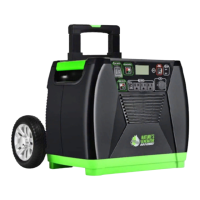

 To Next Page