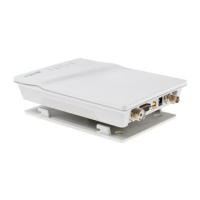
X-Pack DS AIS Transponder
User Manual
Index Page Number
History of Changes.......................................................................................................................................... 4
1. X-PACK DS User Interface ..................................................................................................................... 5
2. X-PACK DS Keyboard............................................................................................................................. 6
2.1. Explanation of the “Cursor Cross”................................................................................................... 6
2.2. Explanation of the Num-Locked and [NUM] Functions ................................................................... 6
2.3. Explanation of the Soft Keys ........................................................................................................... 7
2.4. Safety Keys...................................................................................................................................... 7
3. X-PACK DS Screens ............................................................................................................................... 8
3.1. Navigation Screen ........................................................................................................................... 8
3.1.1. Short Header.......................................................................................................................... 10
3.1.2. Other Vessel Details............................................................................................................... 10
3.2. Menu Structure.............................................................................................................................. 12
3.3. Main Menu..................................................................................................................................... 13
3.4. Sub-Menus Overview .................................................................................................................... 14
3.4.1. Messages............................................................................................................................... 14
3.4.2. AIS Status .............................................................................................................................. 14
3.4.3. Voyage Settings – (User Password Protected)...................................................................... 15
3.4.4. Ship Settings – (User Password Protected)........................................................................... 15
3.4.5. Configuration – (User Password Protected)........................................................................... 15
3.4.6. Service Configuration – (Service Password Protected)......................................................... 16
3.4.7. Display Settings...................................................................................................................... 17
3.5. Sub-Menus Detailed...................................................................................................................... 18
3.5.1. Messages............................................................................................................................... 18
3.5.2. AIS Status .............................................................................................................................. 32
3.5.3. Voyage Settings (User Password Protected)......................................................................... 37
3.5.4. Ship Settings (User Password Protected).............................................................................. 40
3.5.5. Transponder Configuration (User Password Protected)........................................................ 43
3.5.6. Service Configuration (Service Password Protected)............................................................ 54
3.5.7. Display Settings...................................................................................................................... 60
4. Safety Functions................................................................................................................................... 61
4.1. MOB Person over Board ...................................................................................................................... 61
4.2. Activating the SRM Safety Related Message Button ........................................................................ 63
5. ANNEX.................................................................................................................................................... 68
5.1. Explanation of commonly used Abbreviations............................................................................... 68
5.2. BSH Type Approval Certificate...................................................................................................... 70
X-Pack DS User Manual Version 1.0
Page 3 of 74 Printed on 02.04.2003


 To Next Page