Need help?
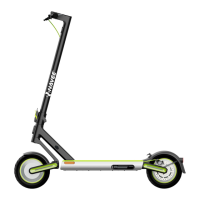
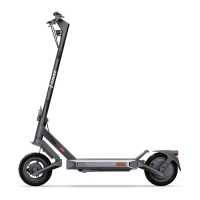
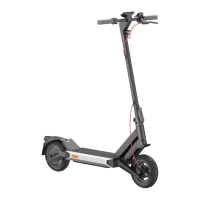
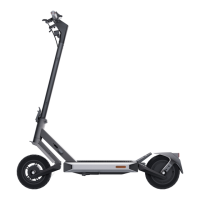
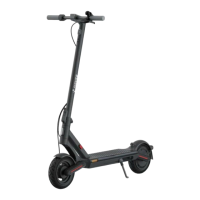
Do you have a question about the NAVEE S65C and is the answer not in the manual?
Shows the Bluetooth connection status between the scooter and a mobile device.
Alerts when battery temperature is too high or too low.
Displays the current battery charge level using five bars.
Details the different riding modes: walking, standard, and sport.
Displays current speed, error codes, or battery level.
Explains how to lock and unlock the scooter via the app.
Indicates when tire inflation is needed or when an error occurs.
Shows the general operational status of the scooter.
Instructions for turning on/off, controlling lights, and changing riding modes.
Instructions to remove internal protective components before assembly.
Guide to erecting the stem and installing the handlebar correctly.
Instructions for tightening screws to secure the handlebar.
How to open the charging port cover.
Instructions for plugging the charger into the port.
Procedure after charging, including unplugging and closing the port.
Warning to use only the original charger and avoid charging in wet conditions.
Explains how to enter and exit sleep mode due to inactivity.
Describes initial activation via app and safety features like beeping.
Instructions to scan the scooter's QR code to download the app.
Guide to opening the app and following steps to connect the scooter.
Steps to reset the Bluetooth connection on the scooter.
Instructions to restore the scooter to factory default settings.
Ensures scooter is safe to ride by checking tires, battery, and parts.
Advises wearing helmets, knee pads, and elbow pads.
Guide on how to start moving and gently press the accelerator.
Explains motor won't start below 5km/h and speed limits.
Instructions on how to steer and turn the scooter safely.
How to slow down using the accelerator and brake lever.
Procedure for stopping, getting off, and parking the scooter.
How to use the app to lock/unlock the scooter for security.
Review of crucial safety information before product use.
Warnings about touching the mechanical brake and overloading the handlebar.
Warnings about exceeding max load and improper accelerator use.
Warnings about abrupt steering changes and hitting obstacles.
Advises against riding in adverse weather conditions.
Warns against risky actions like riding with one hand or leg.
Information on legal riding on public roads and restrictions.
Advice for riding on uneven surfaces and avoiding potholes.
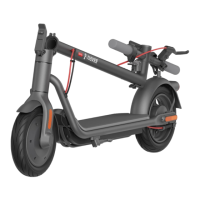
Step-by-step guide on how to safely fold the scooter.
How to align and secure the buckle with the hook after folding.
Instructions for unfolding the scooter from its folded state.
Guidance on how to hold and carry the scooter.
Procedure for checking tire pressure and inflating them.
Specifies the 4mm hex key needed for brake adjustment.
Instructions on how to adjust the mechanical brake tightness.
Warnings about sharp parts and hot surfaces on the scooter.
Caution against disassembling the scooter.
Warnings about crush hazards and pinching hands.
Alerts about sharp corners on the scooter.
 General
| Motor Power | 500W |
|---|---|
| Max Speed | 25 km/h |
| Foldable | Yes |
| Tire Type | Pneumatic |
| Max Load | 120 kg |
| Water Resistance | IP54 |
| Suspension | Front and rear suspension |
| IP Rating | IP54 |
| Max Range | 65 km |
| Brakes | Disc brake |
| Tires | 10 inch |
| Braking System | E-ABS |

 To Next Page