What to do if my NAVEE Scooter shows an overheating warning?
- BBrett PinedaAug 17, 2025
If your NAVEE Scooter is showing an overheating warning, allow the battery temperature to return to normal before continuing to use it.
What to do if my NAVEE Scooter shows an overheating warning?
If your NAVEE Scooter is showing an overheating warning, allow the battery temperature to return to normal before continuing to use it.
What to do if my NAVEE N40 shows a controller error?
If your NAVEE Scooter displays a controller error, check the controller wire connections. If the error persists, consider replacing the controller.
What to do if my NAVEE N40 has a wheel motor error?
If you're experiencing a wheel motor error on your NAVEE Scooter, first check the connection between the wheel motor and the controller cord. If the connection is secure and the error continues, you might need to replace the motor.
What to do if my NAVEE N40 Scooter has an accelerator error?
If you have an accelerator error on your NAVEE Scooter, examine the wire connection. If the problem persists, consider replacing the accelerator.
What to do if my NAVEE N40 shows a braking error?
If you're getting a braking error on your NAVEE Scooter, check the wire connection to the brake lever. If the wiring is fine, you may need to replace the brake lever.
How to fix Rx communication failure on NAVEE Scooter?
In case of Rx communication failure on your NAVEE Scooter: * Check if the tail light is on. If it's off, replace the controller or instrument. * If the tail light is on, check the wire connection between the controller and the instrument.
What to do if my NAVEE N40 displays error E4?
If your NAVEE Scooter displays error E4, check whether the wheel motor and the controller cord are well connected. If they are, consider replacing the motor.
What to do if my NAVEE Scooter displays error E5?
If your NAVEE Scooter displays error E5, check the controller wire connection. If the connection is secure, consider replacing the controller.
What to do if my NAVEE N40 displays error E2?
If your NAVEE Scooter displays error E2, check the wire connection of the brake lever. If the connection is good, consider replacing the brake lever.
What to do if my NAVEE N40 Scooter displays error E3?
If your NAVEE Scooter displays error E3, check the wire connection of the accelerator. If the connection is secure, consider replacing the accelerator.
Lists included accessories such as User Manual, Charger, and wrench.
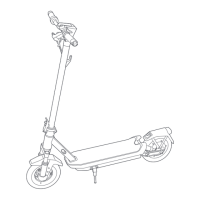
Labels the various parts of the electric scooter, including handlebars, stem, and wheels.
Explains how to use the power button for on/off, lights, and mode cycling.
Details the icons and indicators displayed on the scooter's dashboard screen.
Steps and advice for preparing to ride the scooter safely.
Instructions on how to begin riding and maintain control of the scooter.
Steps for parking the scooter safely and correctly.
Guidance on lubricating the folding part and checking screw tightness.
Advice on charging the battery before first use and during storage.
Tips for cleaning, storing, and maintaining the scooter.
Recommendation to check tire pressure monthly and inflate if low.
Details FCC compliance rules and user obligations for the device.
Explains that unauthorized modifications void user authority.
States the device meets general RF exposure requirements.
Outlines Industry Canada compliance conditions for the device.
| Motor Power | 350W |
|---|---|
| Weight | 15 kg |
| Max Load | 100 kg |
| Water Resistance | IPX4 |
| Display | LED |
| Max Speed | 25 km/h |
| Range | 40 km |
| Battery Capacity | 10 Ah |
| Tire Size | 10 inches |
| Braking System | Disc Brake |
Loading...