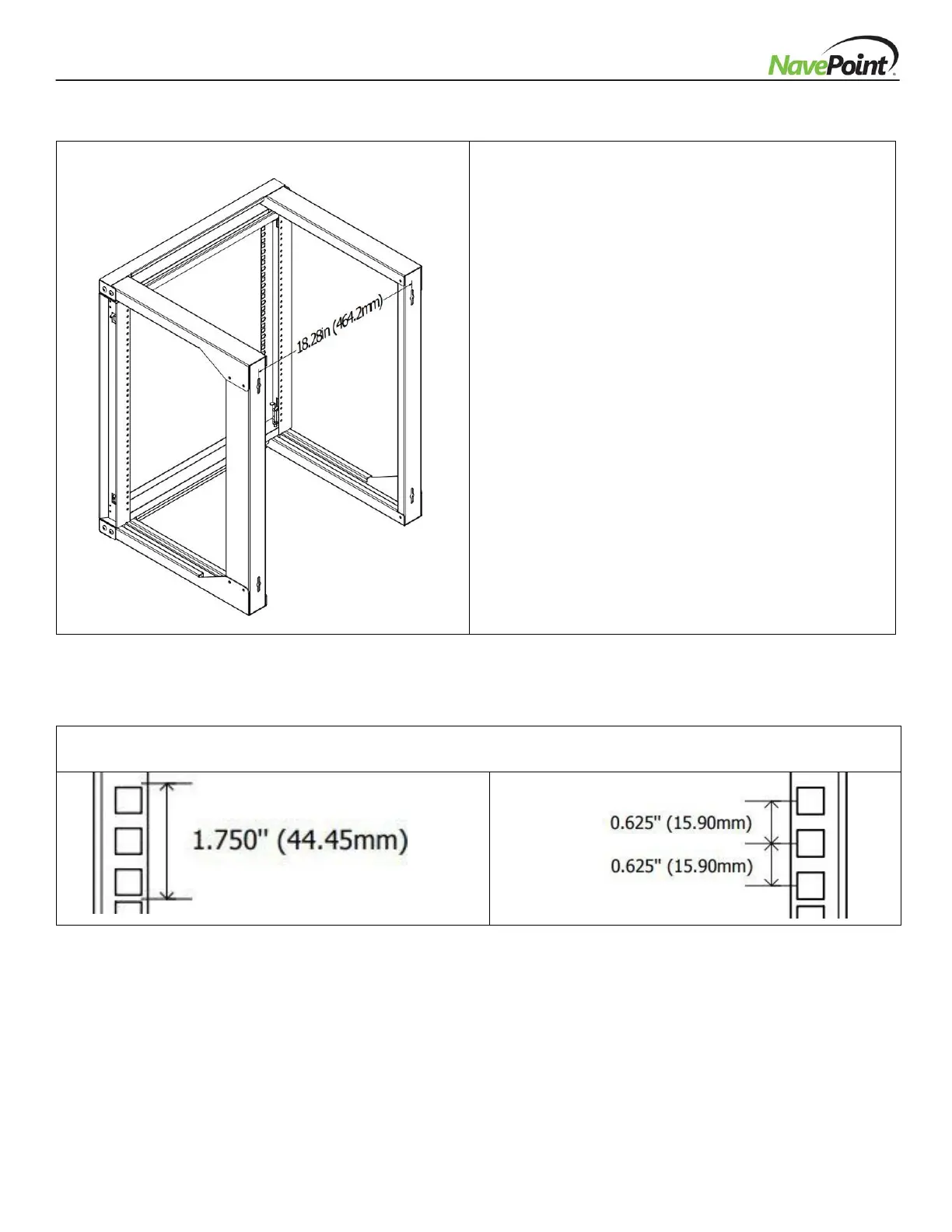
Attach the rack to a wall or other suitable mounting
surface using M6 Wall Mounting Screws (L) and M6
Metal Washers (K). Mounting holes are spaced 18.28"
(464.2mm) as reflected in the diagram.
Warning: Do not attempt to mount to wall when
equipment is mounted inside rack. The rack can hold
up to 100 pounds evenly distributed (50 pounds
when Equipment Mounting Frame is in an open
position). Make sure wall surface can hold weight of
the cabinet and equipment.


 To Next Page