Need help?
Do you have a question about the NAVICOM RT-650 and is the answer not in the manual?
Requirements for meeting Radio Frequency Exposure regulations and compliance with ETSI Rule.
Equipment tested and licensed for Class D Digital Marine Devices, designed for protection against harmful interference.
Device is an aid to navigation; user's responsibility to exercise prudence and judgment.
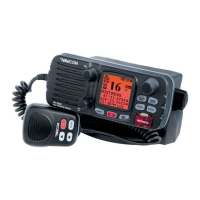
Overview of the RT-650 VHF DSC Base Station Radio, its features, and capabilities.
ETSI standards for marine radio with Class D DSC feature for non-SOLAS vessels.
Identification and function of controls on the base station panel, including volume, squelch, and buttons.
Description of rear connections for antenna, power supply, external speaker, and GPS.
Description of the wired handset controls and components.
Explanation of the various indicators and information displayed on the base station's LCD screen.
List of accessories included with the RT-650 marine radio.
Guidelines for selecting an appropriate mounting location for the marine radio.
Details on connecting power supply, external speaker, and GPS equipment.
Step-by-step instructions for mounting the radio base station on a vessel.
Guidelines for antenna mounting and considerations for radio frequency electromagnetic energy exposure.
Instructions for mounting the wireless handset's wall hanger.
How to transmit and receive using the radio, including PTT button and volume/squelch settings.
How to switch between USA and INT operational channel bands.
Details on using the USA and INT modes for channel selection.
How to use and save favorite channels (MEMO/FAV mode).
Step-by-step process for programming and saving favorite channels.
Explanation of the transmit time limit feature to prevent accidental transmissions.
How to use the scan feature to locate signals across different frequency ranges.
How to use Dual Watch and Tri Watch modes for monitoring channels.
Displaying vessel position and time information when connected to a GPS receiver.
Using the intercom feature for communication with wireless handsets.
Introduction to Digital Selective Calling (DSC) as an international standard for radio calls.
Explanation of the nine-digit MMIS number used for selective calling.
Guidance on how to obtain a Maritime Mobile Service Identity (MMSI).
Overview of different types of DSC calls that can be sent and received.
Step-by-step guide to sending a distress call, including nature of distress selection.
How to send an All Ships call (Urgency, Safety, Distress).
Instructions for sending a group call to a specific set of vessels.
How to make a routine individual call to another ship or station.
Detailed steps for manually sending an individual call with MMSI.
How to acknowledge an incoming individual DSC call.
Recalling the most recent incoming call for potential re-dialing.
How to send a call using the stored call log entries.
How to send a call using the stored distress log entries.
Requesting and replying with vessel position information.
How the radio responds to and displays incoming DSC calls.
How to receive and handle an incoming distress call, including alarm and logging.
How to receive a distress acknowledgment from a coast station.
How to receive a relayed distress call.
How to receive an All Ships call (Urgency, Safety, Distress).
How to receive a group call.
How to receive an individual DSC call and how it correlates with the Buddy List.
How to receive a position reply call.
How to receive a geographic area call notification.
Overview of how to access and navigate the radio's setup menus.
Detailed steps for accessing and exiting menu modes and sub-modes.
Managing the Buddy List for frequently called DSC stations.
Step-by-step process for adding a new entry (name and MMSI) to the Buddy List.
How to edit an existing entry in the Buddy List.
How to delete an entry from the Buddy List.
Adjusting the display backlight level.
Adjusting the display contrast setting.
Setting receiver sensitivity to LOCAL or DISTANT mode.
How the radio detects and displays GPS position and time information.
Manually entering GPS position and time data when no GPS is connected.
Options for displaying position, time, and other GPS-related information.
Setting to enable or disable the display of position data.
Setting to enable or disable the display of time data.
Adjusting the time display for local time by applying an offset from UTC.
Choosing between 12-hour and 24-hour time formats.
Enabling the display of Course Over Ground (COG) and Speed Over Ground (SOG).
Configuring the audible alarm for No GPS data.
Customizing radio settings such as language, channel names, and volumes.
Selecting the user interface language (English or French).
Setting and editing custom names for channels.
Options to display or hide channel names on the LCD.
Adjusting the volume for incoming ring tones.
Adjusting the volume for button beep tones.
Enabling or disabling the internal speaker.
Detailed steps for editing existing channel names.
Configuring DSC behavior, including MMSI, groups, and ATIS.
Entering the User MMSI, a one-time operation required for DSC functions.
Programming and managing group MMSI numbers and names.
Steps for entering new group MMSI numbers and names.
How to edit existing group entries.
How to delete a group from the list.
Entering the ATIS MMSI number for ATIS functions.
Enabling or disabling the ATIS function, which affects DSC and other features.
Temporarily disabling DSC functions for specific operational scenarios.
Setting how the radio responds to Position Requests.
Configuration settings for the Automatic Identification System (AIS).
Settings related to linking the wireless handset.
Resetting the radio to factory default settings.
Explanation of the AIS system and its purpose in maritime navigation.
Description of Class A and Class B AIS transceivers and their transmitted information.
Details on the static and dynamic data transmitted by AIS vessels.
How AIS information is displayed on the radio's LCD.
Options for outputting AIS data to external devices like plotters or PCs.
How AIS data is displayed on the marine radio's screen.
Setting the format for displaying AIS data (Ship MMSI or Ship Name).
Selecting different modes (List, Plotter, Information) for displaying AIS data.
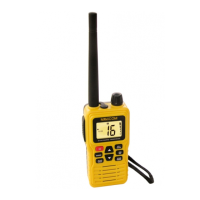
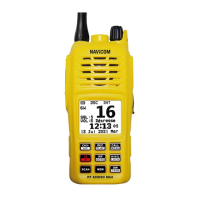
Identification and function of the buttons and controls on the wireless microphone.
Understanding the display elements and indicators on the wireless handset.
Instructions for installing the battery pack into the microphone.
How to charge the rechargeable batteries for the microphone.
Instructions for attaching the belt clip to the handset.
How to mount the drop-in charger cradle for the microphone.
Steps to subscribe and link the wireless microphone to the NAVICOM marine radio.
How to transmit and receive using the wireless handset.
How to switch between USA and INT operational channel bands using the handset.
Details on using the USA and INT modes on the handset.
How to save favorite channels using the handset.
Using the scan feature on the wireless handset.
Using Dual Watch and Tri Watch modes on the wireless handset.
Activating and using the Dual Watch mode on the handset.
Activating and using the Tri Watch mode on the handset.
Displaying vessel position and time on the handset when connected to GPS.
Using the intercom feature with the wireless handset.
Accessing and navigating the setting menus on the wireless handset.
Recalling the last received DSC call on the handset.
Making a new DSC call using the handset.
Sending group calls using the handset.
Sending All Ships calls (Urgency, Safety, Distress) from the handset.
Reviewing stored calls in the call log via the handset.
Reviewing stored distress calls via the handset.
Requesting GPS position information via the handset.
Common symptoms, causes, and remedies for troubleshooting the radio.
Technical specifications for the VHF radio components.
Technical specifications for the AIS receiver.
Technical specifications for the 2.4GHz wireless RF link.
List of channel names and their corresponding frequencies and modes.
Channel list for USA and European frequencies and modes.
Channel list for the 2.4G module frequencies.
 General
| Output Power | 25W / 1W |
|---|---|
| Power Supply | 13.8 V DC |
| Voltage Range | 10.8 - 15.6 V DC |
| Type | Marine VHF Radio |
| Modulation | 16K0G3E |
| Channels | International |
| Channel Spacing | 25 kHz |


 To Next Page