EasyManua.ls Logo

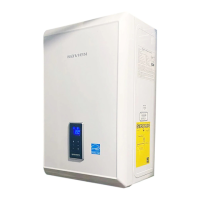
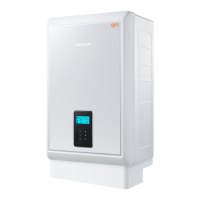
Navien NCB-210 - User Manual

Navien NCB-210
77 pages
Print Icon
To Next Page IconTo Next Page
Loading...
Navien America, Inc.
20 Goodyear lrvine, CA 92618 TEL +949-420-0420 FAX +949-420-0430 www.navienamerica.com
Getting Service
If your NCB boiler requires service, you have several options for getting service:
Contact Technical Support at 1-800-519-8794 or on the website: www.navienamerica.com. For
warranty service, always contact Technical Support first.
Contact the technician or professional who installed your boiler.
Contact a licensed professional for the affected system (for example, a plumber or electrician).
When you contact Technical Support, please have the following information at hand:
Model number
Serial number
Date purchased
Installation location and type
Error code, if any appears on the front panel display.
Combination Boiler
Installation & Operation
Manual
Version: 1.00(Oct. 02. 2013)

Other manuals for Navien NCB-210

Questions and Answers

  • J
    Joseph CooperAug 20, 2025
    Why is my Navien Boiler space heating not working?
    • J
      Jennifer DominguezAug 20, 2025
      If you are experiencing issues with the space heating side of your Navien Boiler, here are a few things to check: * Ensure the boiler is powered on and not in standby mode by pressing the Power button and raising the setting temperature. * Verify the setting temperature is appropriately set. * Confirm the system isn't currently running for domestic hot water (DHW), as the heating side will not function simultaneously. * Inspect and clean the filters on the heating side to ensure they are not restricted.
  • A
    Anita BrownAug 22, 2025
    Why is the water from my Navien NCB-210 Boiler not hot enough?
    • M
      mackenzie63Aug 22, 2025
      If the water from your hot water faucet isn't hot enough when using your Navien Boiler, check the boiler’s temperature setting and also check for cross plumbing between the cold and hot water lines.
  • N
    Nicole WrightAug 25, 2025
    What to do if cold water is coming out when the hot water is opened in Navien NCB-210 Boiler?
    • S
      Seth RiveraAug 25, 2025
      If you're getting cold water when you expect hot water from your Navien Boiler, first ensure that the shut-off valves on both the hot and cold water pipes are fully open. Also, if an error code is displayed on your boiler, consult the section on understanding error codes for further guidance.
  • T
    Timothy HodgesAug 26, 2025
    Why is the set temperature too low on my Navien NCB-210?
    • J
      Julia LopezAug 27, 2025
      If your Navien boiler isn't providing the expected temperature, check the boiler's temperature setting. Also, inspect your plumbing for any cross-connections between the cold and hot water lines, as this can affect the water temperature.
  • J
    johnsongaryAug 28, 2025
    What to do if the set temperature is too high on Navien Boiler?
    • E
      Erik FranklinAug 28, 2025
      If the set temperature on your Navien Boiler is too high, check the boiler's temperature setting.
  • M
    Martha JamesAug 30, 2025
    What to do if there is no power to Navien Boiler?
    • Y
      yrobertsAug 30, 2025
      To resolve power issues with your Navien Boiler: * Ensure the power is on and that the boiler is plugged into an outlet with the correct voltage. * Press the Power button and increase the setting temperature. * Make sure the boiler is turned on.
  • V
    vlopezAug 31, 2025
    How to fix E003 error on Navien Boiler?
    • L
      Linda BakerSep 1, 2025
      If the Navien Boiler displays error code E003, which indicates an ignition failure, make sure that the main gas supply valve is open.
  • L
    Lauren DanielSep 2, 2025
    What to do if Navien Boiler shows E016 error?
    • C
      Christopher RobbinsSep 3, 2025
      If the Navien Boiler displays error code E016, signaling overheating of the heat exchanger: * Turn off the system for at least 30 minutes, and then restart it. * Clean the Heating Return filter. * Flush the heat exchanger.
  • K
    keith21Sep 4, 2025
    Why does my Navien NCB-210 show E110 error?
    • R
      Ruth PowersSep 4, 2025
      If the Navien Boiler displays error code E110, which means abnormal air pressure, ensure that the exhaust pipe is free of obstructions and clean the intake air filter.
  • A
    Andrew CardenasSep 6, 2025
    How to resolve E012 error on Navien Boiler?
    • C
      Christopher WilsonSep 6, 2025
      If the Navien Boiler displays error code E012, indicating flame loss, you should clean the intake air filter and ensure that the electrical cord is properly grounded.

Summary

Getting Service

Requirements for the State of Massachusetts

Safety Information

1. About the Boiler

1.1 Items Included

Lists items provided with the boiler upon unboxing for installation.

1.2 Accessories

Details optional accessories available for purchase for the boiler.

1.3 Specifications

Provides technical specifications including input ratings, capacity, and efficiency.

1.4 Components

Identifies and illustrates the key internal and external components of the boiler.

1.5 Dimensions

Displays the physical dimensions of the boiler and its connection points.

1.6 Rating Plate

Explains the information on the boiler's rating plate for gas type and pressure.

2. Installing the Boiler

2.1 Choosing an Installation Location

Guides on selecting an appropriate location considering clearances, utilities, and environmental factors.

2.2 Mounting the Boiler to the Wall

Provides instructions and safety precautions for securely mounting the boiler unit to a wall.

3. Installing the System Piping

3.1 Installing a Space Heating System

Details procedures for installing the piping for the space heating functionality of the boiler.

3.2 Installing a Domestic Hot Water (DHW) System

Provides instructions for connecting the plumbing for domestic hot water supply.

3.3 Connecting the Condensate Drain

Explains how to properly connect the condensate drain line from the boiler.

3.4 System Fill Connection

Describes methods for filling the boiler system with water, including built-in and external options.

3.5 Testing the Water System

Outlines procedures for performing a fill test to ensure the water system is installed correctly.

3.6 Examples of System Applications

Presents various system application examples for space heating, DHW, or both.

4. Connecting the Gas Supply

4.1 Gas Pipe Sizing Tables

Offers tables for sizing gas pipes based on length and capacity for Natural Gas and Propane.

4.2 Measuring the Inlet Gas Pressure

Details the procedure for measuring and verifying the boiler's inlet gas pressure.

5. Venting the Boiler

5.1 Selecting a Vent Type

Guides on choosing the appropriate vent type and materials for safe and compliant installation.

5.2 Selecting Vent Pipe Materials

Lists recommended vent pipe materials for US and Canadian installations, adhering to codes.

5.3 Measuring Vent Length

Explains how to measure vent length and account for elbows, considering maximum limits.

6. Setting the DIP Switches

6.1 PCB DIP Switches

Details the settings for DIP Switch 2 on the main circuit board for various functions.

6.2 Front Panel Dip Switches

Explains the settings for DIP Switch 1 and 2 on the front panel for temperature units, pump, and gas type.

7. Connecting the Power Supply

8. Installation Check list

9. Operating the Boiler

9.1 Turning the Boiler On or Off

Provides instructions on how to turn the boiler unit on and off using the power button.

9.2 Adjusting the Temperature

Guides users on adjusting space heating and DHW water temperatures for optimal comfort.

9.3 Viewing Basic Information

Explains how to view basic operational information like temperatures and flow rates on the display.

9.4 Setting the Operation Mode

Describes how to set different operating modes, such as MIN, MAX, and parameter settings.

9.5 Setting the Parameters

Details how to enter and change various boiler parameters like temperature ranges and heat loads.

9.6 Resetting the Boiler

Explains the procedure for resetting the boiler to resolve error messages or issues.

10. Appendixes

10.1 Gas Conversion

Provides instructions and warnings for converting the boiler from Natural Gas to Propane.

10.2 Wiring Diagram

Presents the electrical wiring diagram for connecting various components and controls.

10.3 Ladder Diagram

Shows the ladder logic diagram illustrating the boiler's control system functionality.

10.4 Component Assembly Diagrams and Parts Lists

Includes diagrams and part numbers for various boiler assemblies for identification.

10.5 Outdoor Temperature Sensor

Details the installation of the optional outdoor temperature sensor for enhanced performance.

10.6 Outdoor Reset Control (Available with Optional Outdoor Temperature Sensor)

Explains the configuration of the Outdoor Reset Control for energy efficiency based on outdoor temperature.

Navien NCB-210 Specifications

General IconGeneral
Efficiency95% AFUE
Water Connections3/4" NPT
TypeCombination Boiler
Fuel TypeNatural Gas / Propane
Warranty15 years heat exchanger, 5 years parts

Related product manuals