Need help?
Do you have a question about the Navitel E500 and is the answer not in the manual?
Lists the items included in the NAVITEL E500 package, such as the device, car holder, stylus, etc.
Adjust settings before driving, familiarize with route, pay attention to road conditions, avoid distractions.
Avoid interference, ensure clear view, proper holder attachment, signal quality factors.
Avoid extreme temperatures, moisture, physical impacts, and unauthorized modifications.
Instructions for attaching and setting up the windscreen holder, considering visibility and signal reception.
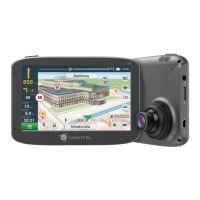
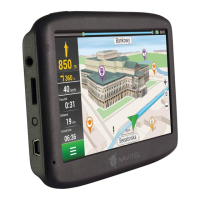
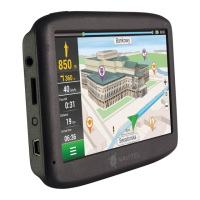
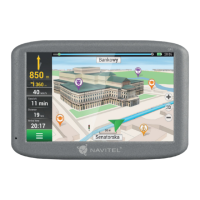
Identifies and describes the buttons, ports, display, and indicators on the NAVITEL E500.
Addresses issues like the device not starting, shutting down, battery discharge, and charging failures.
Troubleshooting sound, microSD card recognition, and file copying errors.
Proper care instructions to ensure the device's longevity and reliable operation.
Guidelines for using the device safely while driving and general road safety.
Details CPU, RAM, storage, OS, display, speaker, and battery specifications.
Outlines GPS receiver, frequency, channels, NMEA interface, and baud rate details.
Overview of the Navitel Navigator application and its primary functions.
Details the function of the first nine elements of the program interface.
Details the function of the remaining six elements of the program interface.
Step-by-step guide to planning a route by selecting a point directly on the map.
Guide to calculating a route by searching for a specific address.
Instructions for manually setting start and destination points for route planning.
Instructions for updating maps and the application using the dedicated software.
Guide on how to download additional maps or purchase new ones.
 General
| Auto | Yes |
|---|---|
| Sport (fitness, running) | - |
| Marine (chartplotters, sounders) | No |
| Processor model | MStar MSB2521 |
| RAM capacity | 128 MB |
| Storage media type | Flash |
| Compatible memory cards | MicroSD (TransFlash) |
| Included memory card size | 32 GB |
| Internal storage capacity | 8 GB |
| Display diagonal | 5 \ |
| Display resolution | 480 x 272 pixels |
| Power source type | USB |
| Map coverage | Albania, Andorra, Belgium, Bosnia Herzegovina, Bulgaria, Croatia, Cyprus, Czech Republic, Denmark, Estonia, Finland, France, Germany, Gibraltar, Hungary, Iceland, Italy, Latvia, Liechtenstein, Lithuania, Luxembourg, North Macedoniadonia, Malta, Moldova, Monaco, Montenegro, Netherlands, Norway, Poland, Portugal, Serbia, Slovakia, Slovenia, Spain, Sweden, Switzerland, Ukraine, United Kingdom |
| Lifetime map updates | Roads change, but with Lifetime Map Updates your map will always be up to date. Start fresh every few months by downloading a new edition of the industry's most accurate map. New editions are issued four times per year. |
| Form factor | Handheld/Fixed |
| Product color | Gray |
| Cables included | Mini-USB |
| Headphone connectivity | 3.5 mm |
| Mini-USB 2.0 ports quantity | 1 |
 Weight and Dimensions
| Width | - mm |
|---|---|
| Weight | - g |

 To Next Page