Need help?
Do you have a question about the Navitel T787 4G and is the answer not in the manual?
Core device specifications like battery, power, and dimensions.
Detailed hardware components including CPU, RAM, storage, display, and connectivity.
Instructions for attaching the car windscreen holder.
Steps for inserting and removing SIM and SD cards.
Procedures for managing accounts like Google and email.
Adding, editing, deleting, backing up, and importing contacts.
Procedures for initiating and answering calls.
Accessing records of incoming, outgoing, and missed calls.
Steps to compose and send text messages.
How to respond to received text messages.
Steps to compose and send multimedia messages.
Enabling, disabling, and connecting to Wi-Fi networks.
Enabling, disabling, and connecting Bluetooth devices.
Steps to activate and use mobile data.
Configuring the device as a Wi-Fi access point.
Sharing internet via USB cable or Bluetooth.
Steps for taking pictures and recording videos.
Adjusting parameters and viewing captured media.
Methods for sharing pictures and videos.
Steps for recording, saving, and playing audio files.
How to open and understand the settings menu structure.
Managing Wi-Fi, Bluetooth, and mobile networks.
Configuring location, security, and language options.
Adjusting screen appearance and managing storage space.
Date/time, power schedule, accessibility, and about tablet information.
Managing Google and email accounts.
Procedures for data backup and device reset.
Description of the navigation application's purpose.
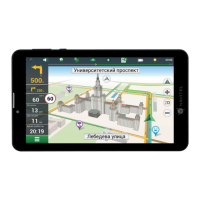
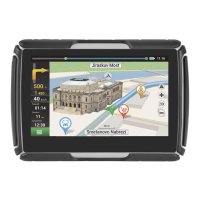
Introduction to the elements of the navigation map screen.
Buttons for main menu, search, and saving favorite places.
Displays for current speed, speed limits, and traffic conditions.
Alerts for speed cameras and points of interest along the route.
Buttons for map display mode, scale, and orientation.
Buttons for returning to current location and managing waypoints.
Accessing search queries and viewing information about map points.
Details on points of interest and accommodation booking.
Buttons for creating routes, adding waypoints, and sharing points.
Buttons for setting start, intermediate, and finish points.
Fields and buttons for editing route parameters.
Buttons for managing start/finish points and adding intermediate points.
Buttons for route editor, frequent settings, and alternative routes.
Displays for upcoming maneuvers and approaching events.
Displays for current street, route progress, and traffic congestion.
Buttons for additional actions and resetting the current route.
Steps to select destinations and modify route preferences.
Choosing from alternative routes and starting navigation.
Real-time traffic information service for route planning.
Cloud synchronization and additional feature purchases.
 General
| Display | 7 inch |
|---|---|
| Resolution | 1024 x 600 pixels |
| RAM | 1 GB |
| Storage | 16 GB |
| GPS | Yes |
| Navigation Software | Navitel Navigator |
| Processor | Quad-core |
| Operating System | Android |
| Connectivity | 4G, Wi-Fi, Bluetooth |
| Expandable Storage | MicroSD card up to 128 GB |
| Camera | 2 MP |


 To Next Page