EasyManua.ls Logo

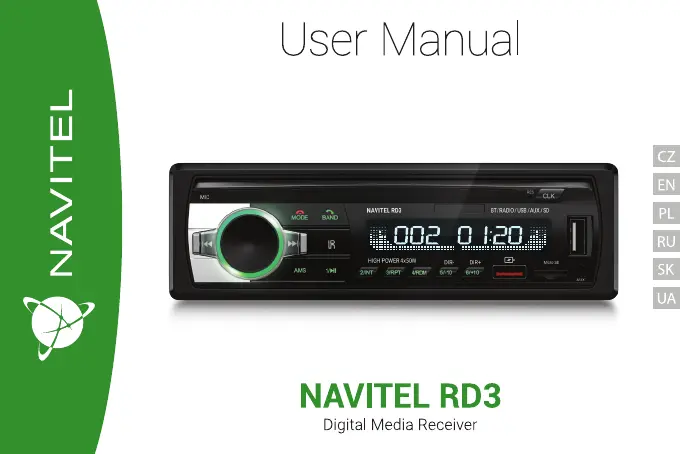
Navitel RD3 - User Manual

Navitel RD3
52 pages
Go to English
Print Icon
To Next Page IconTo Next Page
Loading...

Questions and Answers

  • N
    Nicole BurnsAug 6, 2025
    Why Navitel Receiver car radio doesn't turn on?
    • N
      Nicholas PhillipsAug 6, 2025
      If your Navitel Receiver car radio doesn't turn on, it could be due to a few reasons. First, check the connection of the yellow and red wires. Second, verify the black wire connection to the ground. Finally, a blown fuse could also be the culprit, in which case you should replace it.
  • K
    Katherine TuckerAug 16, 2025
    What to do if Navitel Receiver has no sound?
    • M
      Melanie JordanAug 17, 2025
      If there is no sound from your Navitel Receiver, it may be due to misconnected loudspeaker wires, so check their connection. Another potential cause is bare loudspeaker wires touching each other or the chassis ground. Make sure to insulate all bare speaker wires from each other and the chassis ground.
  • G
    Gregory StewartAug 26, 2025
    What causes a blown fuse in Navitel Receiver?
    • L
      leahmillerAug 27, 2025
      A blown fuse in your Navitel Receiver can be caused by several issues. The yellow and/or red wires might be in contact with the chassis ground, so insulate them and replace the fuse. Alternatively, loudspeaker wires could be in contact with the chassis ground; insulate these wires and replace the fuse. Finally, using the wrong fuse rating can also cause it to blow, so use the fuse with the correct rating.

Summary

Introduction

Device Layout

Overview of the car radio's physical components and their functions.

Package Contents

Lists all items included in the product package.

Specifications

Precautions

Safety and Usage Guidelines

Important safety measures and usage advice for the device.

Wiring Diagram

Buttons

Basic Control Buttons

Functions of core buttons like Power, Mode, and Band selection.

Playback and Navigation Buttons

Functions for track skipping, preview, and preset selection.

Buttons (Continued)

Advanced Function Buttons

Functions for replay, shuffle, folder navigation, and equalizer settings.

Volume and Display Control

Controls for volume adjustment and RGB backlight settings.

Remote Control

Remote Control Functions

Detailed mapping of remote control buttons to device functions.

Troubleshooting

Power and Sound Issues

Solutions for power-on failures and lack of audio output.

Fuse and Playback Problems

Troubleshooting blown fuses and playback skipping issues.

Navitel RD3 Specifications

General IconGeneral
BrandNavitel
ModelRD3
CategoryReceiver
LanguageEnglish

Related product manuals