EasyManua.ls Logo

Navman G-PILOT 3380 - User Manual

Navman G-PILOT 3380
47 pages
Print Icon
To Next Page IconTo Next Page
Loading...
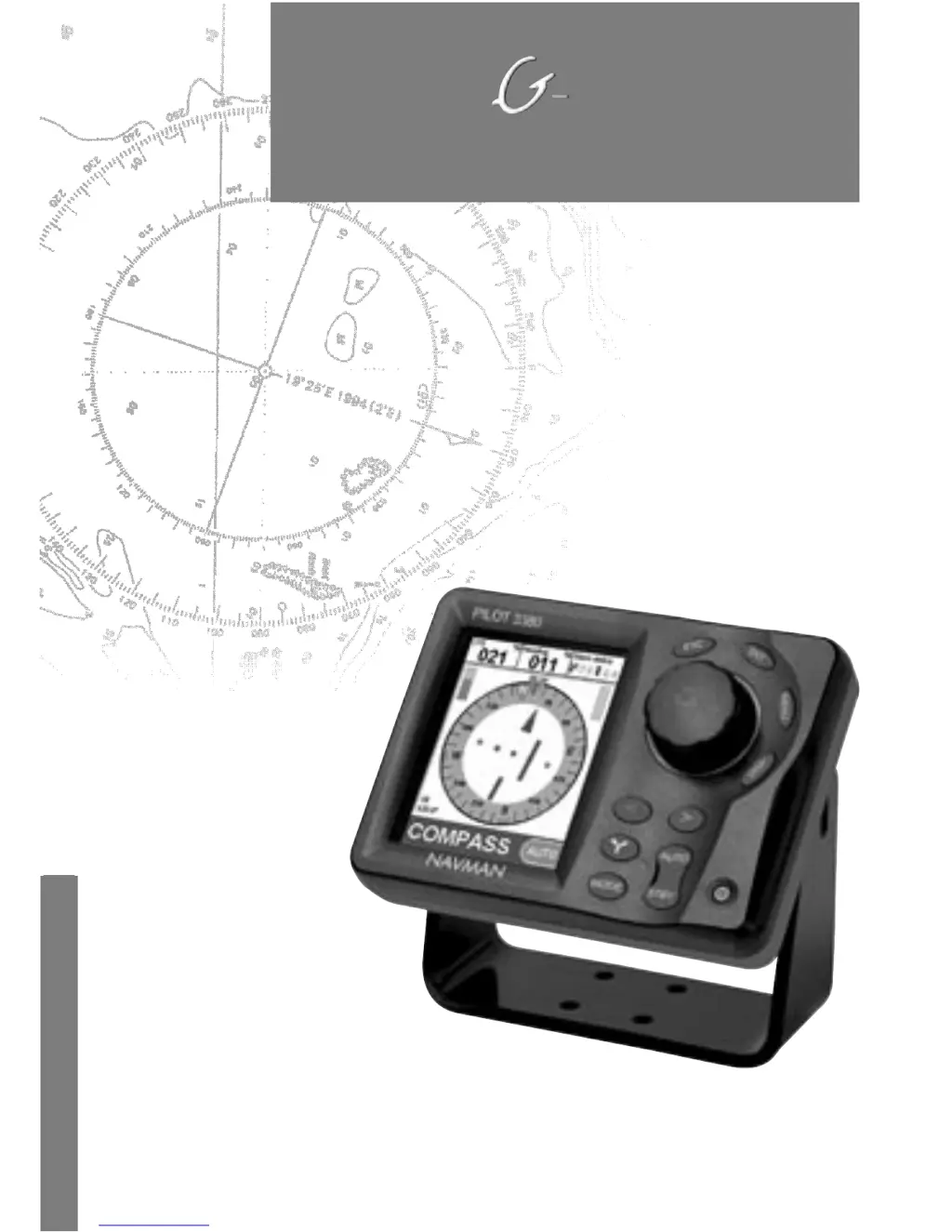
NAVMAN
w w w . n a v m a n . c o m
Operation Manual
Pilot 3380
A U T O P I L O T

Table of Contents

Other manuals for Navman G-PILOT 3380

Questions and Answers

  • T
    tiffany59Aug 13, 2025
    Why won't my Navman G-PILOT 3380 turn on?
    • J
      Jennifer TorresAug 13, 2025
      Your Navman Autopilot System might not be turning on due to several reasons: a blown fuse or tripped circuit breaker (in which case, replace the fuse or reset the breaker), battery voltage outside the 10.5 to 30.5 V DC range (ensure the voltage is within this range), or a damaged power/data cable (inspect and replace the cable if necessary).
  • T
    Traci MurrayAug 17, 2025
    What to do if my boat drifts off course when sailing straight with Navman G-PILOT 3380 Autopilot System?
    • S
      simondouglasAug 17, 2025
      If your boat drifts off course while sailing straight using the Navman Autopilot System, consider these solutions: change the profile to one that better suits your boat speed and sea conditions. Also, adjust the response, ratio, counter rudder gain, GPS gain (if in GPS mode), or wind gain (if in wind mode) for improved course holding.
  • K
    Kaitlin MendozaAug 21, 2025
    Why does my boat drift from side to side of the course when sailing straight with Navman Autopilot System?
    • R
      Richard BassAug 21, 2025
      When sailing a straight course, a slight drift from side to side is normal if the Navman Autopilot System steering is optimized. However, if the boat drifts too far, you may need to: * Optimize the Autopilot steering settings. * Change the profile to one that matches boat speed and sea conditions. * Adjust response, ratio, counter rudder gain, GPS gain (if in GPS mode) or wind gain (if in wind mode) for better course holding.
  • S
    Shannon Lopez DDSAug 25, 2025
    What to do if the boat doesn't follow the expected course during large course changes with Navman G-PILOT 3380?
    • M
      Michael BryantAug 25, 2025
      If your boat isn't following the expected course during large course changes with the Navman Autopilot System, try the following: * Change to a profile suitable for boat speed and sea conditions. * Check that the turn rate is set appropriately. * Adjust the counter rudder gain.
  • D
    David AdkinsAug 28, 2025
    How to fix too frequent course corrections by Navman G-PILOT 3380 Autopilot System?
    • O
      Oscar LevineAug 28, 2025
      To reduce the frequency of course corrections made by your Navman Autopilot System, increase the value of response.
  • C
    Catherine GallagherSep 1, 2025
    How to reduce sharp turns with Navman Autopilot System?
    • B
      bryansusanSep 1, 2025
      To reduce the sharpness of turns made by your boat while using the Navman Autopilot System, reduce the turn rate.
  • S
    schmittjeffreySep 5, 2025
    What to do if my Navman Autopilot System display fogs up?
    • S
      Sara MooreSep 5, 2025
      If the display of your Navman Autopilot System fogs up, it could be due to moist air entering the breathing tube at the rear of the unit. Try airing out the boat or running the unit with the backlight fully on. If water has entered the breathing tube, return the unit for service.
  • J
    Jennifer GibbsSep 8, 2025
    Why does 'SIMULATE' flash on my Navman G-PILOT 3380 display with unexpected values?
    • G
      goodmancoreySep 8, 2025
      Ensure that your Navman Autopilot System is not in simulate mode. If it is, take it out of simulate mode.

Summary

Introduction to Navman G-PILOT 3380

Using this manual

Guidance on how to effectively use the operation manual for the G-PILOT 3380.

G-PILOT Modes

Details the operating and steering modes of the G-PILOT system.

Quickstart Guide

System Setup and Initial Operation

Steps for initial setup, powering on, and engaging automatic steering.

Manual Control and Emergency Procedures

How to regain manual control and handle emergency situations.

G-PILOT Operation and Controls

Key Functions and Button Layout

Explanation of all buttons, modes, and basic operations like engaging/disengaging.

Setting Steering Modes

How to select and configure Compass, GPS, or Wind steering modes.

Navigation and Maneuvering

Course Changes and Dodging Maneuvers

Procedures for altering course and executing quick dodges.

Advanced Turn Modes

Detailed explanation of Tack/Gybe, 90°, and 180° turn sequences.

System Displays

Display Configurations and Data

Explains specific data elements and layouts for G-PILOT, Compass, Data, and Active Alarms displays.

Menus and Configuration Settings

Navigating Setup Menus

Overview of accessing and navigating the G-PILOT setup menus.

System, Options, and Alarms Configuration

Configuration of system, vessel, options, alarms, and units.

Detailed Steering Modes

Compass, GPS, and Wind Steering Operation

Detailed operation of Compass, GPS, and Wind steering modes.

Performance Optimization

Steering Parameters and Profile Management

Adjusting parameters and utilizing profiles for optimal G-PILOT performance.

Troubleshooting and Specifications

Troubleshooting Common Issues

Solutions for problems like no power, frequent corrections, and course drift.

Technical Specifications

Details on electrical, interface, compliance, and environmental ratings.

Navman G-PILOT 3380 Specifications

General IconGeneral
BrandNavman
ModelG-PILOT 3380
CategoryAutopilot System
LanguageEnglish

Related product manuals