Page 2 Naxa Electronics
At a Glance
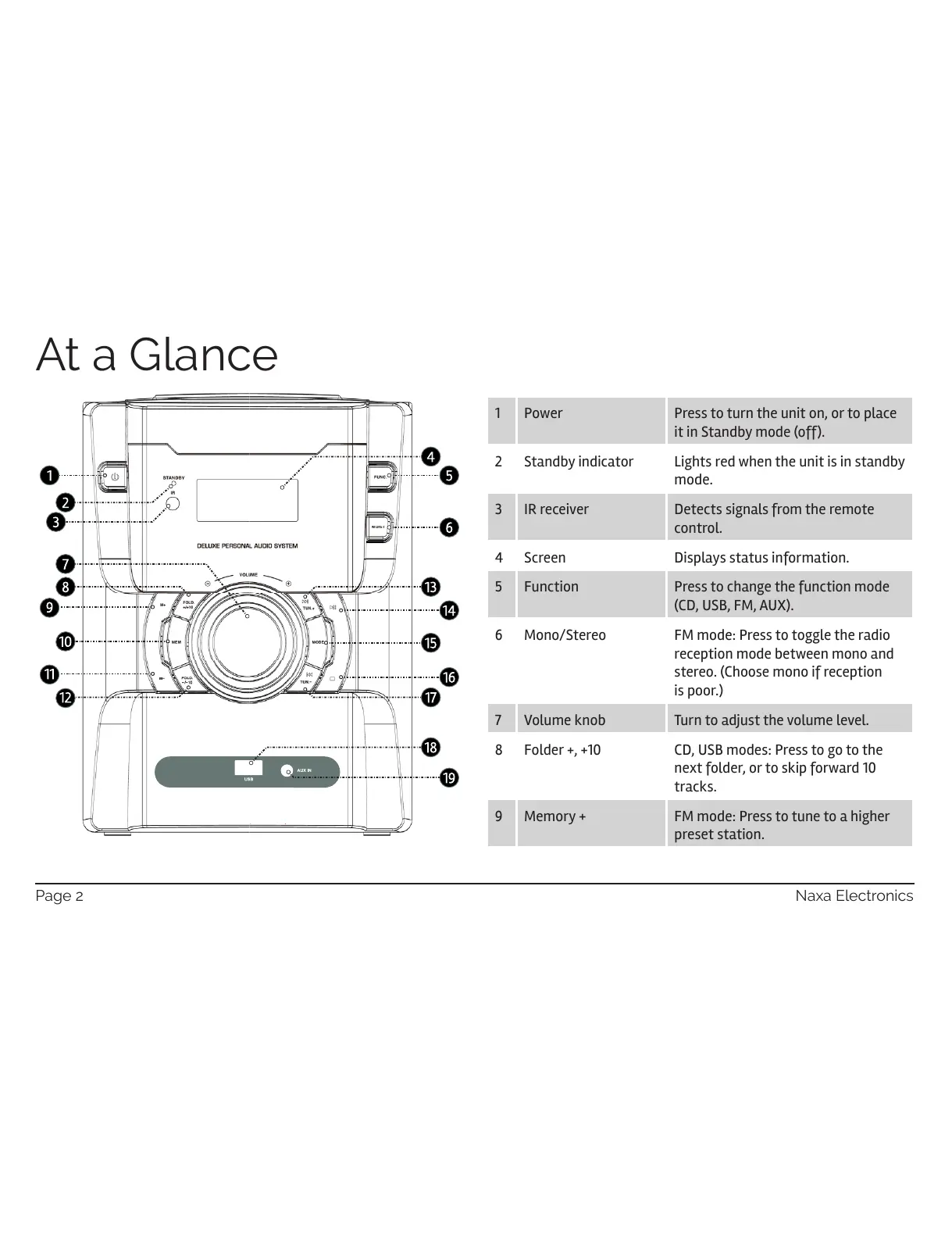
1 Power Press to turn the unit on, or to place
it in Standby mode (off).
2 Standby indicator Lights red when the unit is in standby
mode.
3 IR receiver Detects signals from the remote
control.
4 Screen Displays status information.
5 Function Press to change the function mode
(CD, USB, FM, AUX).
6 Mono/Stereo FM mode: Press to toggle the radio
reception mode between mono and
stereo. (Choose mono if reception
is poor.)
7 Volume knob Turn to adjust the volume level.
8 Folder +, +10 CD, USB modes: Press to go to the
next folder, or to skip forward 10
tracks.
9 Memory + FM mode: Press to tune to a higher
preset station.


 To Next Page