www.naxa.com Page 9
Remote Control
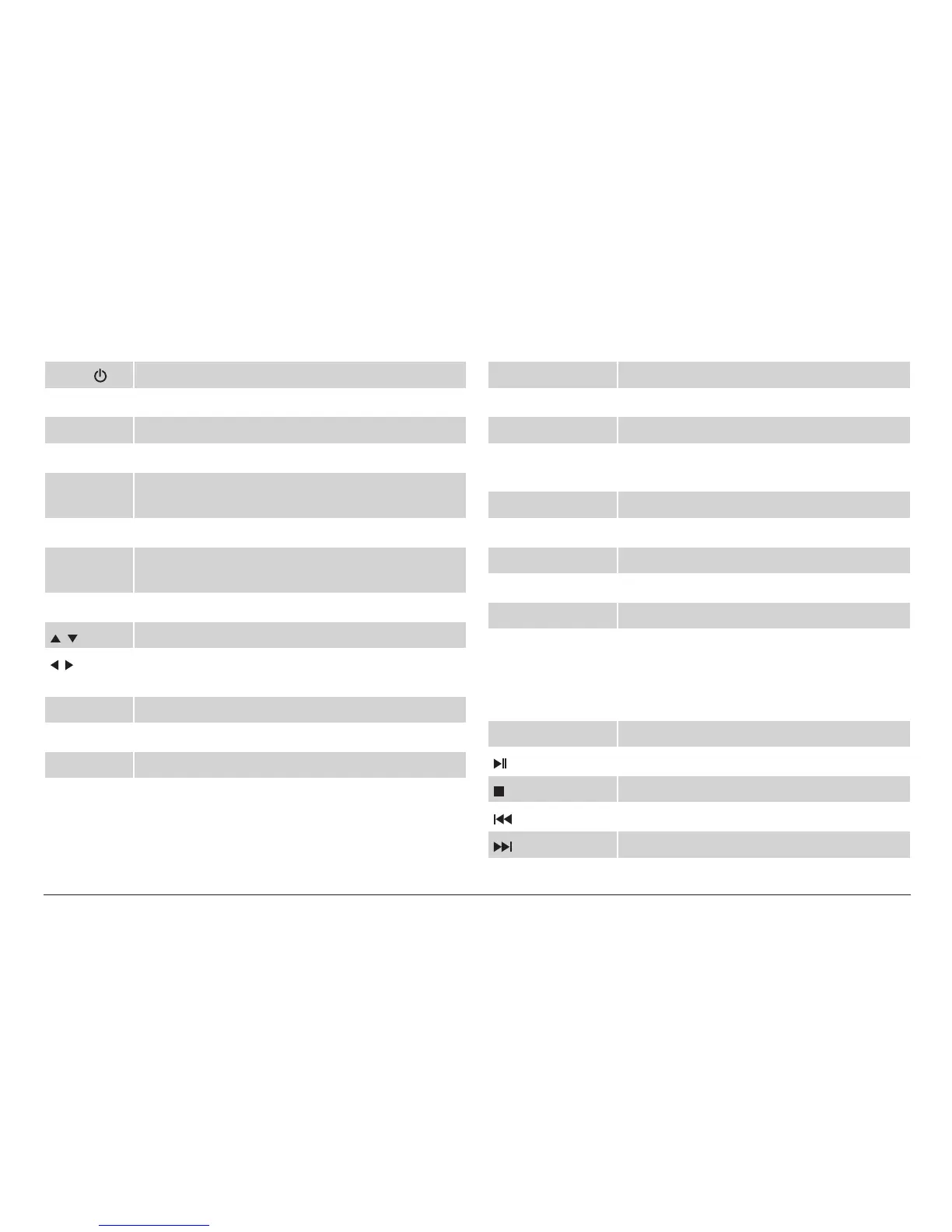
Power Power Switching Key. Turn the TV on or off.
ZOOM Picture modes
FREEZE Temporarily pause the video.
MUTE Enable/disable the sound output.
Channel
Keys
Use the number keypad to change the channel.
Return Go to the last viewed channel.
SOURCE Change the active input source mode (TV, AV1,
AV2, CARD, USB).
INFO View program information.
/ Browse up/down in menu lists.
/ Browse left/right or adjust an option in menu
lists.
CH+/CH– Change the channel up or down, respectively.
VOL+/VOL– Increase/decrease the volume level, respectively.
ENTER Conrm a selection.
MENU View the system menu.
EXIT Exit the system menu.
AUDIO Change the default audio language.
CC Change the closed-caption display modes.
EPG If available, view program guide informa-
tion from over-the-air ATSC TV broadcasts.
P.MODE change the picture preset mode.
S.MODE change the sound preset mode.
CH.LIST View all the available channels.
FAV.LIST View the channels in your favorites list.
SLEEP Set a sleep timer (max 240 minutes).
The following keys only work when playing music/vid-
eos in CARD or USB mode.
REP Change the repeat mode.
Start, pause, or resume playback.
Stop playback.
Go to the previous track.
Skip to the next track.


 To Next Page
 Loading...