EasyManua.ls Logo

Naxa NVP-3001C - User Manual

Naxa NVP-3001C
20 pages
Print Icon
To Next Page IconTo Next Page
Loading...
NVP-3001C
Question and Answer IconNeed help?

Do you have a question about the Naxa NVP-3001C and is the answer not in the manual?

Summary

Remove & Close The Lens Cover

Placing Your Projector

Front Table

Configuring the projector on a table in front of the screen for quick setup and portability.

Front Ceiling

Mounting the projector upside-down from the ceiling in front of the screen.

Rear Table

Positioning the projector on a table behind the screen, requiring a special rear projection screen.

Rear Ceiling

Mounting the projector upside-down from the ceiling behind the screen, needing specific screens.

To Reduce Image Distortion

Distance Between The Projector AndScreen

Placing Your Projector On Ceiling

Adjust The Vertical Location

Adjust The Focus And Keystone

Controls Of Remote

Install; Remove Battery Of Remote

Install Power Adapter

Bluetooth Connection

Disconnecting Bluetooth Device

Projection VIA A HDMI Connection

Projection VIA An AV Connection

Projection VIA VGA Connection

Connecting Audio Output

Install USB Device And Micro SD Card

Using microSD Card And USB Playback

Sub-Menu on Photo screen

Accessing photo playback options and controls via the media player interface.

Sub-Menu on Music screen

Accessing music playback options and controls via the media player interface.

Sub-Menu on Movie screen

Accessing movie playback options and controls via the media player interface.

TROUBLESHOOTING

No Image or No Signal Message

Troubleshooting steps for when no image is projected or a "No Signal" message appears.

Lamp Switches Off

Diagnosing and resolving issues where the projector lamp switches off after a period.

Image Width Distortion

Addressing image distortion where the image is wider at the top/bottom of the screen.

Spots on the Screen

Solutions for spots appearing on the projector screen, including cleaning the lens.

Faded Image Brightness

Troubleshooting faded image brightness, potentially due to ambient light or lamp failure.

Projector Cleaning and maintenance

Overview

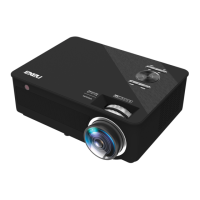
This document describes the Naxa NVP-3001C 1080p Full HD Projector, an instruction manual detailing its functions, usage, and maintenance.

The Naxa NVP-3001C is a versatile projector designed for non-professional use, suitable for various display configurations and media playback options. Its primary function is to project images and videos onto a screen, offering a full HD resolution experience. The projector can be set up in four main configurations: front table, front ceiling, rear table, and rear ceiling, providing flexibility for different environments. For ceiling installations, a projector mount is required, and users are advised to ensure the ceiling structure can support the weight. The projector also features adjustments for image distortion, focus, and keystone correction to ensure a clear and rectangular display.

Usage Features:

The projector offers multiple connectivity options, including HDMI, AV, VGA, USB, and microSD card slots, allowing users to connect various devices such as video players, computers, and streaming devices.

Power and Basic Operation:

To power on the projector, press the Power button. To turn it off, press the Power button twice or press and hold it. The power indicator light will turn GREEN when the unit is on. The remote control provides comprehensive control over the projector's functions, including power, navigation, menu access, source selection, volume adjustment, and playback controls.

Image Adjustment:

  • Vertical Location: The projector's vertical location can be adjusted using the ANGLE ADJ. knob to fine-tune the display angle.
  • Focus Adjustment: The FOCUS ADJ. KNOB is used to sharpen the image. Users should turn this knob while observing the image pixels near the center of the screen until they are clearly visible.
  • Keystone Correction: If the projected image appears distorted (trapezoidal), the TRAPEZOIDAL ADJ. KNOB can be used to restore it to a rectangular or square shape. This is particularly useful when the projector beam is projected at an angle to the screen.

Connectivity:

  • HDMI Connection: The projector has three HDMI ports (HDMI 1, HDMI 2, HDMI 3). To connect an HDMI device, turn off the projector, connect the HDMI cable, then turn the projector on. Use the SOURCE button to select the corresponding HDMI input. HDMI port 3 can also be used for streaming devices, which can be powered via USB port 2 (DC5V 1A output). USB port 2 is for power output only and cannot be used for media playback.
  • AV Connection: For AV connections, turn off the projector, connect the AV cable (yellow for video, white for left audio, red for right audio), turn on the projector, and select AV mode using the SOURCE button.
  • VGA Connection: To connect a computer via VGA, turn off the projector, connect the VGA cable, turn on the projector, and select VGA mode using the SOURCE button. The manual provides a table to help adjust the output signal from the computer based on resolution and frequency.
  • Audio Output: The projector supports audio output to external devices like station amplifiers or headphones. To connect, turn off the projector, connect the audio cable (Aux Out / Line Out / Earphones), and then turn on both units.
  • USB and MicroSD Playback: The projector can play media files directly from USB devices (up to 1TB) and microSD cards (up to 1TB). To use this feature, turn off the unit, insert the USB device or microSD card, turn on the projector, and select MEDIAPLAYER mode using the SOURCE button. Users can then navigate through MUSIC, PHOTO, or MOVIE categories, select files, and control playback using the remote.

Bluetooth Operation:

The projector supports Bluetooth connectivity for external speakers.

  1. Turn on the projector.
  2. Press the Menu button.
  3. Navigate to the Bluetooth column using the directional arrows.
  4. Press OK to enter the Bluetooth menu.
  5. Select "ON" to enable Bluetooth.
  6. Put your external Bluetooth speaker into pairing mode.
  7. Once connected, an audio sound will confirm the pairing, and the projector's sound will be routed through the external speaker. To disconnect, navigate to the Bluetooth menu and select "OFF". If automatic connection fails, reset Bluetooth in the setup menu.

Troubleshooting:

The manual includes a troubleshooting section for common issues:

  • No Image/No Signal: Check power, lens cover, cable connections, and ensure the correct input source is selected.
  • Lamp (Bulb) Switches Off: This usually indicates overheating. Allow the projector to cool, check for blocked ventilation, clean the air filter, and restart. If the problem persists, contact support.
  • Wider Image at Top/Bottom: This is keystone distortion and can be corrected using the keystone adjustment function.
  • Spots on Screen: Clean the lens with a vacuum cleaner. If unresolved, contact support.
  • Faded Image Brightness: This might be due to ambient light or a need to replace the lamp (bulb).

Maintenance Features:

Regular maintenance is crucial for prolonging the life and ensuring the normal operation of the projector.

  • Filter Cleaning: The most effective maintenance is regular cleaning and replacement of the filter. It is recommended to clean the filter every three months, or more frequently in dusty environments. Overheating warnings also indicate a need for immediate filter cleaning or replacement.
  • Cleaning Procedure:
    1. Turn off the projector and disconnect the power cord.
    2. Locate and open the filter cover, then remove the filter.
    3. Face the filter (dusty side down) and tap it four or five times to shake off dust. Flip the filter and repeat.
    4. Use a vacuum cleaner to clean deep dust from the filter's front.
    5. Reinstall the filter and close the cover.
  • General Cleaning: Do not use detergents or solvents for cleaning. Ensure proper ventilation after cleaning. If overheating persists or the filter is damaged, replace it.

Naxa NVP-3001C Specifications

General IconGeneral
White light output310 ANSI lumens
Native aspect ratio16:9
Projection distance0.81 - 3.81 m
Projection technologyLCD
Contrast ratio (typical)3000:1
Screen size compatibility- \
Projector native resolution1080p (1920x1080)
Keystone correction, vertical0 °
Keystone correction, horizontal-15 - 15 °
Light source typeLED
Service life of light source20000 h
FocusManual
Full HDYes
Supported video modes480i, 480p, 576i, 720p, 1080i, 1080p, 2160i, 2160p
Analog signal format system-
HDMI ports quantity3
USB 2.0 ports quantityUSB 2.0 ports have a data transmission speed of 480 Mbps, and are backwards compatible with USB 1.1 ports. You can connect all kinds of peripheral devices to them.
Compatible memory cardsMicroSD (TransFlash)
Maximum memory card size1000 GB
Noise level- dB
RMS rated power10 W
Image formats supportedBMP, JPG, PNG
Number of built-in speakers2
Product typeStandard throw projector
Product colorBlack
Market positioningHome cinema
Power sourceDC
AC input voltage100 - 240 V
AC input frequency50 - 60 Hz
AC adapter output voltage19 V
Power consumption (standby)1.2 W
Power consumption (typical)133 W
Weight and Dimensions IconWeight and Dimensions
Depth243.8 mm
Width304.8 mm
Height114.3 mm
Weight2395 g
Package depth184.2 mm
Package width370.8 mm
Package height279.4 mm
Package weight4032.4 g

Related product manuals