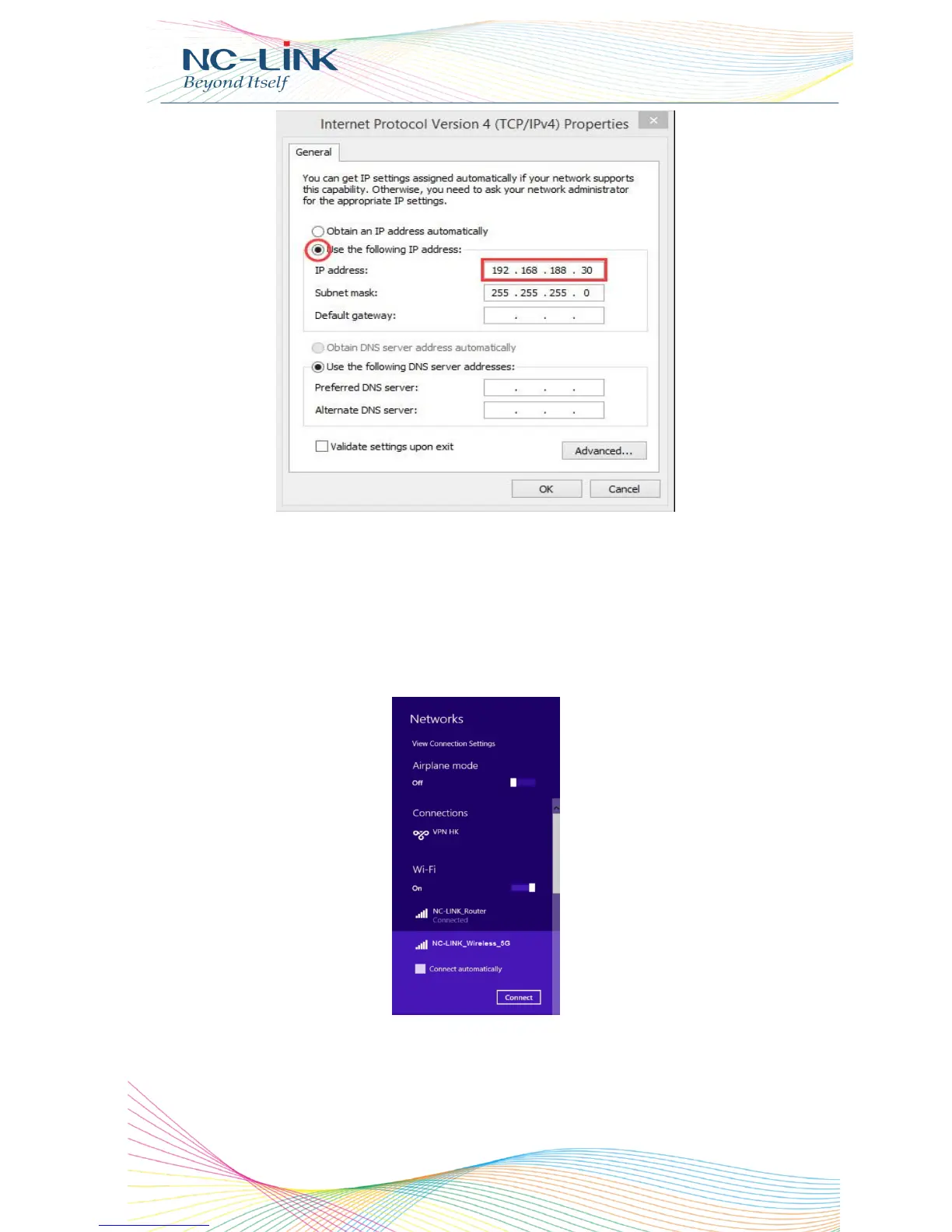
Select fixed IP and set a IP in same subnet with CPE
If you want to connect our CPE by wireless after IP address configuration, pls
right click Wireless networking Connection, then View Available Wireless
Networks, our CPE’s default SSID is NC-Link_Wireless_5G, passwords:
66666666, Click Refresh network list , double click the correct SSID and
input the passwords, if have, then connect, please refer to P7.
P7 CPE Wireless Connection


 To Next Page