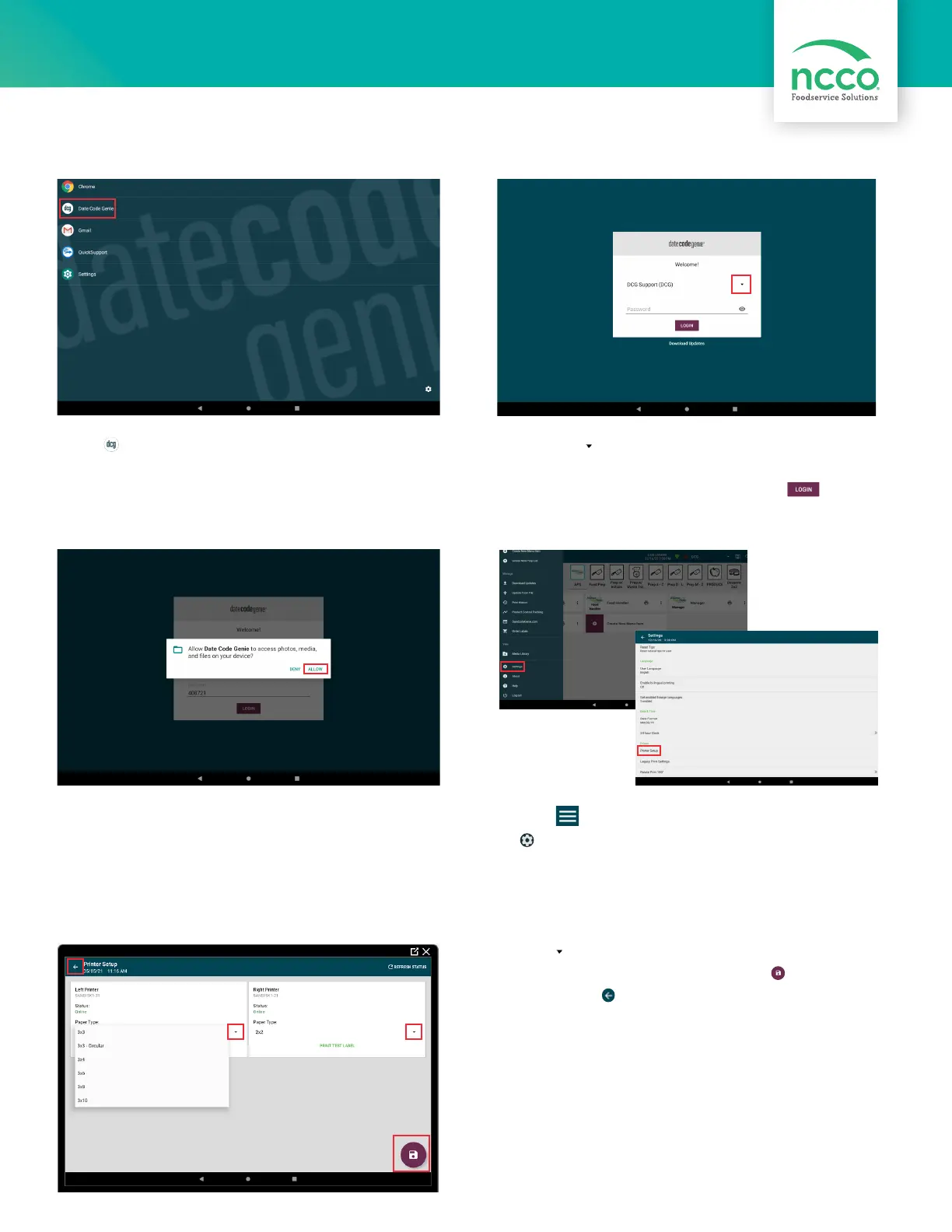
13. Tap to display list of paper types and select
the label loaded in each printer. Tap to save
settings. Tap in the upper left corner to
return to app.
12. Tap in left corner of app to open. Scroll
to Settings, tap to open and then tap
Printer Setup.
10. Tap the to display username list and tap to
select (see Packing Slip for login credentials). Type
in the password, if prompted, and tap .
App Setup
9. Tap DateCodeGenie
®
to launch the app.
11. Tap ALLOW for DateCodeGenie to access
photos, media, and files on device. Tap CONTINUE,
then INSTALL and OPEN when the popup displays a
new app version is available.



 To Next Page