EasyManua.ls Logo

NCE NCE5251DVD - User Manual

NCE NCE5251DVD
16 pages
Print Icon
To Next Page IconTo Next Page
Loading...
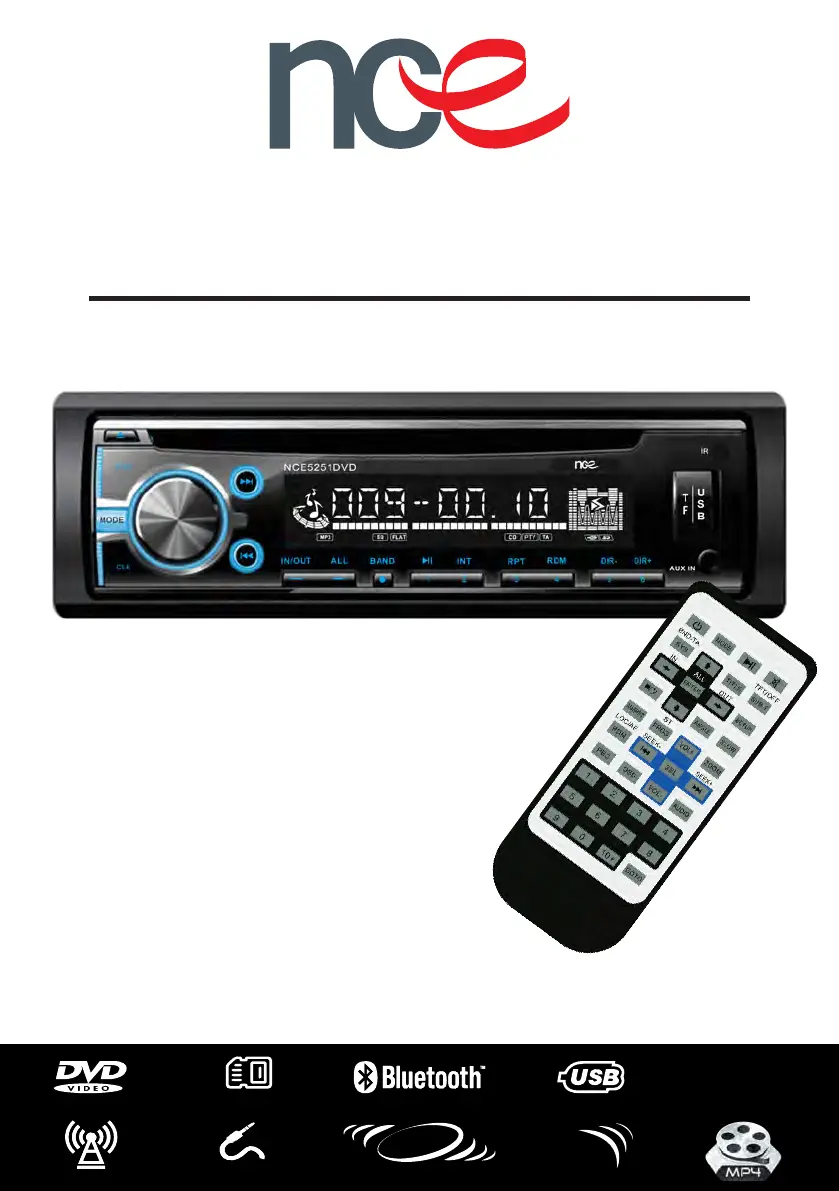
NCE5251DVD
Quick Start Guide
RV MULTIMEDIA AUDIO SYSTEM
*Please read this Quick Start Guide prior to installation
4x50WATT
HIGHPOWER
EXTERNAL
IR
ZONE SPEAKER SWITCH
IN/OUT
AM/FM RADIO 3.5MM AUX
MICRO SD

Questions and Answers

Summary

Precautions

Front Panel Basic Operation

Eject Disc

Press to eject the disc from the unit.

Power On;Off

Press the PWR button to turn the unit on or off.

Mode Selection

Cycle through available modes: Radio, Disc, USB, SD, BT, AUX1, AUX2.

Clock Setting

Short press to show time; long press to adjust hours and minutes.

Volume and Selection Control

Turn to adjust volume; short press to select and adjust EQ, Bass, Treble, etc.

Next Track;Chapter

Short press for next track/chapter in media modes, auto search forward in radio.

Previous Track;Chapter

Short press for previous track/chapter in media, auto search backward in radio.

Internal;External Speaker Output

Toggle between internal speakers only or external speakers only.

All Speakers Output

Listen to audio through both internal and external speakers simultaneously.

Remote Control Operations

Power and Source Controls

Control unit power and select audio/video sources like Radio, Disc, USB, or Bluetooth.

Navigation and Volume Adjustment

Navigate menus, select options, adjust volume, and change audio settings like Bass, Treble, and EQ.

Playback and Media Management

Manage media playback, including play, pause, stop, mute, track skipping, and repeat/random modes.

System Settings and Display

Configure system preferences, display options, and access advanced features like Angle, Slow Play, and Zoom.

Wiring and Installation Diagrams

Wiring Diagram Overview

Overview of the unit's wiring connections and color coding for installation.

External IR Sensor Installation

Guidance for positioning and connecting the external IR sensor for optimal use.

Unit Installation Method

Instructions on how to physically mount the unit using the provided cradle and panel.

Bluetooth Streaming Operation

Bluetooth Pairing Process

Steps to pair your Bluetooth device with the NCE5251DVD for music streaming.

Troubleshooting Common Issues

Product Specifications

General Specifications

Details on operating voltage, current, and installation angle.

DVD;CD Player Capabilities

List of compatible disc formats for the DVD/CD player.

Audio Performance

Technical audio metrics including S/N ratio, dynamic range, frequency response, and power output.

Video System

Supported video output systems (NTSC, PAL) and output signal specifications.

FM Tuner Characteristics

Tuning range, sensitivity, and frequency response for the FM radio tuner.

AM Tuner Characteristics

Tuning range, sensitivity, and image rejection for the AM radio tuner.

Important Notes

Product Warranty Information

About NCEs Policy

Overview of NCE's commitment to customer satisfaction with purchases.

Warranty Conditions

Details of the 'Express Warranty' and its activation upon purchase.

Change of Mind Returns

Policy on returns due to customer change of mind, including restocking charges.

Handling Damaged Goods

Procedure for reporting and returning goods received damaged in transit.

NCE NCE5251DVD Specifications

General IconGeneral
BrandNCE
ModelNCE5251DVD
CategoryStereo System
Supported MediaDVD, CD, MP3, USB
Speaker Configuration2.1 Channel
USB PortYes
RadioFM
Remote ControlYes
TypeDVD Player with Speakers