
 Need help?
Do you have a question about the NCI 7800 and is the answer not in the manual?
Details regulatory compliance and certifications for different models in the NCI 7800 family.
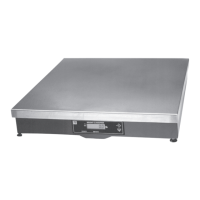
Provides physical dimensions (length, width, height) for each model in the NCI 7800 series.
Describes the input voltage, power cord type, and output specifications for the scale's power adapter.
Outlines the materials used for the scale base and weigh platter, including overload protection features.
Details the type, size, and features of the scale's digital display and key panel.
Instructions for safely removing the scale and its accessories from the shipping container.
Steps for placing and securing the scale on a stable, level surface for operation.
Describes the automatic self-test performed by the scale upon power activation.
Step-by-step guide on how to use the scale for basic weighing operations.
Explains how to enter the scale's menu system using the front panel switches.
Details the procedure for entering the gravity adjustment mode via switch settings.
Introduces the mode for testing scale functions and reviewing configuration settings.
Options for selecting digital filtering settings to optimize performance in different environments.
Configuration for serial communication baud rate and parity settings.
Selection of RS-232 communication protocols supported by the scale.
Automatic weight transmission after item removal from the scale platform.
Automatic weight transmission when the item is placed and stabilized on the scale.
Manual weight transmission triggered by pressing the TEST button.
Selection of the unit of measure for calibration test weights.
Choice between standard rounding (SCALE) or weight classifier rounding (CLASS).
Selection of the scale's capacity and resolution for calibration.
Procedure to compensate for variations in gravity by adjusting the local gravity value.
Guide for changing scale resolution or rounding methods without calibration weights.
Using the TEST key to perform basic system diagnostics and review current settings.
Details the pinout and compatibility of the scale's 9-pin serial RS-232 connector.
Lists common serial commands for scale control and data retrieval.
Describes additional serial commands for specific functions like diagnostics and advanced control.
Explains how system errors are displayed as an 'E' code and how to interpret them.
Steps to diagnose and resolve issues where the scale display is not turning on.
Procedures to fix problems with the scale failing to zero or showing inaccurate weights.
Troubleshooting steps for when the scale displays garbled or unrecognized characters.
Troubleshooting steps for when the scale indicates below zero or under capacity.
Steps to resolve issues with the scale failing to send data to connected devices.
A list of available spare parts with their corresponding part numbers for ordering.
 General
| Brand | NCI |
|---|---|
| Model | 7800 |
| Category | Accessories |
| Language | English |

 To Next Page