Model 7800 Family Weight Classifiers User’s Manual
8
Scale Dimensions Min. Cut-Out Dimensions
D 12.5 in. (31.7 cm) 13.25 in. (33.7 cm)
W 14 in. (35.6 cm) 14.75 in. (37.5 cm)
H 4.1 in. (10.4 cm)*
*Adjustable to 4.6 in. (11.7 cm)
Scale Dimensions Min. Cut-Out Dimensions
D 18 in. (45.7 cm) 18.75 in. (47.6 cm)
W 18 in. (45.7 cm) 18.75 in. (47.6 cm)
H 4.6 in. (11.6 cm)*
*Adjustable to 5.1 in. (12.9 cm)
Scale Dimensions Min. Cut-Out Dimensions
D 18 in. (45.7 cm) 18.75 in. (47.6 cm)
W 18 in. (45.7 cm) 18.75 in. (47.6 cm)
H 3.0 in. (7.6 cm)*
*Adjustable to 3.5 in. (8.9 cm)
Scale Dimensions Min. Cut-Out Dimensions
D 20 in. (50.8 cm) 20.75 in. (52.7 cm)
W 20 in. (20.8 cm) 20.75 in. (52.7 cm)
H 5.3 in. (13.5 cm)*
*Adjustable to 5.8 in. (14.7 cm)
Scale Dimensions Min. Cut-Out Dimensions
D 24 in. (61.0 cm) 24.75 in. (62.9 cm)
W 18 in. (45.7 cm) 18.75 in. (47.6 cm)
H 4.6 in. (11.7 cm)*
*Adjustable to 5.1 in. (12.9 cm)
Scale Dimensions Min. Cut-Out Dimensions
D 24 in. (61.0 cm) 24.75 in. (62.9 cm)
W 24 in. (61.0 cm) 24.75 in. (62.9 cm)
H 4.6 in. (11.7 cm)*
*Adjustable to 5.1 in. (12.9 cm)
3. Loosen the collars or jam nuts on the leveling
feet. Level the scale by using the level bubble
under the scale platter as a guide. Be sure all
four feet are in firm contact with the counter,
then tighten all collars and jam nuts.
4. Make sure all power cords, remote display
cables, etc., are not touching the live weigh-
ing surface.
5. Plug the unit into an appropriate voltage
outlet that is properly grounded.
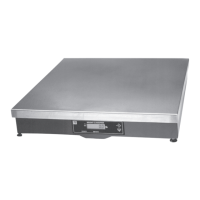
Model 7820
Model 7880
Model 7829
Model 7840
Model 7824
Model 7885


 To Next Page