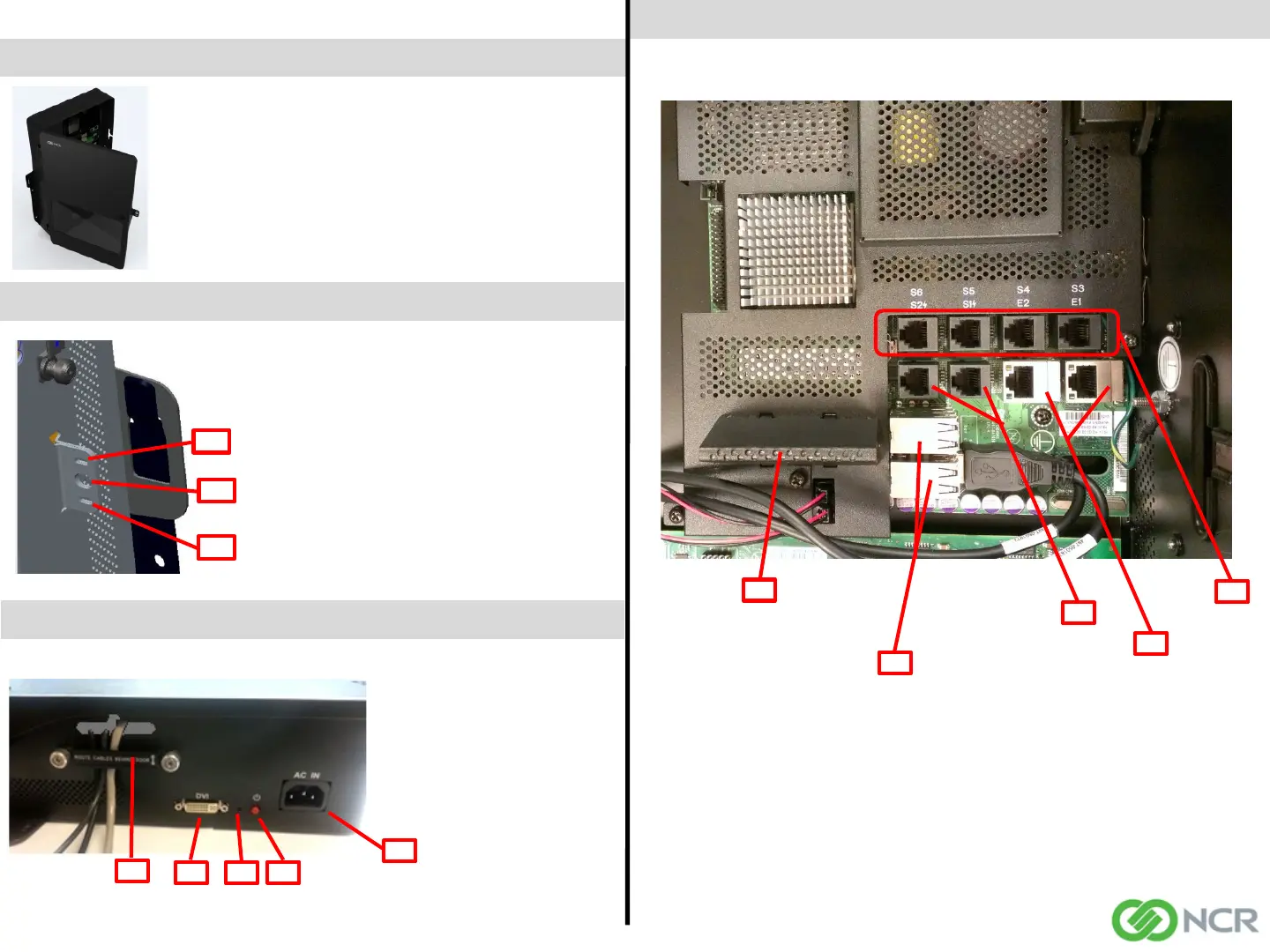
Motherboard Internal Ports
To Remove Door
Panther Fuel Controller Quick Reference Guide - 1651
To remove the door simply open
the door and lift the door upwards
off the hinges.
To install the door, simply align the
door hinges with the body hinges
and slide the door downward into
place.
Side Panel Ports and Slots
1
4
1 – Power 110-220V 50-60Hz
2 – Power On/Off Button
3 – Recovery Utility Button
4 – DVI Port (remove cover if
needed) *
5 – Cable Retention
2
3
5
To Lock Enclosure
With the Panther door closed, use one of the
following to secure the device:
1) Standard Padlock with a bolt diameter no
less than .200” and no greater than .280”
2) Tamper Evident Zip Tie
3) Kensington Lock (ensure lock is fully
seated)
*Note: Locks and tamper evident zip ties are
not included.
2
1
3
1 – 2x Network LAN 10/100/1000 ports (E1, E2)
2 – 4x RS232 Serial Ports (S3, S4, S5, S6)
3 – 2x Powered RS232 Serial Ports +12V/500mA each on RTS (S1, S2)
4 – 8x USB Ports +5V/500mA each
5 – SSD, MO-297 SATA 3.0Gb/s
1
3
4
5
2
Page 2
497-0503689 Rev C
* Note: The DVI port should only be used for setup, maintenance and troubleshooting. It is not
intended for use during normal operation.



 To Next Page