TG110DL User’s Manual
7 | P a g e NDT Systems, Inc. 5542 Buckingham Drive, Huntington Beach, CA 92649, PH: 714-893-2438
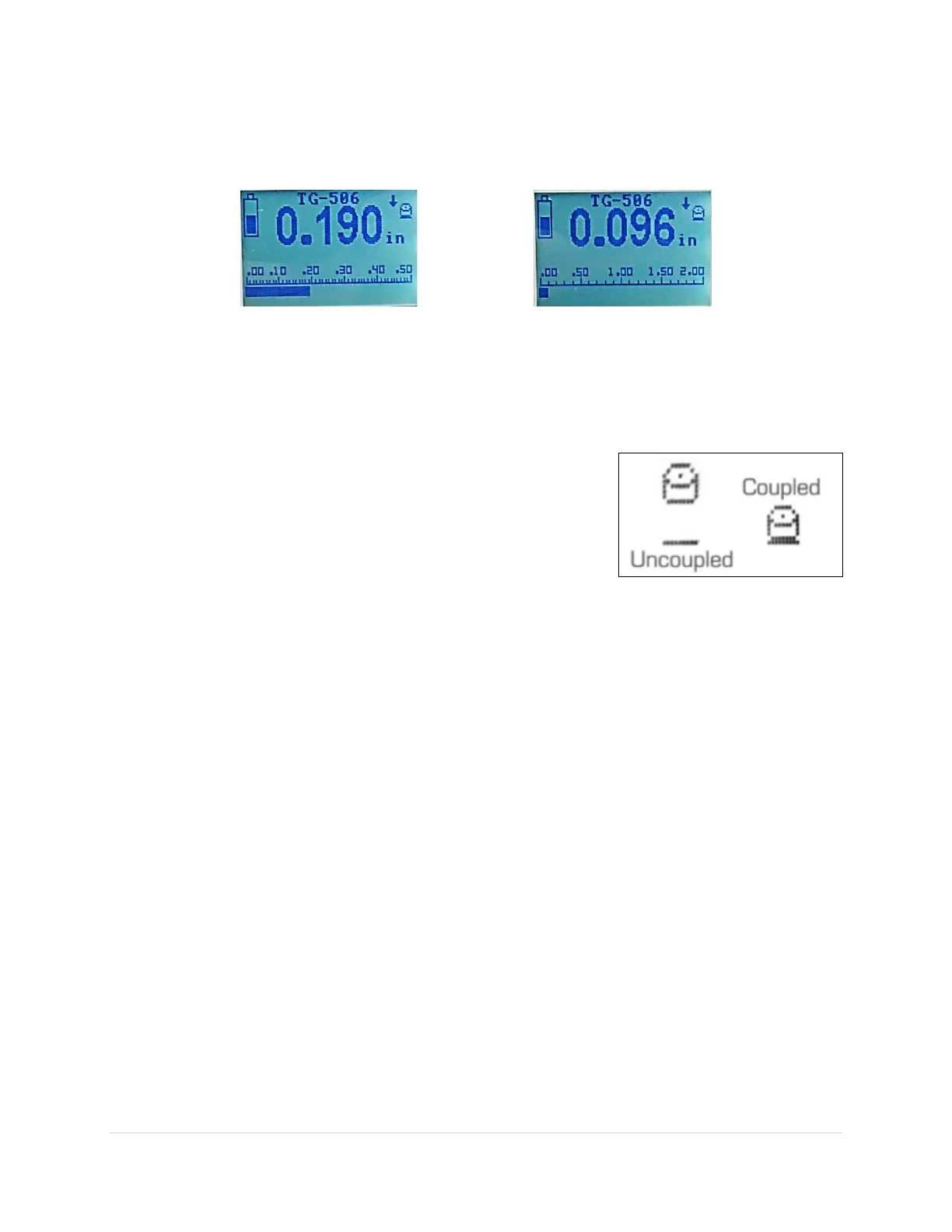
SCAN BAR & SCALE: The black bar at the bottom of the display is called a Scan Bar. This feature is unique to NDT
Systems handheld thickness gauges. A visual representation of the measured thickness, as the thickness value
changes the bar position across the screen changes. See figures below.
.249" reading on a total scale of .500" 0.093" reading on a total scale of 2.00"
NOTE: The Scan Bar is a visual representation of the measured thickness only. Setting the Scan Bar Scale maximum
or minimum values too high or too low will not affect the measured thickness.
COUPLING ICON: The Coupling Icon automatically changes states to help
indicate the quality of the thickness reading. A “coupled” state is indicated by
the cylinder making contact with the thin bar beneath. indicates satisfactory
coupling, adequate material penetration, and proper probe/beam
normalization (perpendicular to surface). Thickness readings must not be
considered reliable if the Coupling Icon fails to contact the bar, intermittently
blinks, or flickers on and off the bar.


 To Next Page