Setup & connectivity
Setup
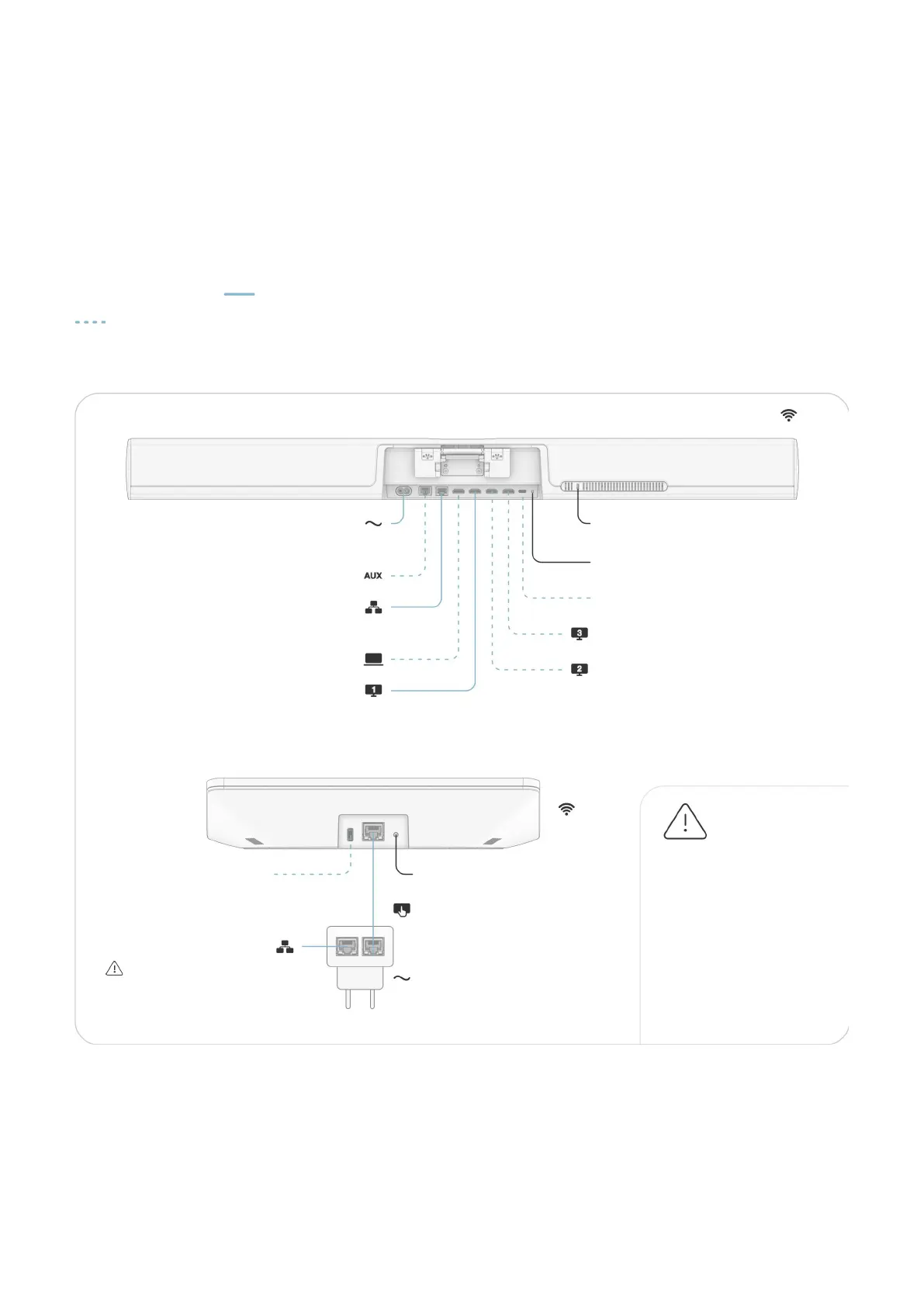
Use the provided cables to set up Neat Bar.
Connect the cables according to the illustration.
Cables marked are included. Cables marked
are optional and not required for basic use of
the system.
Requirements for
a complete setup
Display
Internet connection
Video service
Environmental Requirements
Ambient operating temperature:
32° to 95° F (0° - 35° C)
Storage temperature: -4° - 140° F (-20° - 60° C)
Relative humidity: 10% to 90%
Network standby: <W (ater 20 minutes)
Additional Product
Information
htps://neat.no/bar-pro
Neat Bar Pro and Neat Pad - User Manual rev06
AC power
9.8t (3m) Cable
Auxillary port (RJ)
USB-C Debug
Ethernet port
16.4t (5m) Cable
Factory reset buton
Power over Ethernet
(PoE)
Power adapter for AC
Factory reset buton
USB-C
HDMI-out for external screen
The 16.4t (5m) Ethernet
Cable provided is not to
be used for in-wall
installation. In-wall cable
routing should only be
performed by qualified
personnel using
appropriate equipment.
Security lock slot
WiFi
WiFi
HDMI-out for external screen
Ethernet port
9.8t (3m) Cable
HDMI-in for screen sharing
HDMI-out for external screen
6.5t (2m) Cable


 To Previous Page