English
08
5.
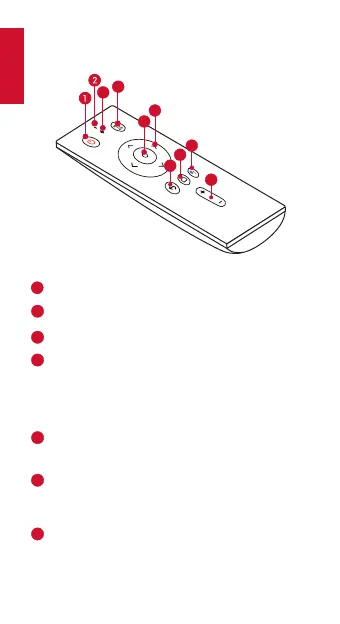
Remote Control
4
3
5
7
6
9
8
10
11
Power on / off button
2
Microphone
3
LED indicator
4
Signal source switch button
• Press to switch between Android TV™ and
HDMI interfaces
• Press and hold for 3 seconds to engage manual
focus
5
Navigation buttons
• Navigate menus or adjust the selected contents
6
Confirmation button
• Press to confirm a selection or entry
• Pause / resume play
7
The Google Assistant button
• Press to talk to the Google Assistant (can be
used only after Bluetooth pairing is successful)



 To Next Page