English
06
2.
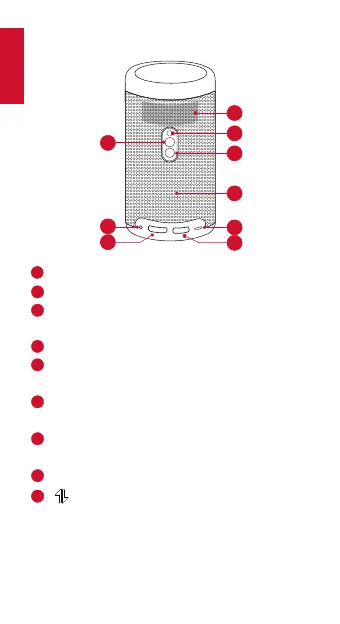
Rear View
2
1
3
6
5
9
8
7
4
11
Air ventilation (outlet)
2
Infrared receiver
3
Power button
• Press and hold for 2 seconds to power on / off
4
Speaker
5
USB-C port
• Connect to power supply (with supplied cable)
6
USB port
• Connect to a USB flash drive
7
HDMI input port
• Connect to a playback device
8
AUX-out socket
9
• Press to switch between Bluetooth speaker
mode and projector mode
• Bluetooth speaker power on / off



 To Next Page