14
15
Enjoy
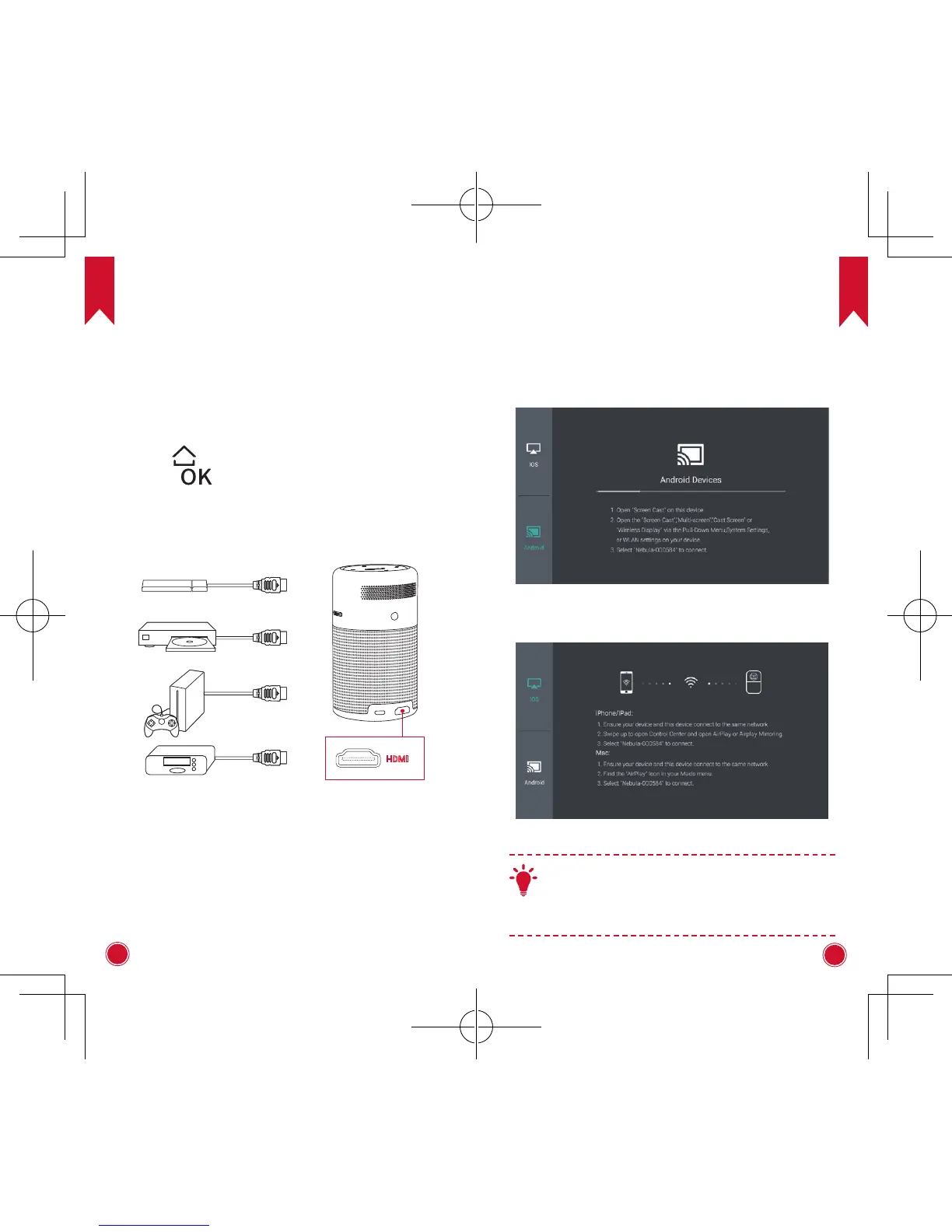
1. Connect to HDMI Playback Devices
This device supports connections with various HDMI
playback devices such as TV stick, TV box, DVD player,
set-top box (STB), game machine or other devices.
①
Connect this device to an HDMI playback device
with an HDMI cable (not provided).
②
Press
to access the home menu, select [HDMI]
and press . (* It will automatically start the HDMI
playback when connected to an HDMI playback device
for the first time.)
HDMI
2. Screen Cast
You can cast the screen of your smartphone or tablet
onto the projection surface wireless.
For iOS devices:
For Android devices:
T
Certain content may be unavailable to be casted
due to copyright restrictions. In this case, you
can stream those content via the same app
installed in your Nebula Capsule.



 To Next Page