EN
16
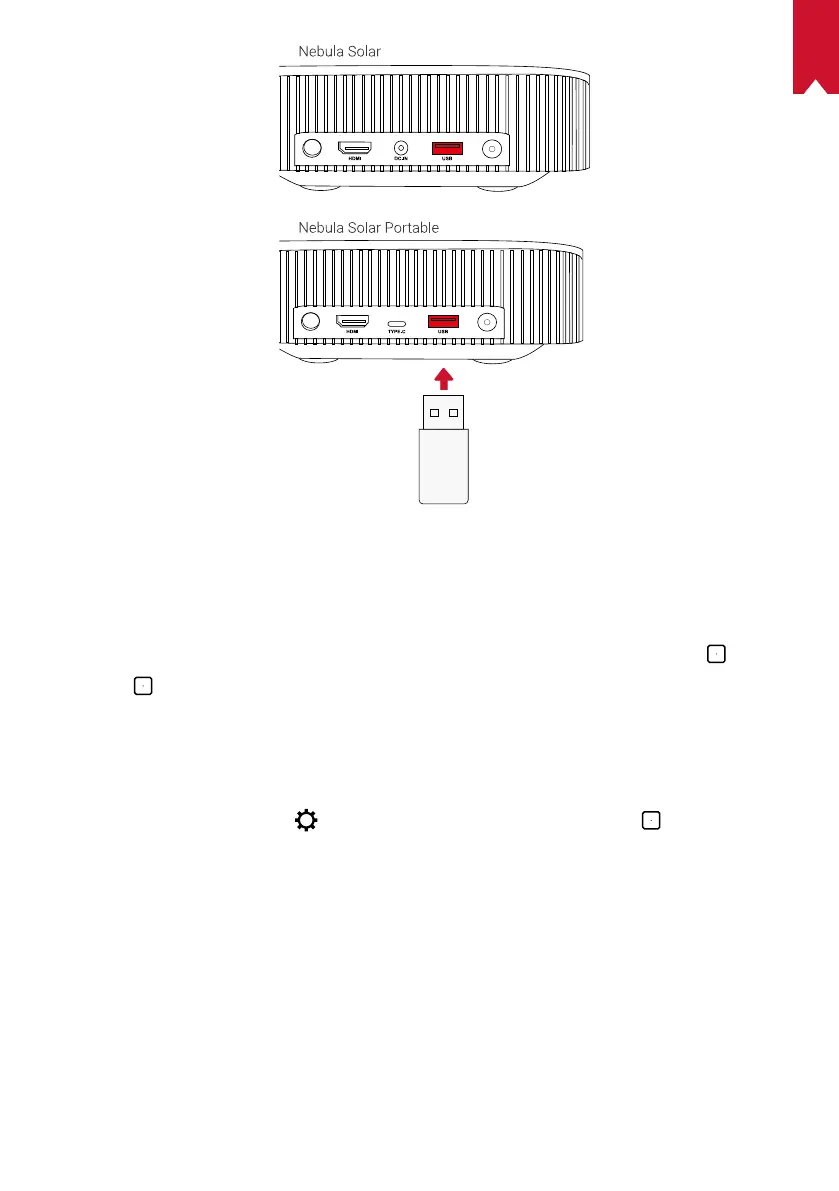
To play from a USB drive:
①
Download the ES File Explorer from Google Play.
②
Insert a USB drive into the USB port.
• The USB folder will appear on the ES File Explorer.
③
Select videos or photos from the USB drive that you want to play, and press
④
Press
to stop playback.
3. Connect Bluetooth Accessories
You can connect Bluetooth devices to Nebula Solar / Nebula Solar Portable.
①
On the home page, select
> [Remotes & Accessories] and press .
②
Select Add accessories.
• This projector will begin searching for accessories.
③
Pair your projector with the device to be connected.
④
Follow the on-screen instructions to complete the Bluetooth connection.
Note: Before pairing your Bluetooth devices, make sure the remote control and your
projector are in pairing mode.
4. Use Chromecast
TM
Built-in
You can wirelessly cast photos, videos, and music from your phone or computer right
to your Nebula Solar / Nebula Solar Portable.



 To Next Page