Issue 6 Electra Elite
7 - 40 Installing Optional Equipment
3.12.2 Wall Mounting Using the Base Unit
1. Refer to Section 2 Preparing Multiline Terminal for
Adapter Installation, and perform Steps 1~5.
2. Press both sides of the Base Cover, and turn it left to
remove it.
3. Rotate base cover 180° and install it again on the
Multiline Terminal.
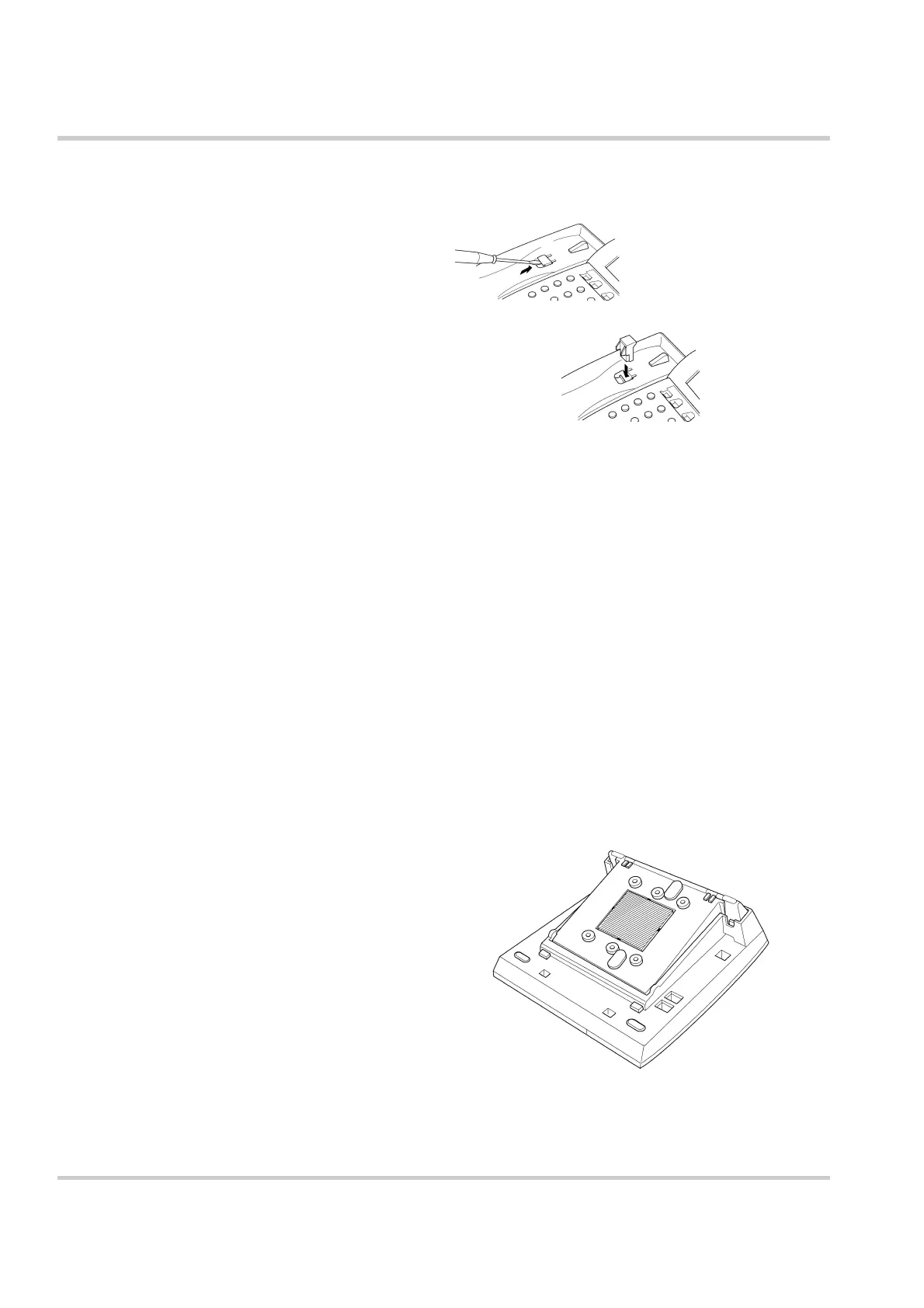
4. Remove the shaded base plate knockout that is
shown on Figure 7-51 Removing the Knockout.
Figure 7-50 Positioning the Handset Hanger
Figure 7-51 Removing the Knockout



 To Next Page