EasyManua.ls Logo

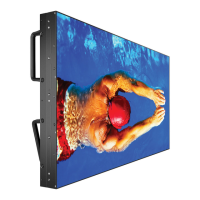
NEC MultiSync X464UNS - User Manual

NEC MultiSync X464UNS
57 pages
Print Icon
To Next Page IconTo Next Page
Loading...
MultiSync X464UN
MultiSync X464UNS
MultiSync X464UNV
MultiSync X554UN
MultiSync X554UNS
MultiSync X554UNV
Please fi nd your model name in the label on the backside of monitor.
Large Format Display
User’s Manual

Other manuals for NEC MultiSync X464UNS

Questions and Answers

  • H
    hulltheresaSep 9, 2025
    Why is the image of component signal greenish on NEC MultiSync X464UNS Monitor?
    • D
      David AllenSep 9, 2025
      If the image of a component signal is greenish on your NEC monitor, check to see if the Y/Pb/Pr input connector is selected.
  • R
    robert52Sep 12, 2025
    Why is the SCHEDULE/OFF TIMER function not working on my NEC MultiSync X464UNS Monitor?
    • R
      Roger YoungSep 12, 2025
      If the “SCHEDULE”/“OFF TIMER” function is not working properly on your NEC monitor: * The “SCHEDULE” function will be disabled when the “OFF TIMER” is set. * If the “OFF TIMER” function is enabled and the power to the LCD monitor is turned off when the power supply is interrupted unexpectedly, then the “OFF TIMER” will be reset.
  • K
    Kathy RoweSep 13, 2025
    How to fix snowy picture and poor sound in TV on NEC MultiSync X464UNS?
    • A
      Amy WestSep 13, 2025
      To fix a snowy picture and poor sound in TV mode on your NEC monitor, check the antenna/cable connection. Use a new cable if necessary.
  • M
    Mark GrossSep 15, 2025
    How to resolve interference in TV on NEC MultiSync X464UNS Monitor?
    • R
      Robert ReedSep 15, 2025
      To resolve interference in TV mode on your NEC monitor, check components for shielding and move them away from the monitor if necessary.
  • M
    Monica HendersonSep 18, 2025
    Why is RS-232C or LAN control not available on NEC MultiSync X464UNS Monitor?
    • S
      singletonraymondSep 18, 2025
      If RS-232C or LAN control is not available on your NEC monitor, check the RS-232C or LAN cable connection.

NEC MultiSync X464UNS Specifications

General IconGeneral
Screen Size46 inches
Resolution1920 x 1080
Brightness700 cd/m²
Viewing Angle (H/V)178°/178°
Response Time8 ms (gray-to-gray)
Aspect Ratio16:9
ConnectivityDVI-D, HDMI, DisplayPort, VGA
Input ConnectorsHDMI, DisplayPort, DVI-D, VGA
Weight22.5 kg
Contrast Ratio4000:1
Panel TechnologyIPS
Panel TypeIPS

Related product manuals