6
Using Your Drive
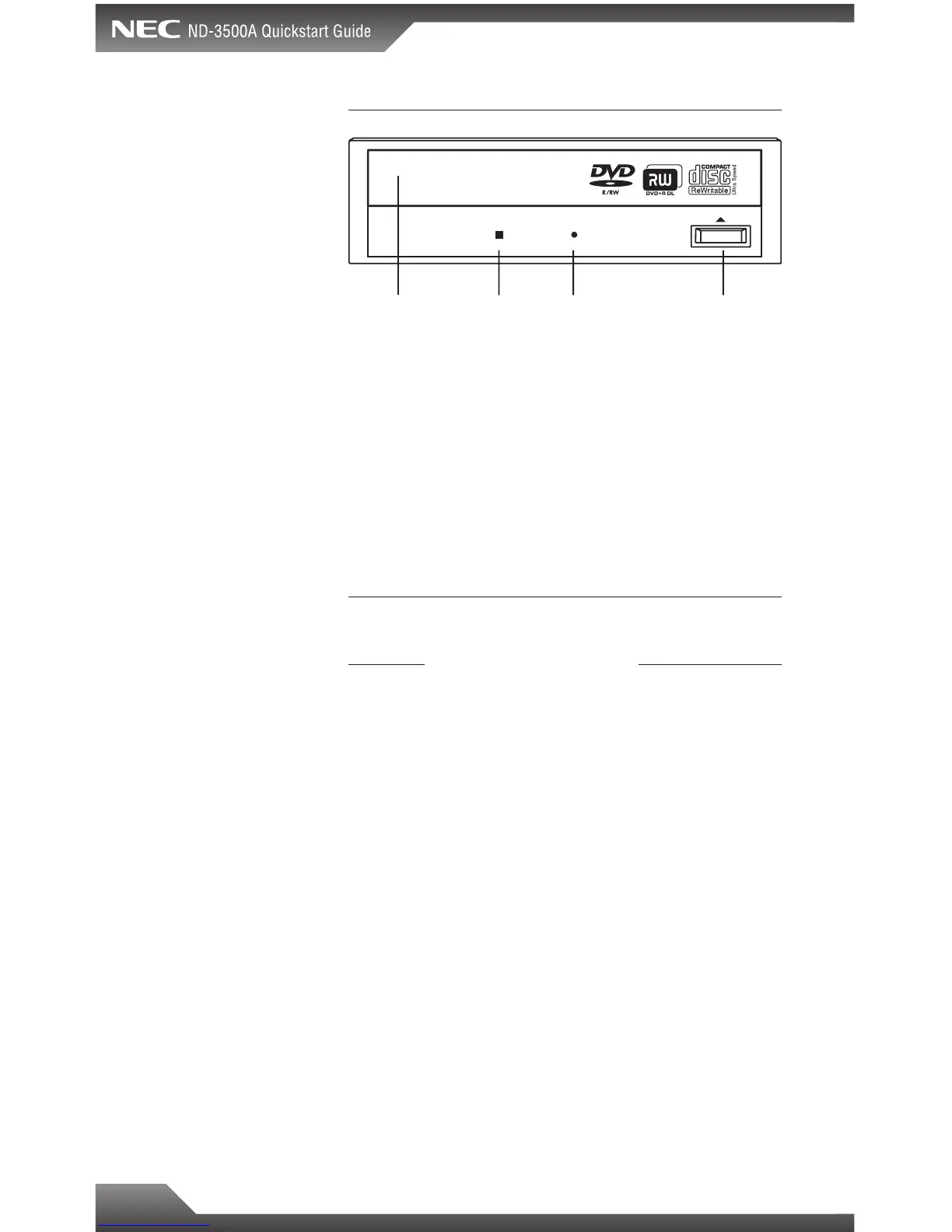
Busy Indicator LED: Lights up when reading or writing data.
Eject Button: Press to load or unload a disc.
Disc Tray: Open or close by pressing the eject button. Load
discs into the tray with the label side facing up.
Forced Eject Hole: If the eject button will not open the tray,
insert a stiff rod such as a large paper clip into the hole
and push in to eject the tray after the drive has been turned
off and the disc has stopped spinning.
About DVD Media Types
Media compatibility
Disc Types ND-3500A Supports
DVD-ROM . . . . . . . . . . . . . . . . . . . . . . . . . . . . . . . . . . . .Read
DVD-Video . . . . . . . . . . . . . . . . . . . . . . . . . . . . . . . . . . .Read
DVD+R (SL, DL) . . . . . . . . . . . . . . . . . . . . . . . . . . .Read/Write
DVD+RW . . . . . . . . . . . . . . . . . . . . . . . . . . . . . . . .Read/Write
DVD-R . . . . . . . . . . . . . . . . . . . . . . . . . . . . . . . . . .Read/Write
DVD-RW . . . . . . . . . . . . . . . . . . . . . . . . . . . . . . . .Read/Write
DVD-RAM . . . . . . . . . . . . . . . . . . . . . . . . . . . .Not Supported
SL- Single Layer
DL- Double Layer
Sample DVD+R SL media is included in kit
Busy
Indicator LED
Forced Eject
Hole
Eject ButtonDisc Tray



 To Next Page