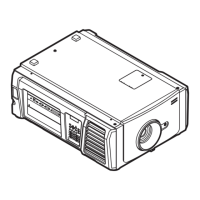
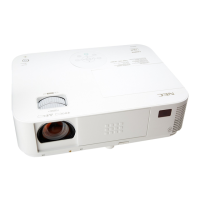
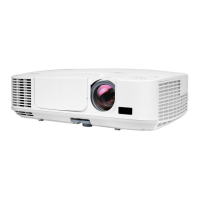
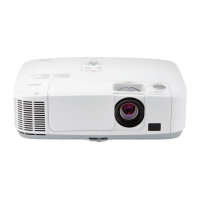
The NEC NP-NC900C-A and NP-NC900C-A+ are DLP Cinema® projectors designed for professional cinema environments, emphasizing better service, reputation, and profit through their robust design and maintenance features.
Function Description:
These projectors utilize a 3-chip DLP Cinema® method with a 0.69-inch DC2K chip to deliver high-resolution images (2048 x 1080). They are designed for various installation orientations including desktop/front, desktop/rear, ceiling/front, and ceiling/rear. The internal architecture is managed by a CPU PWB (PWC-4707) which oversees projector functions and controls major boards. An ASSIST3 ASIC (S1L53354, IC7100) handles CPU I/F, Ethernet Controller I/F, Lens Mount/Motor Control, Lamp Power Control, Fan/Cooler Pump Control, Control Key Control, and LCD Control. The Mother PWB (PWC-4708) facilitates major board connections and relays for projector functions, with inter-board control via LAN and independent RJ45 connectors.
Important Technical Specifications:
- Model Names: NP-NC900C-A, NP-NC900C-A+
- Projection Method: 3-chip DLP Cinema® method
- Chip Size: 0.69-inch DC2K chip
- Panel Resolution: 2048 x 1080
- Lamp Type: 350W AC lamp
- Screen Sizes: 7m to 8.1m @14ft-L/Screen Gain 1.3 (Max. 9.5m @14ft-L/Screen Gain 1.8, depending on setup conditions)
- Contrast Ratio: 1600:1 with DCI specified color representation
- Lens Adjustment Function: Motorized lens shift (vertical/horizontal), motorized zoom, motorized focus, douser
- External Control: RS-232C (D-sub 9pin) x1, GPIO port (D-sub 37 pin) x1, Service terminal (stereo mini jack) x1, 3D CTL (D-sub 15 pin) x1, USB (Type A) x1, Interlock port x1, Ethernet port (G-bit RJ-45) x1
- Power Supply Voltage: AC 100 to 120V, 50/60Hz signal phase; AC 200 to 240V, 50/60Hz signal phase
- Input Current: 10.3 to 7.9 A (100 to 130 V); 5.1 to 4.3 A (200 to 240 V)
- Power Consumption: 1023 W (100 to 130 V); 985 W (200 to 240 V)
- Cooling Method: Cooling air system (includes dust filter)
- Noise Level: Less than 52 dB
- Net Weight: 44 kg (Excluding lens)
- Dimensions: 621mm (W) x 798mm (D) x 314mm (H) (Does not include protruding portions, includes foot)
- Operating Temperature: 10 to 35°C
- Operating Humidity: 10 to 85% (non-condensing)
- Storage Temperature: –10 to 50°C
- Storage Humidity: 10 to 85% (non-condensing)
- Operating Altitude: 0 to 3000m/9800 feet (1600m/5500 feet to 3000m/9800 feet: Set “Fan Speed Mode” to “High Altitude”)
Usage Features:
The projector offers motorized lens adjustments for shift, zoom, and focus, along with a douser for precise image control. External control options are extensive, including RS-232C, GPIO, USB, Ethernet, and a dedicated 3D CTL port, allowing for integration into complex cinema systems. The CPU PWB incorporates an ARM9 core CPU (S3C2440A-400, IC7000) that manages the projector's power sequence, data settings, and overall functions. It reads BIOS and firmware from flash memory (IC7008, IC7009) for startup. The system includes an EEPROM (IC7006) for saving serial numbers, cumulative time, and other critical data, supported by a real-time clock (RTC-8564JE, IC7005) with a super-capacitor for backup.
Maintenance Features:
The manual provides detailed instructions for servicing, emphasizing safety precautions such as using an isolation transformer, specified parts, and an earth band during repairs. It highlights areas like heatsinks that may be energized and warns against looking into the lens during projection.
Regular cleaning is crucial for optimal performance:
- Cabinet Cleaning: Wipe with a clean, dampened cloth using warm water and mild detergent. Avoid abrasive alcohol-based cleaners to prevent discoloration.
- Lens Cleaning: Apply optic lens cleaner to a lint-free cloth and gently wipe the lens in a circular motion. Abrasive cleaners or solvents should not be used.
- Filter Cleaning: The projector has two filters that should be cleaned every 500 hours of operation, or more frequently in dusty environments. A "Please clean filter" message will be displayed when cleaning is required. Cleaning both filters simultaneously is recommended to synchronize the hours used display.
Troubleshooting is supported by:
- RS-232 Protocol Command & System Flow: Instructions for using Tera Term to set up serial ports and log messages, including retrieving error codes. The first error code typically indicates the root cause of a defective symptom.
- Error Code Definition: A comprehensive list of system error codes (e.g., ErrMsgOverTempInlet, ErrMsgFanRotateError, ErrMsgInterLockOpen) with corresponding troubleshooting steps and parts to replace.
- Connection Diagrams Troubleshooting: Detailed pin-to-pin descriptions for various boards (Slave uC Board, Fan Driver Boards, Motor Board, Keypad Board, LCD Module) to aid in diagnosing connection issues.
- Start-up Failure Troubleshooting: A flowchart to guide technicians through diagnosing issues when the projector fails to start up, including checking voltages, cable connections, and board insertions.
- Output Video Abnormal Troubleshooting: A flowchart to diagnose problems when no video output is available, covering lamp status, douser position, input signal, and board connections.
- Fan Layout: A diagram and table detailing the location, part numbers, connectors, and functions of all internal fans (FAN1 to FAN16, ICP FAN) to assist in diagnosing fan-related errors.
- Program Setting and Software Download: Procedures for updating firmware for the ICP Board, Slave MCU Board, Full Auto Software, and Motor Board using specific tools and files.
- Setting & Adjustment: Guides for motor board setting and adjustment, color band adjustment, color calibration adjustment, and focus adjustment, including the use of specific jigs and software.
The device also features safety monitoring processes for thermal management, lamp interlock, lamp door, lamp thermostat, and notch filter detection, with the Slave MCU asserting an ALERT signal if any failure is detected. Hardware protection designs are in place to cut off ballast power in case of system failures.

 Need help?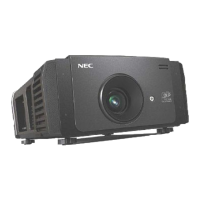

 To Next Page
 General